Two basic and most used types of links in Worksection that determine the start date of the tasks: start-start and finish-start.
01 |
Start-Start — task B starts right away or after N days after the start of the task A. If the start date of the A task changes, then the start date of the B task also moves.
For example:
As soon as the client «signed the agreement», then the executive manager «arranges a meeting» wit the client, and «webinar for employees» of the client opens in 3 days.

02 |
Finish-Start — task B starts right away or after N days after the completion of the task A. If task A is expired, then the start of task B is postponed till the task A is not closed. If task А is completed before the deadline, then the planned start of task B will happen earlier.
For example: As soon as «budget coordination with the client» is completed, lawyers «get the agreement ready».
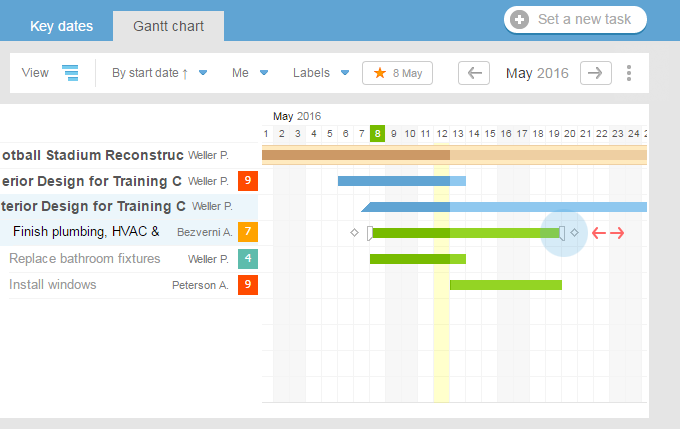
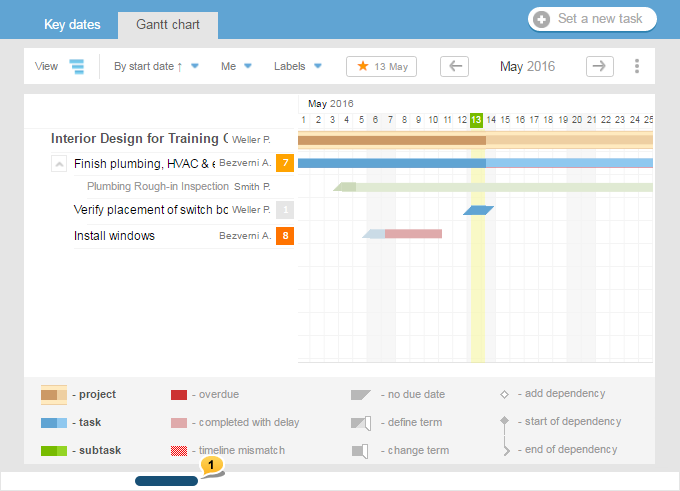
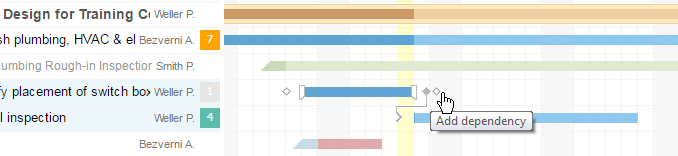
To establish links between tasks, jump to the Gantt chart. Then click on the icon ♦ (set the start of the link) next to task A and> (set the end of the link) next to task B or right on task B.

After establishing the links, the system will remember the number of days between task A and task B, and any changes to the time frames of task A will also affect task B. If you decide to change the time frames of task B, the system will simply remember the new number of days. Breaking the link can be done by clicking at its end.

You can establish links between tasks and subtasks from different projects, which helps to plan the employment of individual employees.
Similarly to setting time frames, application of changes and notification sending occurs after you click «Save». You can plan the entire project and only then notify the executives.

The option of linking tasks is available in Optimum and tariff plans above it
https://worksection.com/en/price.html