People and contacts in one space

Work­sec­tion helps accel­er­ate and sys­tem­atize the sales process: cre­ate leads based on orders from the com­pa­ny’s web­site, dis­cuss tasks with clients in a con­ve­nient mes­sen­ger, and gen­er­ate auto­mat­ic reports on work results.
Try Now
The sim­ple and fast inter­face of the ser­vice will allow you to quick­ly get accus­tomed and start the sales process in Worksection.

Com­pa­nies using Work­sec­tion for man­ag­ing their sales depart­ment note improve­ments in con­ver­sion rates and a reduc­tion in sales cycles. The built-in con­tact data­base with tags will help clas­si­fy clients, while inte­gra­tions with CRM sys­tems — Pipedrive, Hub­Spot, NetHunt, Key­CRM — will syn­chro­nize deals and con­tacts. The ser­vice is trust­ed by over 1600 com­pa­nies, includ­ing Com­fy, Dxrac­ers, Yany­shev, and others!

Team management

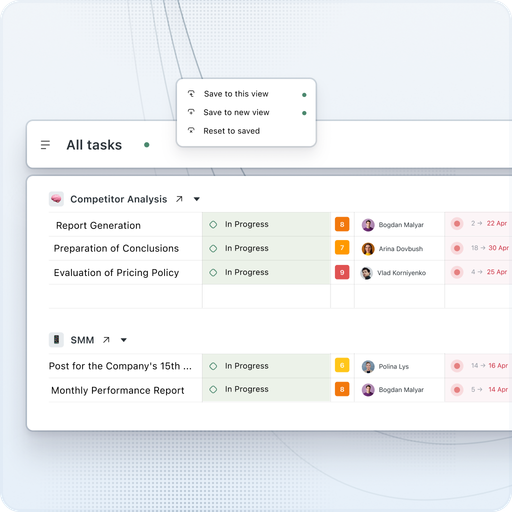
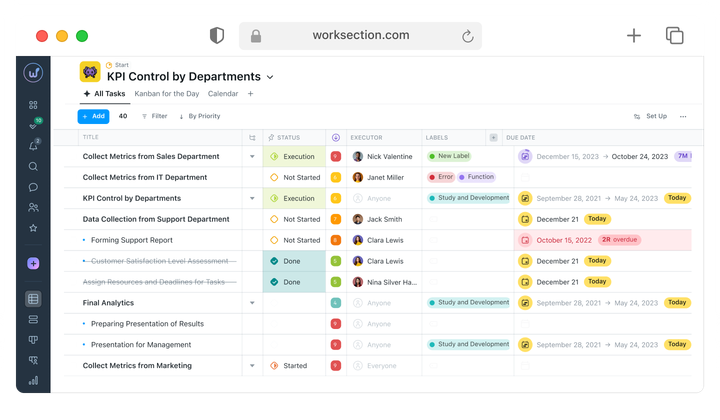
Invite peo­ple via email and unite employ­ees into teams and depart­ments. A man­ag­er can cre­ate new projects, assign tasks, and receive reports. The ana­lyt­ics dash­board will show the team’s progress in real time.


Work­sec­tion helps to con­trol every ele­ment of the project: approve tasks, set dead­lines, bud­gets, and par­tic­i­pate in work­flows, dis­cus­sions, and reporting.

Communication

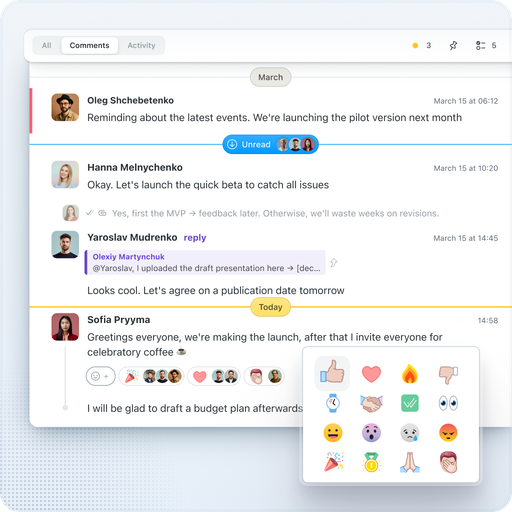
Work with clients direct­ly in Work­sec­tion. Under each task, you can leave com­ments, attach files, and cre­ate check­lists. Com­mu­ni­ca­tions and attached files are stored under the rel­e­vant task. Any com­ment can be instant­ly turned into a new task while retain­ing the con­text. For rapid com­mu­ni­ca­tion with the team, use the built-in mes­sen­ger — with pri­vate, group, and project chats. Emo­ji reac­tions help to quick­ly respond to com­ments, and AI sum­maries help under­stand the essence of long discussions.

Time tracking

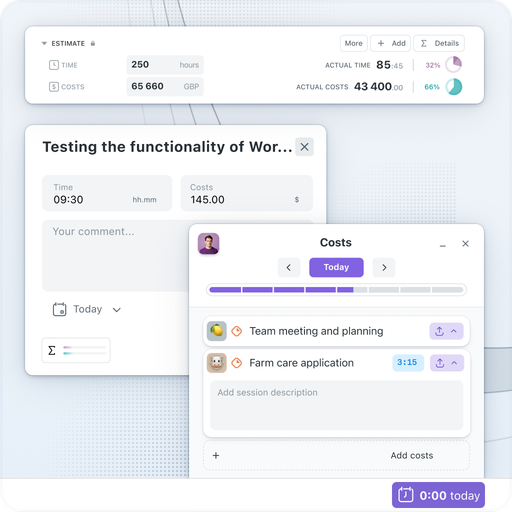
Track the time spent on each project in Work­sec­tion. The built-in Start/​Stop timer with col­or indi­ca­tion (green, orange, red depend­ing on dura­tion) will help you cal­cu­late the actu­al time for task com­ple­tion. You can also enter time expen­di­ture retroac­tive­ly. Set indi­vid­ual hourly rates and com­pare the plan with the actual.


A client project can be set up so that they can per­son­al­ly track how much time is spent on tasks.

Data Privacy

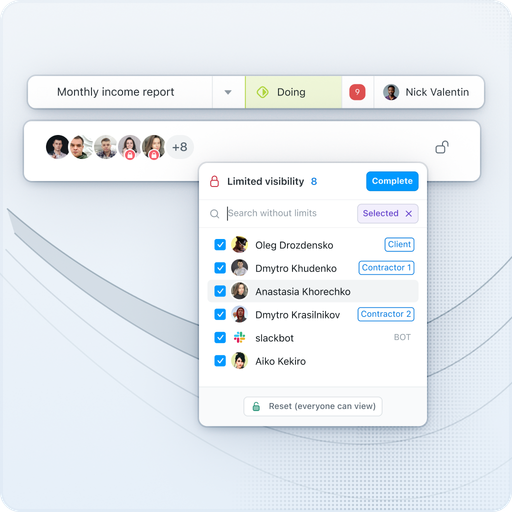
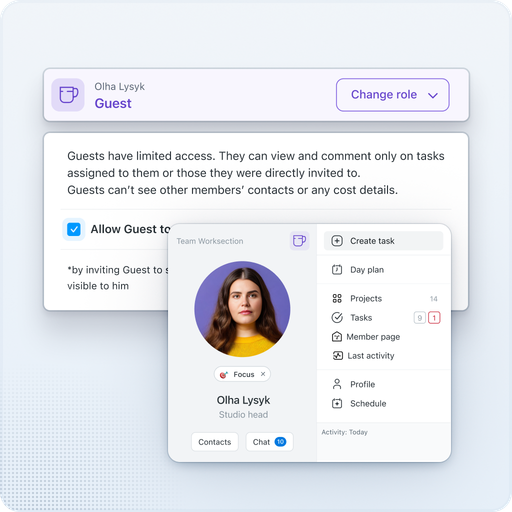
Need to main­tain the con­fi­den­tial­i­ty of projects, tasks, dis­cus­sions, and files? A flex­i­ble sys­tem of roles and access rights allows you to define the lev­el of vis­i­bil­i­ty for each team mem­ber depend­ing on their respon­si­bil­i­ties. By default, all com­pa­ny projects and doc­u­ments are hid­den from clients. Pri­vate com­ments enable inter­nal dis­cus­sions that the client will not see.

Working with subcontractors

Need to invite a third-par­ty com­pa­ny or free­lancer? No prob­lem! Assign the user the role of Guest” — and they will only see the projects and tasks they are involved in. For those who only need to view — there is the Read­er” role. All con­fi­den­tial infor­ma­tion from exter­nal par­tic­i­pants will be hidden.

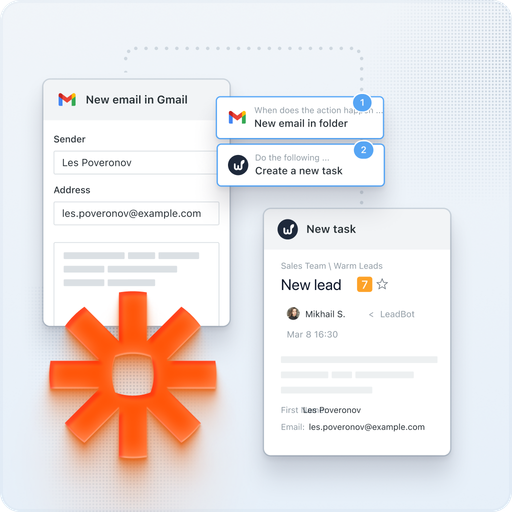
Integrations through API, Zapier

We have imple­ment­ed inte­gra­tions with mail, Google Cal­en­dar, Google Dri­ve, Google Docs/​Sheets/​Presentations, Google Meet, Google Forms, Fig­ma, Slack, Telegram, Viber, Key­CRM, Hub­Spot, Pipedrive, NetHunt. Using REST API and Web­hooks, you can input any infor­ma­tion into Work­sec­tion or export the data you need. Zapi­er allows you to con­nect hun­dreds of exter­nal ser­vices.
For exam­ple, with the Telegram inte­gra­tion, you can reply to com­ments on tasks through a bot in the messenger.