Simple management of sprints and tasks

Is your team work­ing accord­ing to Agile prin­ci­ples? With Work­sec­tion, you can eas­i­ly set up sprints or orga­nize work using Kan­ban boards. Our ser­vice is per­fect for dynam­ic and mod­ern teams that val­ue flex­i­bil­i­ty and speed in their work.
Try Now
Work­sec­tion is cho­sen for its flex­i­bil­i­ty and pow­er­ful func­tion­al­i­ty that is ide­al for imple­ment­ing any Agile method­ol­o­gy. The inter­face works instan­ta­neous­ly and with­out reload­ing. Kan­ban boards with automa­tions, an inter­ac­tive Gantt chart, an built-in mes­sen­ger, and ana­lyt­ics dash­boards allow for effec­tive task man­age­ment and progress tracking.

More than 1600 com­pa­nies have already appre­ci­at­ed the capa­bil­i­ties of Work­sec­tion, includ­ing the dig­i­tal stu­dio ArtJok­er, the mar­ket­ing agency Vol­ta One, the pro­duc­tion stu­dio COXO dig­i­tal, and many others.

Choose Work­sec­tion to man­age your Agile projects and join those who have already real­ized the full poten­tial of flex­i­ble methodology!

Quick adaptation

Even an employ­ee with no expe­ri­ence work­ing with such ser­vices can eas­i­ly mas­ter Work­sec­tion. The ser­vice is used by both advanced IT spe­cial­ists and accoun­tants as well as reg­u­lar managers.

Customizable status

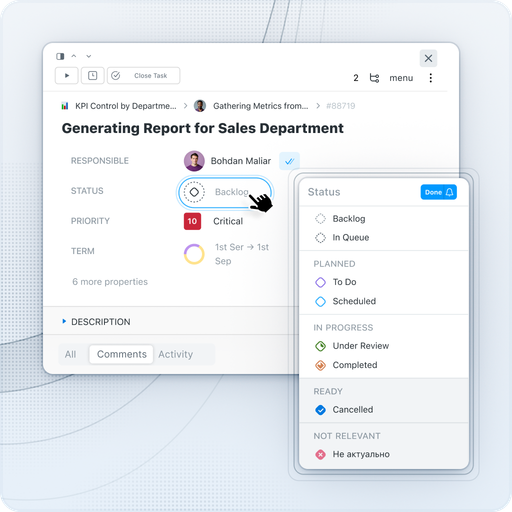
Cre­ate a unique set of sta­tus­es for each project. For exam­ple, for a video pro­duc­tion stu­dio, you can cre­ate sta­tus­es for the prepa­ra­tion, shoot­ing, post-pro­duc­tion, and pub­li­ca­tion stages. Five cat­e­gories of sta­tus­es — Back­log, Planned, In Progress, Com­plet­ed, Can­celed — with cus­tom names and col­ors will help describe any process.


With sta­tus­es, it’s eas­i­er to track progress, and the Kan­ban board will visu­al­ly dis­play projects or help arrange stages and pri­or­i­ties for tasks.

Project and task tags

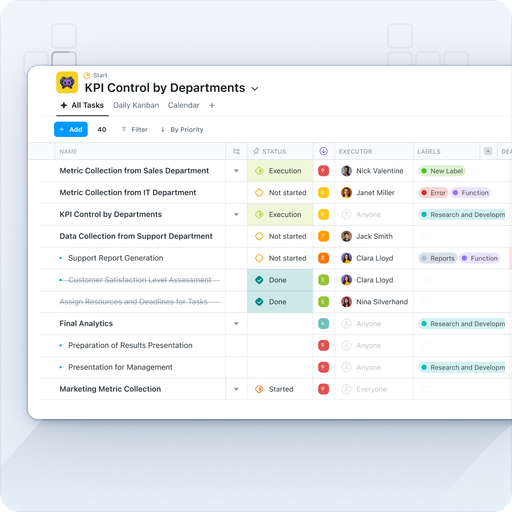
Tags are a set of mark­ers for projects and tasks that reflect the type, com­plex­i­ty, vol­ume of the project, or results of the work. Orga­nize tags into groups with col­or cod­ing and link­ing to projects.

Task prioritization

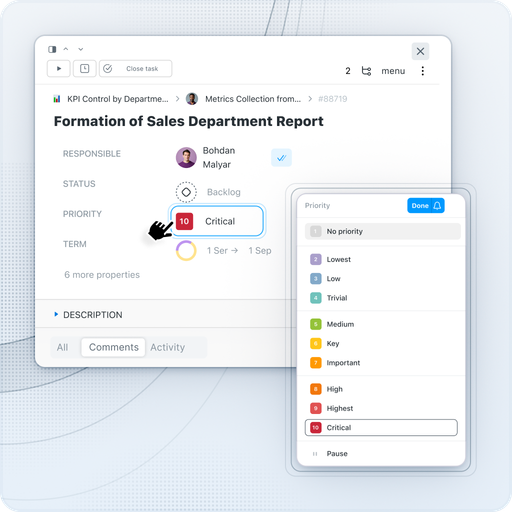
You need to under­stand which task to do first? Assign pri­or­i­ties to tasks to plan dai­ly sprints and sim­pli­fy the col­lab­o­ra­tive work of teams on Work­sec­tion projects. Save dif­fer­ent com­bi­na­tions of fil­ters as views and share them with the team.

Updates feed and notifications

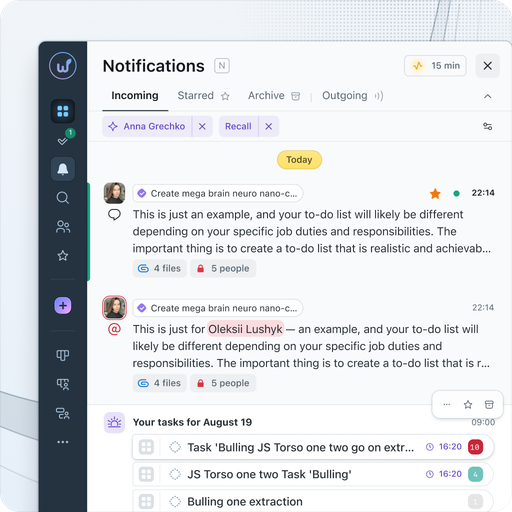
Any action tak­en by a Work­sec­tion employ­ee will trig­ger a noti­fi­ca­tion. The user indi­vid­u­al­ly con­fig­ures where they want to receive noti­fi­ca­tions: via email, in Slack, Telegram, Viber, on mobile, or on desk­top. And the built-in mes­sen­ger with pri­vate and group chats will ensure prompt com­mu­ni­ca­tion with­in the team.

Communication

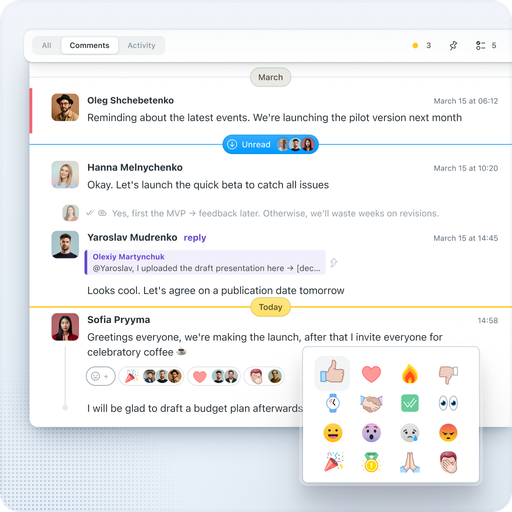
Are you often search­ing for a lost email from a client? In Work­sec­tion, cor­re­spon­dence and files are stored under the rel­e­vant task. Com­mu­ni­cate with clients with­in the project, send files, dis­cuss tasks with the team. For quick com­mu­ni­ca­tion, use the built-in mes­sen­ger — any com­ment can be instant­ly turned into a new task while pre­serv­ing the context.


We also have emo­ji reac­tions, built-in replies (threads), and AI sum­maries for a quick under­stand­ing of long discussions.

Kanban board

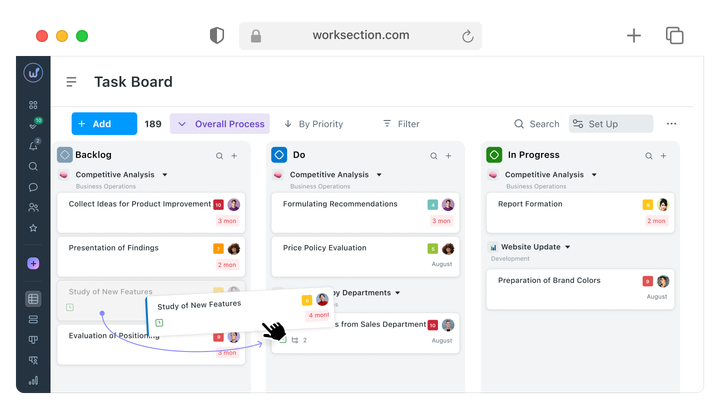
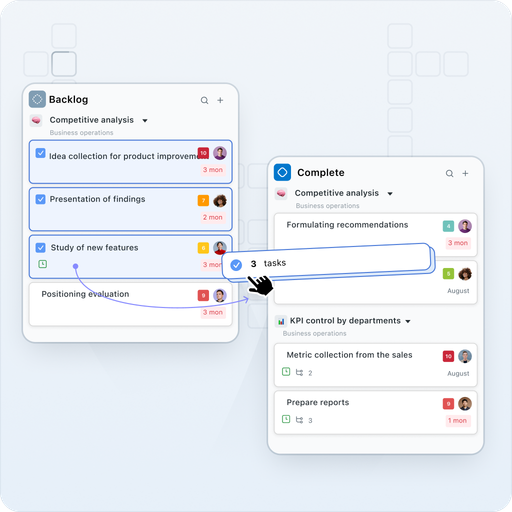
Use Kan­ban to visu­al­ly divide tasks by their exe­cu­tion sta­tus. Inline edit­ing and bulk selec­tion of cards sim­pli­fy the work process. The board will help estab­lish the sequence of task exe­cu­tion. Assign a respon­si­ble per­son for each stage — Kan­ban automa­tion allows for auto­mat­ic sta­tus changes and assign­ing respon­si­bil­i­ties when mov­ing cards between columns.

Reports Plan/Fact

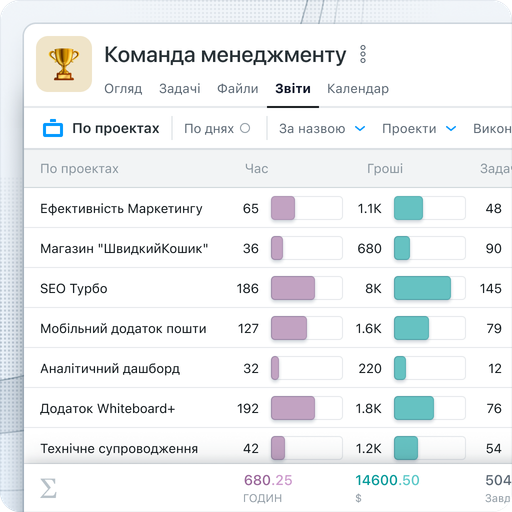
Sev­en types of reports — by tasks, time, peo­ple, days, and projects — will show how many tasks from the plan were actu­al­ly com­plet­ed and which tasks had delays. The project dash­board will high­light the team’s activ­i­ty. Reports for the select­ed peri­od can be gen­er­at­ed based on fil­ters for peo­ple, projects, or both peo­ple and projects simultaneously.

Localizations

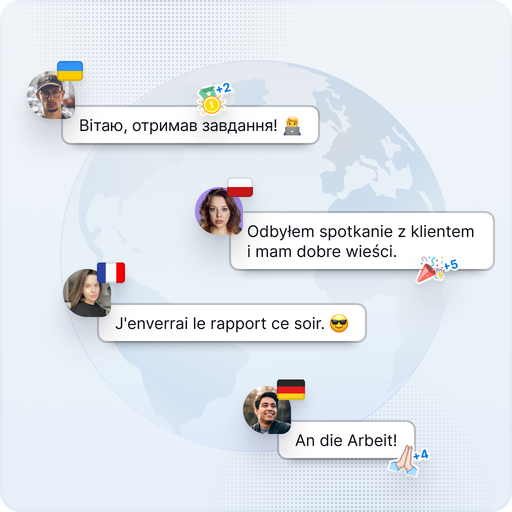
Work with clients from the USA, Europe, and Asia. The ser­vice is avail­able in 10 lan­guages: Ukrain­ian, Eng­lish, Ger­man, Span­ish, French, Pol­ish, Roman­ian, Ital­ian, Kaza­kh, and Czech.
For exam­ple, you can eas­i­ly work with one client on a project in Eng­lish and with anoth­er client using the inter­face in Spanish.

Mobile apps

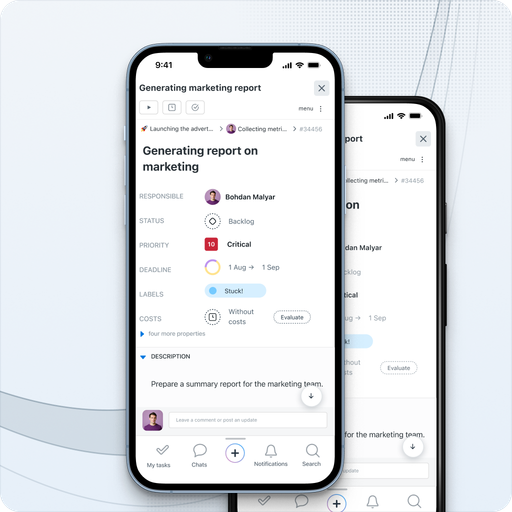
You need to respond to a mes­sage, cre­ate a task, or attach a pho­to, but there is no lap­top near­by? Man­age your tasks through the Work­sec­tion app for iOS or Android.

Integrations through API, Zapier

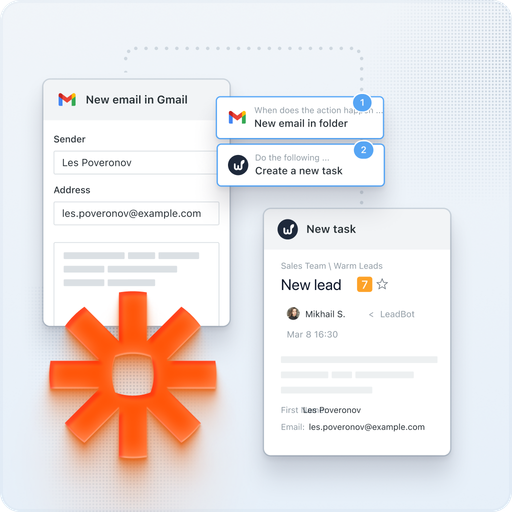
We have imple­ment­ed inte­gra­tions with mail, Google Cal­en­dar, Google Dri­ve, Google Docs/​Sheets/​Presentations, Google Meet, Google Forms, Fig­ma, Slack, Telegram, Viber, Key­CRM, Hub­Spot, Pipedrive, NetHunt. Using REST API and Web­hooks, you can input any infor­ma­tion into Work­sec­tion or export the data you need. Zapi­er allows you to con­nect hun­dreds of exter­nal ser­vices.
For exam­ple, with the Telegram inte­gra­tion, you can reply to com­ments on tasks through a bot in the messenger.