Effective project management for construction companies

Con­struc­tion is a com­plex long-term project con­sist­ing of a large num­ber of small tasks. These tasks require dead­line man­age­ment, often depend on var­i­ous con­trac­tors, and are inter­con­nect­ed. All of this can be effec­tive­ly orga­nized and man­aged in Worksection.
Try Now
If you have a com­plex project where it’s impor­tant to see dead­lines, the rela­tion­ships between tasks, a Gantt chart with a crit­i­cal path, and the abil­i­ty to involve peo­ple who are not spe­cial­ized project man­age­ment experts but still need to move the project for­ward, then Work­sec­tion is what you need.

The inter­face works instant­ly, with­out reloads, and is acces­si­ble for non-IT spe­cial­ists.” Easy imple­men­ta­tion of projects, dis­tri­b­u­tion of access rights, con­ve­nient con­tex­tu­al com­mu­ni­ca­tion in com­ments and the built-in mes­sen­ger — all this allows our clients to effec­tive­ly devel­op projects. The sys­tem is suit­able for small and medi­um-sized con­struc­tion com­pa­nies, archi­tec­tur­al firms, interior/​exterior design agen­cies, and ren­o­va­tion companies.

An intu­itive inter­face, acces­si­ble for non-IT spe­cial­ists.” Easy imple­men­ta­tion of projects, dis­tri­b­u­tion of access rights, con­ve­nient con­tex­tu­al com­mu­ni­ca­tion – all this allows our clients to effec­tive­ly devel­op projects. We are per­fect­ly suit­ed for small and medi­um-sized con­struc­tion com­pa­nies, archi­tec­tur­al firms, interior/​exterior design agen­cies, and ren­o­va­tion companies.

Work­sec­tion has been on the mar­ket for over 10 years, and more than 1600 clients trust us, includ­ing: engi­neer­ing com­pa­ny PM Con­struc­tion, LLC Automagis­tral-Piv­den,” archi­tec­tur­al bureau Mono Architects.

Read about how the Poli­ako­va Archi­tec­tur­al Bureau reduced project costs using Work­sec­tion in our blog.

Worksection takes you further

Work­sec­tion clients note the intu­itive­ness and sim­plic­i­ty of the sys­tem, which is suit­able for employ­ees of var­i­ous spe­cial­ties and ages. The ser­vice is used by IT com­pa­nies, archi­tec­tur­al firms, gov­ern­ment and edu­ca­tion­al insti­tu­tions that launch projects with Work­sec­tion in an aver­age of 2 weeks.

Projects of any complexity

The con­struc­tion sec­tor involves work­ing on projects of vary­ing com­plex­i­ty, for which Work­sec­tion is a func­tion­al and con­ve­nient tool. With Work­sec­tion, it is easy to plan large projects, and most impor­tant­ly — to time­ly track who is falling behind on tasks and why the project is devi­at­ing from the planned expenses.


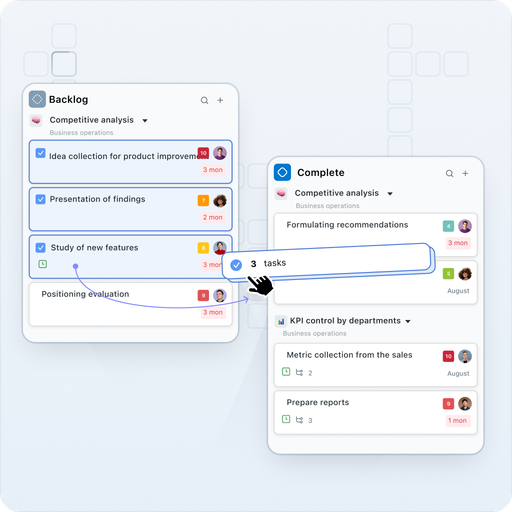
Plan more projects, des­ig­nate respon­si­ble par­ties for process­es, track project sta­tus, set dead­lines, bud­get, and time expenditures.

Gantt chart

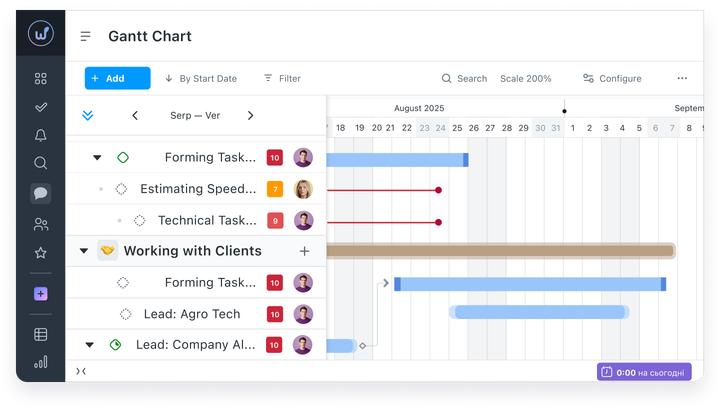
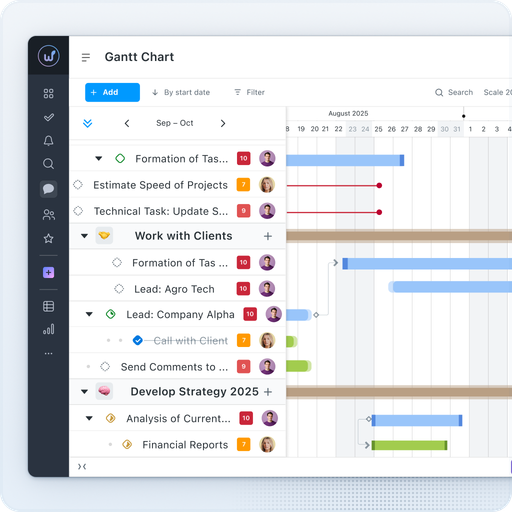
The inter­ac­tive Gantt chart will dis­play all project tasks, dead­lines, and respon­si­ble par­ties on a con­ve­nient time­line. Move and extend tasks with sim­ple drag-and-drop func­tion­al­i­ty and cre­ate depen­den­cies between tasks. Switch between scales — days, weeks, months.
The Gantt chart will also help visu­al­ize employ­ee work­loads, set accu­rate dead­lines, and iden­ti­fy delays in plan execution.

Planned and actual expenses

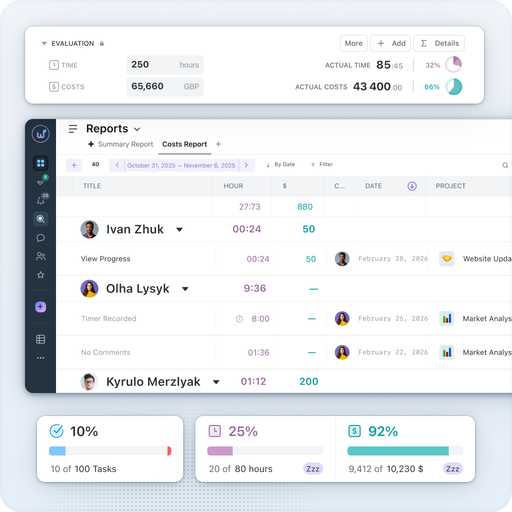
Work­sec­tion allows you to man­age bud­get­ing for projects and tasks, help­ing you spec­i­fy planned project expens­es and track actu­al expens­es. Set indi­vid­ual hourly rates for each employ­ee. The Start/​Stop timer is built right into the task card and is high­light­ed in col­or depend­ing on dura­tion. Work­sec­tion will noti­fy you if the project bud­get is exceed­ed or approach­ing excess.
You can view expens­es by tasks,” employ­ees,” and tags.”

Workload management

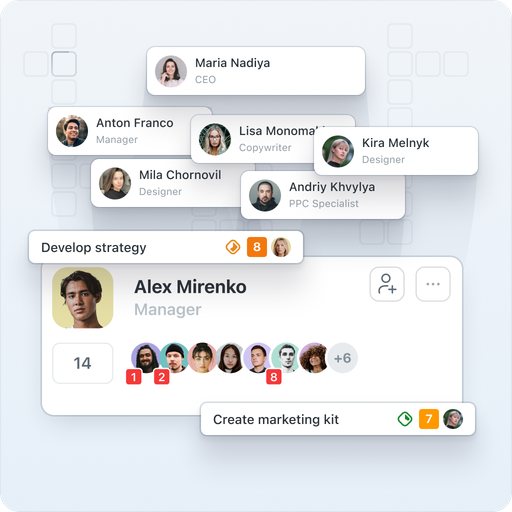
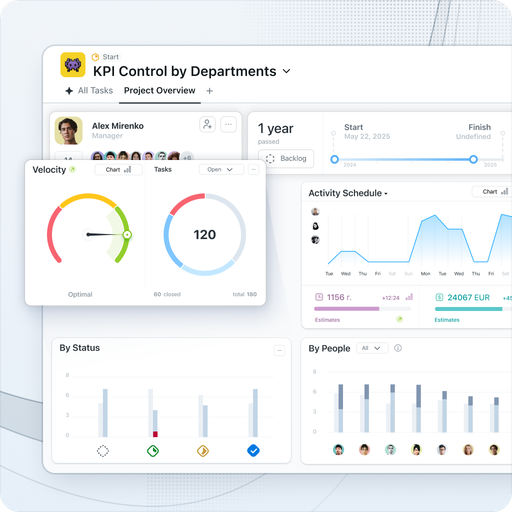
How to under­stand who is idle and who is over­loaded with tasks? The project dash­board with ana­lyt­ics on peo­ple will show the num­ber of tasks for each execu­tor and the dynam­ics over the week. The dai­ly plan with an hourly time­line will help the man­ag­er see the team’s sched­ule and time­ly notice overloads.
Ensure that employ­ees are not over­loaded with work, as this can neg­a­tive­ly affect the over­all mood of the team and the results.

Subcontractors

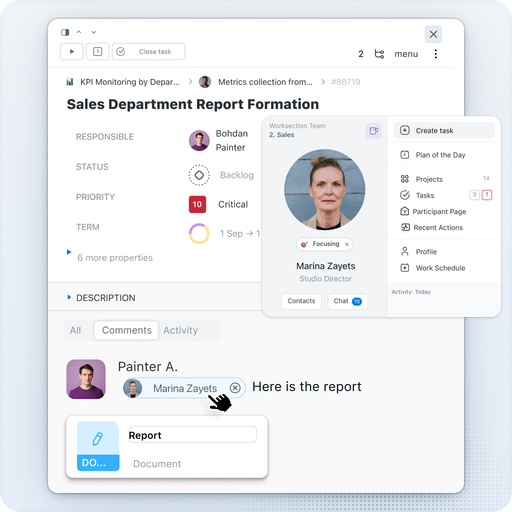
Work­sec­tion allows con­nect­ing the client and con­trac­tor to the project and work­ing togeth­er. Assign the user the role of Guest” — and they will only see the projects and tasks they are involved in. For those who only need to view — there is the Read­er” role. All con­fi­den­tial infor­ma­tion from exter­nal par­tic­i­pants will be hidden.

Regular tasks

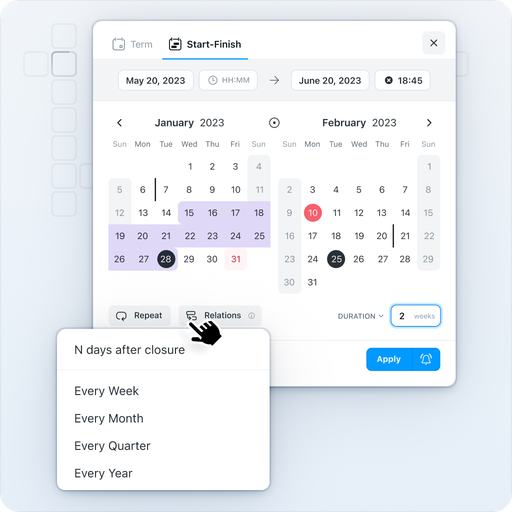
No need to deal with dai­ly rou­tine any­more. Each task in Work­sec­tion can be cycli­cal­ly repeat­ed — for exam­ple, set a reg­u­lar task for report cre­ation that will repeat on the last cal­en­dar day of each month. Repeat­ing tasks are cre­at­ed auto­mat­i­cal­ly accord­ing to the sched­ule along with sub­tasks, pri­or­i­ties, and assignees.

Access from any device

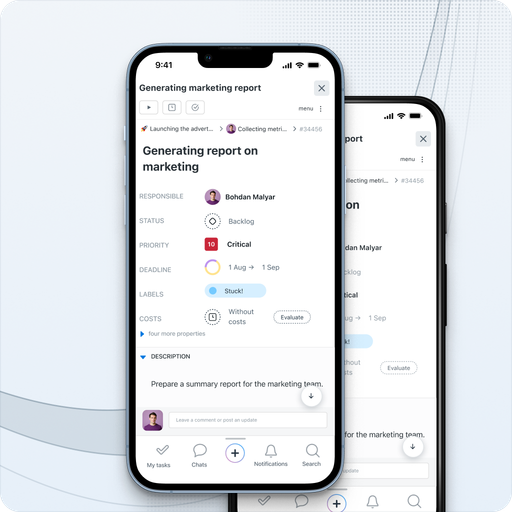
Work­sec­tion is avail­able in the mobile app for iOS and Android. In it, you will see the lat­est updates on the project, be able to set a task, and respond to comments.

Integrations through API, Zapier

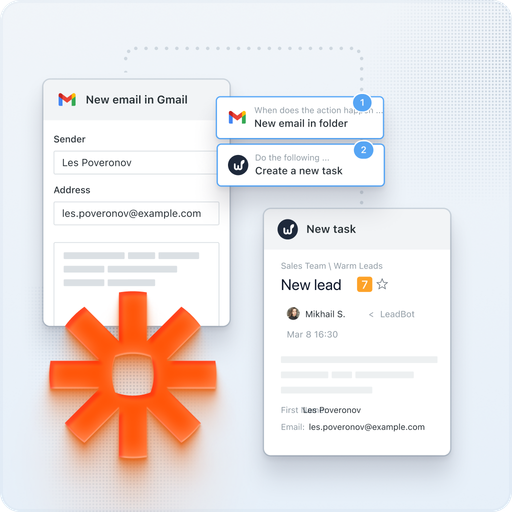
We have imple­ment­ed inte­gra­tions with mail, Google Cal­en­dar, Google Dri­ve, Google Docs/​Sheets/​Presentations, Google Meet, Google Forms, Fig­ma, Slack, Telegram, Viber, Key­CRM, Hub­Spot, Pipedrive, NetHunt. Using REST API and Web­hooks, you can input any infor­ma­tion into Work­sec­tion or export the data you need. Zapi­er allows you to con­nect hun­dreds of exter­nal ser­vices.
For exam­ple, with the Telegram inte­gra­tion, you can reply to com­ments on tasks through a bot in the messenger.