Task tracker for Creative / PR / Consulting agencies

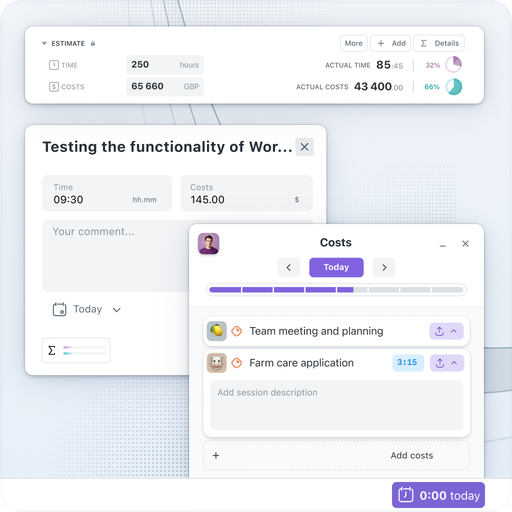
Your employ­ees are hourly paid, and we under­stand that their time is a cru­cial resource. Work­sec­tion allows you to clear­ly track where time is spent — thanks to the built-in Start/​Stop timer with col­or-cod­ed load indi­ca­tors and detailed finan­cial reports.
Try Now


Report­ing to the client is an impor­tant part of your work, so Work­sec­tion helps you eas­i­ly gen­er­ate reports. The sys­tem’s inter­face works instant­ly, with­out reload­ing, and is sim­ple to use, even for those who are not IT specialists.

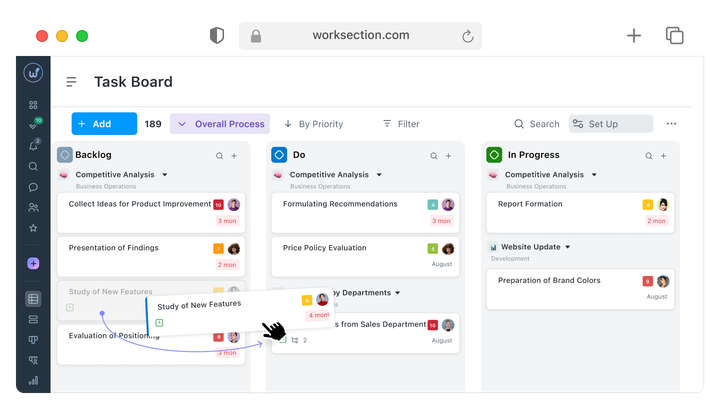
Work­sec­tion is a project man­age­ment tool with an inte­grat­ed time track­er and mes­sen­ger. It allows you to eas­i­ly plan and exe­cute tasks in a team, col­lab­o­rate with clients, track dead­lines on a Gantt chart, and cre­ate detailed reports on com­plet­ed tasks and time spent. The pro­jec­t’s dash­board with graphs will show real progress and high­light prob­lem areas.


More than 1600 com­pa­nies work with Work­sec­tion: mar­ket­ing and cre­ative agen­cies, finan­cial con­sult­ing and PR agen­cies, lawyers, and developers.

Fast onboarding

Get­ting start­ed with Work­sec­tion takes about 2 weeks. We con­sult and help you adapt. There are help­ful tuto­r­i­al videos and quick sup­port. Most impor­tant­ly — the inter­face is easy for you and your employ­ees.

Built-in time tracking

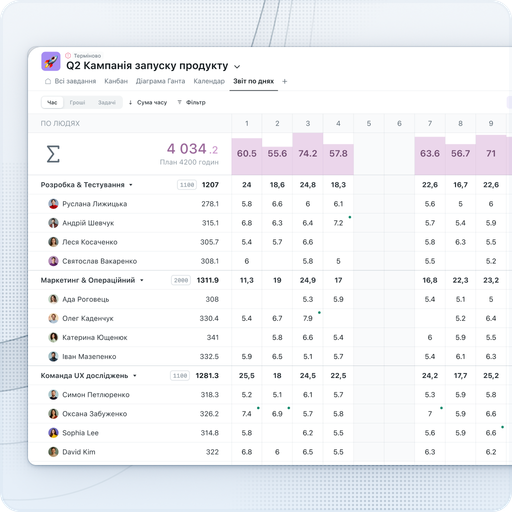
Hourly Rates and Time Track­er — essen­tial tools for plan­ning and track­ing time in Work­sec­tion. With their help, you can obtain a project expense report. This track­ing sim­pli­fies the cal­cu­la­tion of salaries and invoic­ing clients based on actu­al expenses.
Many dig­i­tal teams use the timer in Work­sec­tion for accu­rate track­ing of work­ing hours and expenses.

Cost of the project

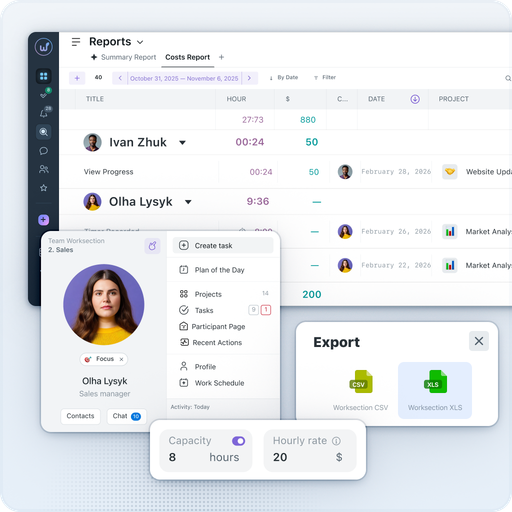
Use a time track­er and indi­vid­ual hourly rates. Resource account­ing allows for accu­rate deter­mi­na­tion of time and costs for a project. With employ­ees’ hourly rates, the record­ing and com­par­i­son of plan against fact forms the final invoice for the client. Export data to Google Sheets or export reports for invoicing.

Reports Plan/Fact

Sev­en types of reports — by tasks, time, peo­ple, days, and projects — will reveal the actu­al state of plan exe­cu­tion and delays for each task. The project dash­board with charts will high­light prob­lem areas. By select­ing a spe­cif­ic peri­od, it is easy to fil­ter reports by peo­ple, projects, or by both peo­ple and projects simul­ta­ne­ous­ly. Save the desired com­bi­na­tion of fil­ters as a view and share it with the team.

Technical support

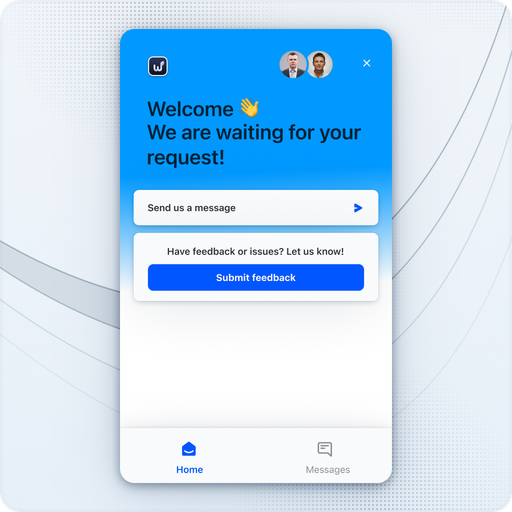
Your employ­ees have a sup­port chat. We respond super quick­ly in a sweet way. We also have the abil­i­ty to con­duct train­ing for your employ­ees.

Want to learn more on your own? We have pre­pared a starter assis­tant and train­ing videos. We also have a FAQ with con­ve­nient search that is con­stant­ly updated.

Convenient communication

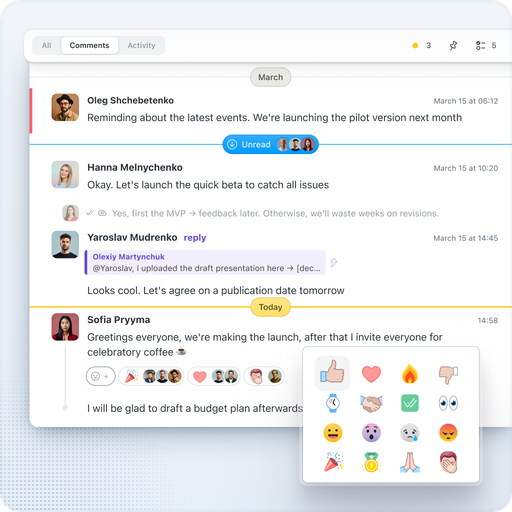
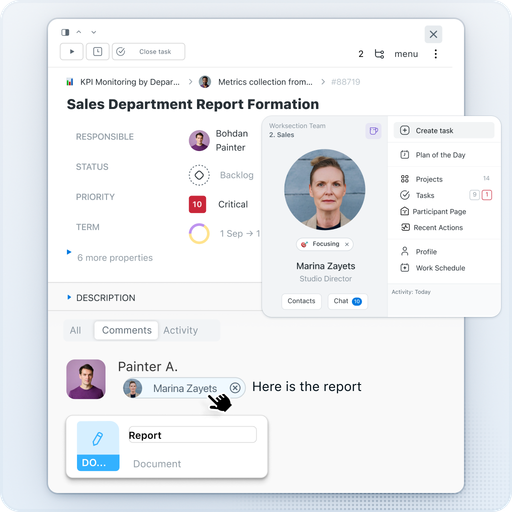
No need to search for infor­ma­tion in exter­nal mes­sen­gers any­more. Com­mu­ni­cate and share files direct­ly in the task, where the dis­cus­sion his­to­ry is stored. Any com­ment can be instant­ly turned into a new task while pre­serv­ing the con­text. The task shows who has been assigned respon­si­bil­i­ty, why the dead­line was moved, and what the man­ag­er respond­ed to the client.For quick com­mu­ni­ca­tion, use the built-in Work­sec­tion mes­sen­ger — with pri­vate, group, and project chats.

Working with subcontractors

Need to con­nect an exter­nal com­pa­ny or free­lancer? No prob­lem! Assign the user the role of Guest” — and they will only see the projects and tasks they are involved in. For those who only need to view — there is the Read­er” role. All con­fi­den­tial infor­ma­tion from exter­nal par­tic­i­pants will be hid­den, and pri­vate com­ments will allow for inter­nal dis­cus­sions that the client will not see.

Questions and answers for digital teams

How Work­sec­tion helps dig­i­tal agen­cies in project management?

Work­sec­tion is a project man­age­ment sys­tem with a built-in time track­er that allows teams to plan and exe­cute tasks, col­lab­o­rate with clients, mon­i­tor dead­lines, and cre­ate detailed reports on com­plet­ed tasks and time spent.

Can time work­ing on dig­i­tal projects be tracked in Worksection?

Yes, Work­sec­tion has a built-in time track­er that allows pre­cise track­ing of work hours and expens­es. This sim­pli­fies salary cal­cu­la­tions and invoic­ing clients based on actu­al expenses.

What Work­sec­tion tools are suit­able for mar­ket­ing campaigns?

Work­sec­tion offers tools for plan­ning and exe­cut­ing tasks, col­lab­o­rat­ing with clients, mon­i­tor­ing dead­lines, and cre­at­ing detailed reports on com­plet­ed tasks and time spent.

Is Work­sec­tion suit­able for work­ing with clients of dig­i­tal agencies?

Yes, Work­sec­tion allows for effec­tive orga­ni­za­tion of work with clients, pro­vid­ing con­ve­nient com­mu­ni­ca­tion, file shar­ing, and col­lab­o­ra­tion on tasks.

How to orga­nize team work on cre­ative tasks in Worksection?

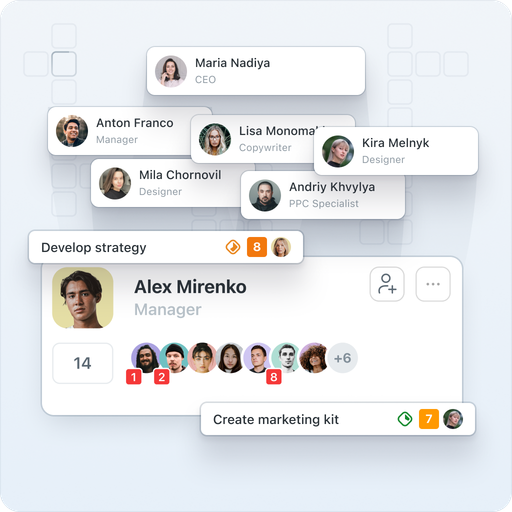
Work­sec­tion allows you to cre­ate tasks, assign respon­si­ble per­sons, set dead­lines, and mon­i­tor progress. Com­mu­ni­ca­tion and file-shar­ing tools pro­mote effec­tive teamwork.

Can Work­sec­tion be inte­grat­ed with oth­er ser­vices used by dig­i­tal teams?

Yes, Work­sec­tion inte­grates with Google Dri­ve, Slack, Google Cal­en­dar, Gmail, Telegram, and has an open API for cus­tom inte­gra­tion setups.

What are the ben­e­fits of Work­sec­tion for free­lancers in the dig­i­tal field?

Work­sec­tion allows free­lancers to effec­tive­ly man­age their projects, track time, com­mu­ni­cate with clients, and orga­nize team­work, which con­tributes to increased pro­duc­tiv­i­ty and work quality.

Does Work­sec­tion sup­port remote work for dig­i­tal teams?

Yes, Work­sec­tion sup­ports remote work, pro­vid­ing tools for col­lab­o­ra­tion, file shar­ing, and real-time com­mu­ni­ca­tion, allow­ing teams to work effec­tive­ly from any­where in the world.