
“Why waste time describing business processes when everything works well anyway?” – a question that our clients occasionally ask us. We decided to find out what business processes are, why it’s essential to describe them in detail, and how to independently document a business process for your company in 11 steps.
What is a business process?
A business process is a standard sequence of actions (algorithm) that helps convey value to the customer and generate profit. Searching for clients, hiring new employees, creating a promotional video – these are examples of specific business processes.
A business process has two distinct characteristics:
- Business processes are repeatable. For example, in video production, working with a client usually follows the same path: the company receives a brief, creates a technical specification based on it, discusses it with the client, signs a contract, shoots and edits the video, presents it to the client, and receives payment as per the contract.
- Business processes go through several departments (teams) and positions. For example, the business process of searching for employees may involve three participants: the external communications department sends out announcements about new vacancies, the HR department conducts interviews, and the company leader ultimately decides whom to hire.
- “Receiving payment from the client in installments”;
- “Receiving payment from the client within discounts and promotions”;
- “Receiving payment from a regular client.”
Why is a business process necessary?
A business process describes how you work. With a description of the work, it is easier to achieve clear execution of the process. There is a rule here: “If it is not documented – it does not exist.” When a business process is documented, it can be improved, thereby increasing the company’s profit and meeting the client’s needs. Also, with business processes, you minimize dependence on staff, since the business process involves not individual people, but positions and departments. Therefore, a well-developed process is understandable even to newcomers.
Using described and implemented business processes, you can solve the following problems:
- conflicts between departments and teams. Resolutions to each conflict need to involve top managers.
- the business is growing, but costs are rising much faster.
- there are more problems related to customer service and production: delivery deadlines being missed, rudeness from call center staff, product shortages.
- employees, especially new ones, struggle to understand who is responsible for what within the company;
- the implementation of new systems (cost optimization, transitioning to Agile) faces constant resistance from employees.
How to build a business process: step-by-step instructions
1. Define the purpose of the process.
According to the purpose criterion, processes are divided into two large groups:
- Main. They add value to the client and generate profit for the company (the process “Sales”).
- Supporting. They help to execute main processes (the process of “Onboarding a new employee” within the main business process “Personnel Management”).
The boundaries of the process are the beginning and end within which all operations occur. For example, in the “Sales” process, the beginning is the application received from the client, and the end is the delivery of the finished product.
3. Outline the main actions of the business process.
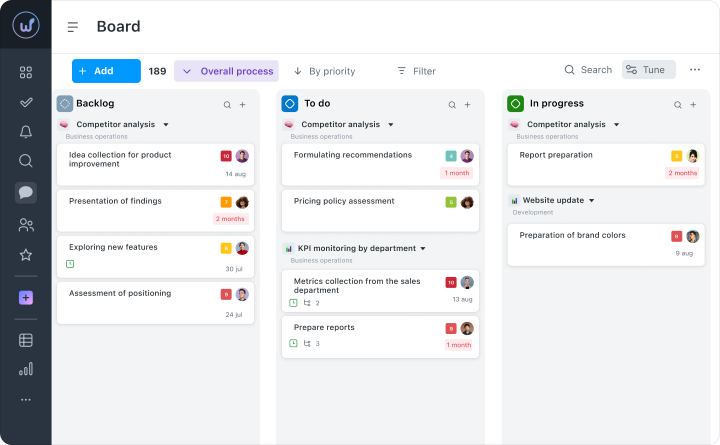
Main actions are the stages that comprise the process. Stages can be conveniently visualized using Kanban boards, as we do in Worksection.
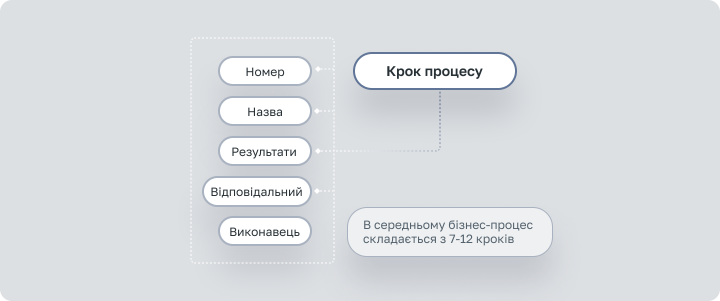
Mykhailo Rybakov, the author of the book “Business Processes. How to Describe, Establish, and Implement Them. Practicum” recommends breaking the business process into 7 – 12 steps.
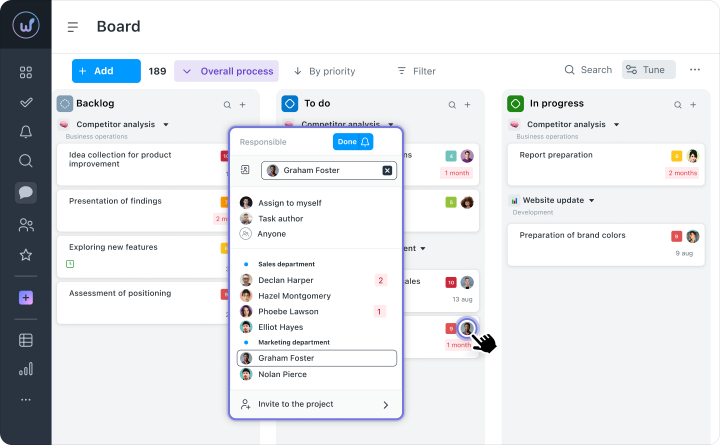
4. Designate responsible parties and performers for each action (stage) of the business process.
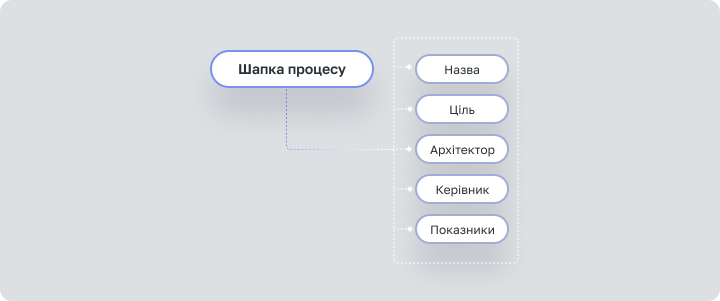
In working with a business process, individual people are not involved: a person may leave, but the process must continue. The following roles and positions are distinguished:
- Architect. Responsible for the quality design and improvement of the process schema. They are not responsible for the direct execution of the process. Typically, the architect becomes the head of the management team (group) that works on the specific business process.
- Manager. Responsible for the clear execution of the process to achieve its goals. Each unit of the process has its own manager. For example, in the business process of hiring employees for a video production studio, the unit in the process is hiring a motion designer.
- Management team (group). The team (group) collaborates with the architect to design and improve the business process. Typically, the team (group) consists of department heads and leading specialists.
- Performers.
5. Define the results of each action (stage) of the business process.
The necessary quality of the result – it can be verified. For example, the receiving of goods by the client (result) is confirmed by a signed delivery note. In an action (stage), there may be several results.
6. Add alternative paths for the process.
A business process describes the ideal course of events: for instance, in the process of “Receiving payment from the client,” the product is always available in stock. If there is no product in stock due to a supplier error, the route of process execution will change – this is an alternative path. Thus, if in the process of “Receiving payment from the client,” the customer refuses to purchase, the alternative path will be “Engaging specialists to handle objections.”
7. Add documents to the business process schema.
Our favorite rule: “If it is not documented – it does not exist.” For instance, a customer called the call center and asked to send the order a week later. The manager did not enter the data into the CRM but called the warehouse and warned about the shipping postponement. If the order arrives to the client after a month, who will be to blame: the sales manager, the warehouse, or the delivery service? With a record of the shipping postponement, such a question would not arise.
The next time you’re at McDonald’s, take note of the cleaning schedule in the restroom, where employees sign off after each cleaning. This is a document of the business process “Cleaning premises.”
8. Add tools and programs that you use in the business process.
To simplify the work with the business process and quickly integrate newcomers, you can use the following tools:
- checklist (what needs to be done to pass the technical specification to the software development team);
- technology card (algorithm for preparing a specific dish);
- photographs (what the formatted brand book looks like in the design studio);
- schema/flowchart;
- video (demonstration of an effective presentation of the final product to the client);
- screencast (video guide on working with leads in CRM for the sales department);
- script (script for conducting interviews with a job candidate);
- flowchart.
We have written about programs for working with business processes in the section “Tools for creating business processes.” This includes all programs that are used in one way or another in work: time tracker, CRM, service for creating mind maps, Kanban boards, etc.
9. Define the KPI of the business process.
KPI (Key Performance Indicators) show how well the business process works and how it can be optimized. Such indicators may include:
- order fulfillment time for the client (in days);
- customer acquisition cost (in monetary units).
There is also a North Star Metric — a single metric that reflects the primary value of the product or service for clients. For example, in e‑commerce, the North Star Metric would be the number of orders.
10. Connect the obtained schema with other processes.
Business processes form the architecture of a business – a system of business processes that systematize businesses and ensure their effectiveness. Thus, business processes cannot contradict or conflict with each other.
11. Verify the obtained business process model.
After testing, you will understand how correctly all the previous steps were executed. At this stage, you can ponder how to improve the business process.
Tools for creating business processes
There are many programs that simplify the creation of business processes and help track their quality in real-time. We will talk about three of the simplest services for creating business processes. This section does not include specific tools like Gantt charts, Kanban boards, mnemonic diagrams, mind maps.Before using any program or service for creating a business process, we recommend documenting several processes on paper to understand the logic of construction.
Business Studio. Software that allows you to not only describe business processes, but also develop a system of KPIs, business strategy, and implement a quality management system. There is integration with the MS Office package.
Notion. A unified workspace for a multitude of tools: notes, tables, knowledge bases, mind maps, Kanban boards. Lifehacker called it “a hybrid of Evernote, Google Docs, Trello, and Todoist.” However, there are so many functions that you will need to spend several evenings mastering the program.
Worksection. A project management system with built-in Agile tools: Gantt chart, Kanban boards. For creating business processes, the Workflow function is isolated, in which processes are built based on statuses and take the form of a Kanban board. The simplest among the listed solutions, with a free 14-day trial period.
How to create a business process in Worksection
A business process in Worksection is built on the basis of statuses – actions that make up the project. The set of statuses (actions) is always consistent for a specific project.
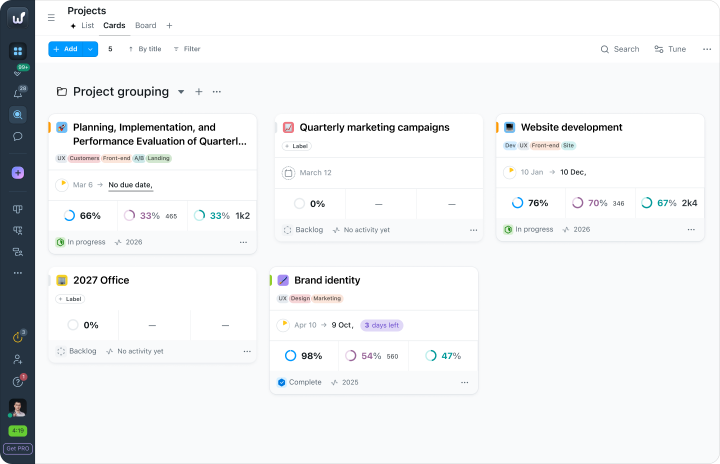
1. Select the project in which you wish to document the business process.
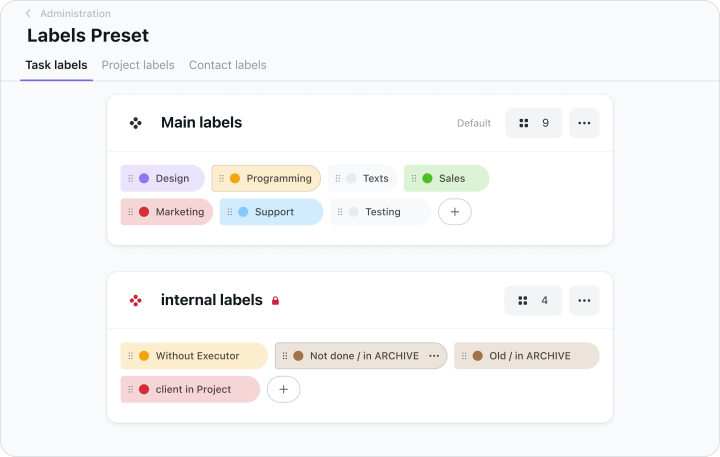
2. Create a set of statuses.
3. Create a new Kanban board.
4. Assign a responsible party for the business process and specific actions.
5. Choose how tasks will progress through the business processes using the “Next Status” function.
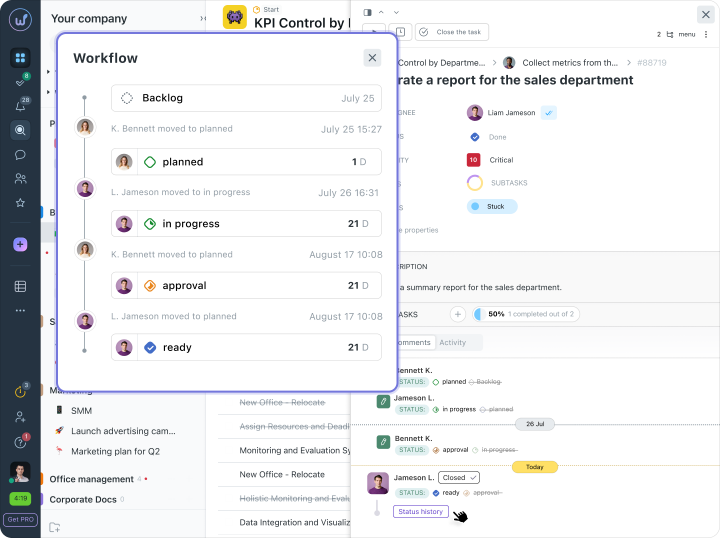
The stages are set based on the department’s specifics. Similarly, they can be configured for any business process.