Screenshots every 10 minutes. URL logs. Keylogging.
Sounds like surveillance, not management — doesn’t it?
Time Doctor was one of the first serious time trackers with productivity monitoring. But here’s the thing — in 2026, teams are looking for tools that capture working hours without invading their personal space.
There are much more flexible solutions. Systems that trust your team instead of monitoring every click. Tools that cost less and provide more.
We have compiled the 10 best alternatives with current 2026 prices, real features, and honest assessments — when monitoring is justified and when it is exaggerated.
TL;DR — Quick Summary
- Best alternative without monitoring: Worksection — task manager + time tracker without screenshots.
- Free option: Clockify — unlimited users and projects
- For field team monitoring: Hubstaff with GPS tracking.
- AI automation: Timely — captures time without your involvement.
- For personal productivity: RescueTime — without team control option.
- Maximum control: Insightful — with heatmaps and keylogging.
In short: If monitoring is needed — Hubstaff or Insightful. If trust and results are what you seek — Worksection or Timely. Free option — Clockify. More details to follow.
Why are teams looking for alternatives to Time Doctor?
Let’s be honest. Time Doctor does what it promises — monitors productivity down to the smallest detail. But here’s the problem.
- Implementation difficulties and team resistance. When employees learn about screenshots and keylogging — the reaction is predictable. “Don’t you trust me?” — not the best start for remote work.
- High cost. The average business pays at least $10 per user per month. For a team of 30 people, that’s $300/month — $3,600 a year. For that price, much more functionality can be purchased.
- Limited report customization options. Reports are detailed, but they are hard to customize for specific needs. Either you take them as they are, or export and draw them yourself.
- Legal risks. GDPR in Europe, privacy laws in Canada and some US states — keylogging and screenshots may violate local legislation. Fines are no joke.
- Rigid interface with no flexibility. You cannot selectively turn off screenshots for certain employees or projects. Either monitor everyone or no one.
If at least one of these points resonates — read on.
What to look for when choosing a time tracker
Before moving on to the list, determine your philosophy.
- Transparency for employees. The team needs to know what is being tracked and why. Hidden screenshots or keylogging without warnings — that’s not management, that’s surveillance.
- Flexible levels of control. Ideally, the system allows you to customize different modes for different roles. Freelancers need just a timer, managers need team reports, and executives need productivity analytics.
- Easy timer initiation. If it takes 5 clicks to start tracking time — half the team will forget to do it. One click from the task card — perfect.
- Visual reporting. Dashboards should be clear at a glance. You shouldn’t need to be a data analyst to see who is overloaded and who has free hours.
- Integrations with task managers. If you use Asana, Trello, or Jira — the tracker must integrate seamlessly. Manual data transfer between systems is a waste of time.
- Transparent pricing. No hidden surcharges for “premium” reports or data exports. The price should be clear from day one.
- Team analytics and AI insights. In 2026, systems can automatically detect bottlenecks, suggest optimizations, and warn about burnout. If this is missing — look for other options.
Now onto the tools.
The best alternatives to Time Doctor in 2026
Worksection
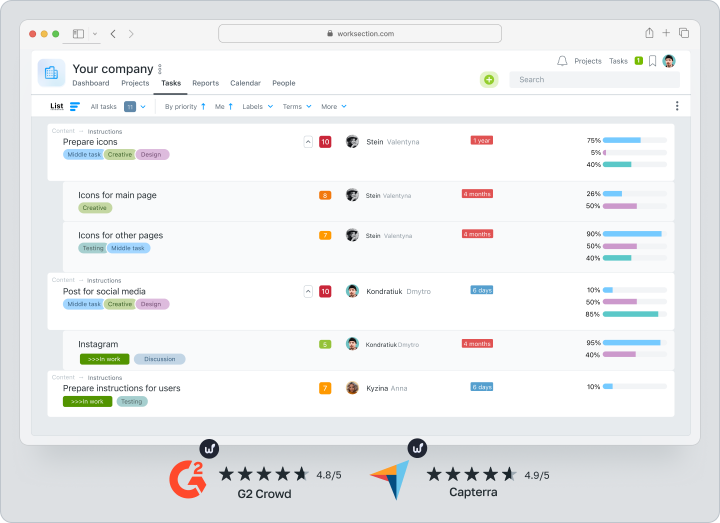
Worksection combines task manager and time tracker in one platform.
Worksection’s philosophy:
- No random screenshots or keylogging — only honest hour accounting. The timer is right on the task card — one click, and the time is counted.
- Three view modes: list, kanban, Gantt chart. The team works in the way that suits them — no need to adapt to one format.
- Flexible access rights. Invite clients for free and customize what they see — without the risk of seeing salaries or internal communications.
- Team load chart. See how many hours each has worked, on which tasks — without screenshots and micromanagement.
- Client reports in a few clicks. Select the period, project, export — done.
Feature:
All features, including the tracker, are available even on the basic plan. No need to pay extra for individual modules. Lowest price on the list with full functionality.
Who it’s suitable for:
Agencies, startups, creative studios — anyone who values trust and results more than total control.
Try Worksection for free for 14 days — no credit card required.
Hubstaff
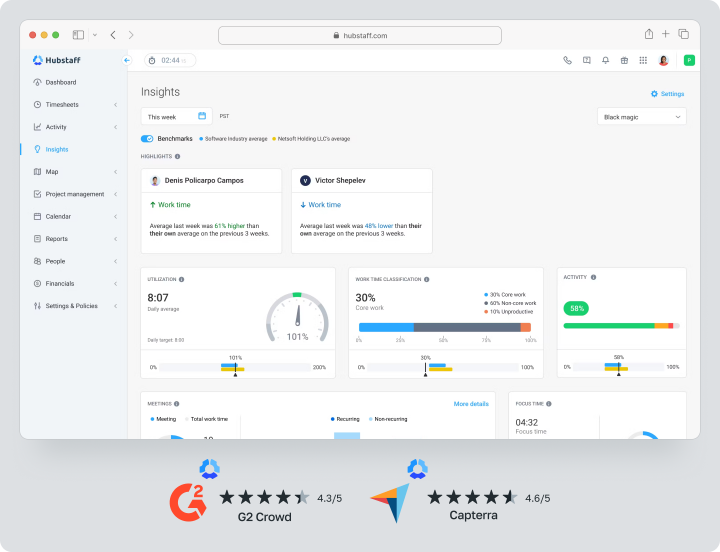
Hubstaff combines productivity monitoring with GPS tracking and tools for managing remote teams.
What Hubstaff includes:
- Automatically takes screenshots at random intervals. See what the team is doing — not just by the timer.
- Tracks keyboard and mouse activity. The system records periods of inactivity — if the computer is idle for 3+ minutes, time is not counted.
- GPS tracking for field teams. Ideal for builders, couriers, field engineers — see where each employee is right now.
- Payments through Payoneer or Wise. Pay the team in any country without going to the bank — everything is automated.
Nuance:
This is true monitoring, not just a time tracker. If the team works on trust — such a level of control can be excessive.
Who it’s suitable for:
Outsourcing companies, field teams, anyone who needs GPS tracking and detailed activity monitoring.
ActivTrak
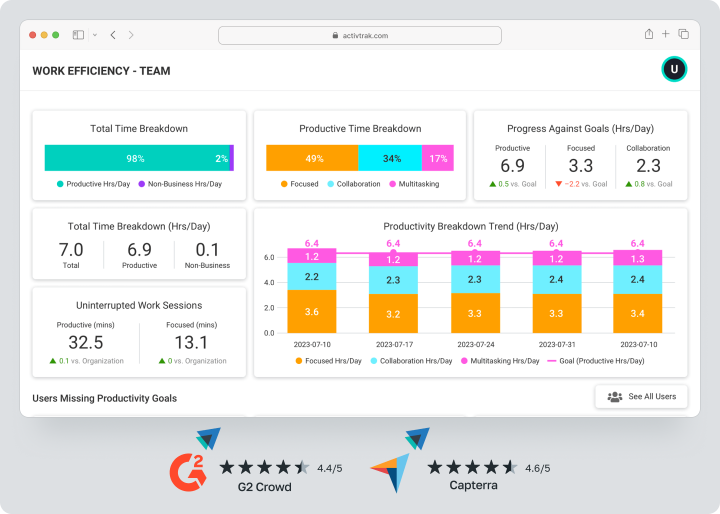
ActivTrak specializes in work process analytics.
Uniqueness of ActivTrak:
- Automatically categorizes websites as productive or unproductive. The algorithm analyzes what applications and websites the team uses — and classifies them.
- “Activity Coaching” feature with artificial intelligence. AI gives recommendations for increasing efficiency based on work patterns.
- Visual activity maps of the team. See peak hours of productivity — and plan important meetings at other times.
- Detailed reports for HR and management. Export data for trend analysis, identifying bottlenecks, optimizing processes.
Limitations:
Minimum of 5 users for the paid plan. This is a barrier for small teams or freelancers.
Who it’s suitable for:
Medium and large companies that need deep analytics of work processes and AI recommendations.
Clockify
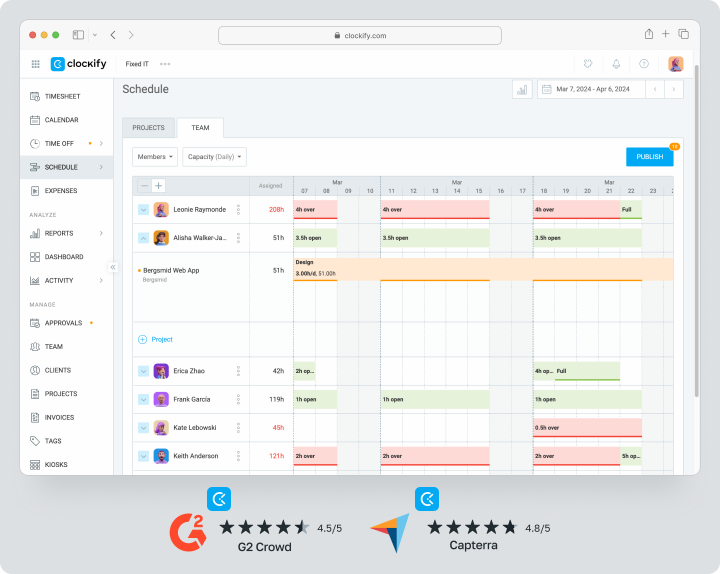
Clockify — oné of the most popular free time trackers for teams of any size.
Why Clockify is popular:
- Free plan without limits on the number of projects. Unlimited users — a rarity for free solutions.
- Manual tracking, timesheets, calendars, and reports. Basic functionality covers the needs of most small teams.
- Integrations with popular tools. Connects to Trello, Asana, Jira — works where the team is already used to.
- No screenshots or keylogging. Clockify tracks time without invading privacy — a philosophy of trust.
Limitations:
Paid features are more expensive than competitors. If advanced reporting or automation is needed — paid plans starting at $3.99 may seem expensive compared to Worksection.
Who it’s suitable for:
Freelancers, small teams, startups with a limited budget — anyone looking for a free time tracker without unnecessary complications.
RescueTime
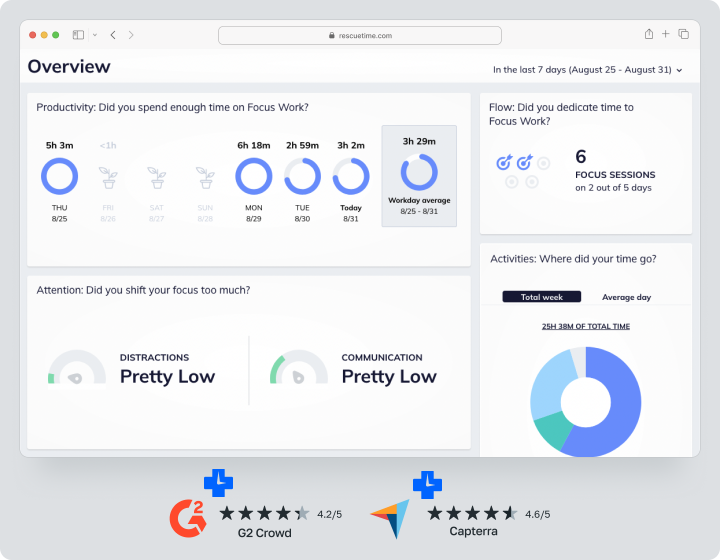
RescueTime — automatic time tracker focused on personal productivity.
Philosophy of RescueTime:
- Automatically classifies activities as productive or not. The system analyzes which applications are open, which websites are visited — and distributes time accordingly.
- This is a self-monitoring tool, not for monitoring teams. Ideal for those who want to understand their own work patterns.
- Block distracting websites. Set limits on social networks or news sites — the system automatically closes them after time runs out.
- Weekly reports with insights. See trends — when you are most productive, what distracts you the most, how much deep work you did in a week.
Limitations:
Not suitable for monitoring teams. RescueTime is a personal assistant, not a manager’s tool for supervising employees.
Who it’s suitable for:
Freelancers, solo entrepreneurs, anyone who wants to improve personal productivity without external control.
Timely
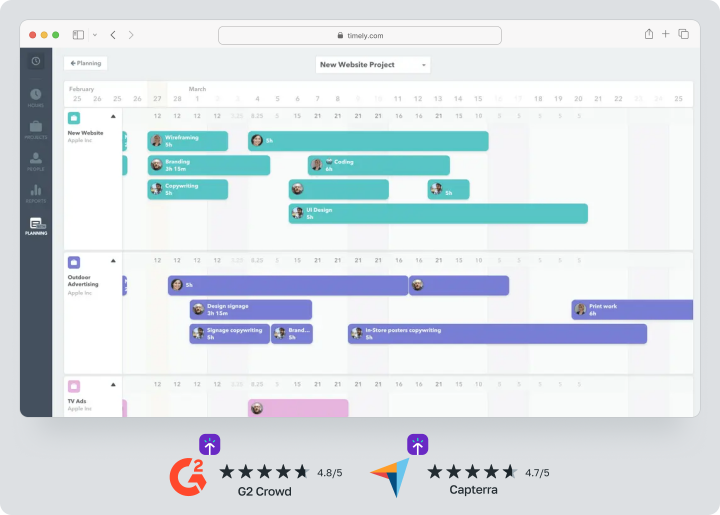
Timely fully automates time tracking using artificial intelligence.
What makes Timely unique:
- Users do not need to start timers manually. Artificial intelligence automatically captures activity (applications, documents, websites) and allocates time to projects.
- Visual timeline. At the end of the day, you see exactly where you spent hours — easy to find out where two hours “disappeared”.
- Suitable for teams wanting to avoid micromanagement. The system tracks time but does not take screenshots or keylog — trust remains.
- Integrations with popular tools. Connects to Google Calendar, Asana, Trello — data syncs automatically.
Nuance:
High price for the AI module. If the budget is limited, there are cheaper alternatives with manual tracking.
Who it’s suitable for:
Teams that want to minimize manual work and are willing to pay for AI automation.
TMetric
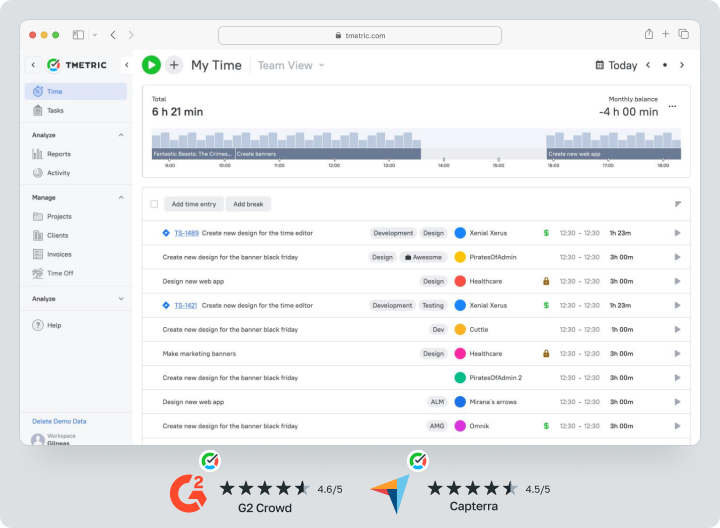
TMetric — compact time tracker for accounting hours, budgets, and expenses by projects.
What distinguishes TMetric:
- Supports manual and automatic tracking. Start the timer manually or let the system capture activity automatically.
- Allows you to set rates for different workers. Set hourly pay for each employee — the system automatically calculates the project cost.
- Comparison of expenses to budget in real-time. The system warns when you’re nearing the limit — before any overages occur.
- Integration with QuickBooks for synchronization with accounting. Data transfers automatically — without manual export.
Limitations:
No kanban or Gantt chart. TMetric tracks time and manages budget — task management needs a separate tool.
Who it’s suitable for:
Agencies with hourly payments, freelancers, outsourcing companies — anyone who critically needs to stay within budget.
Everhour
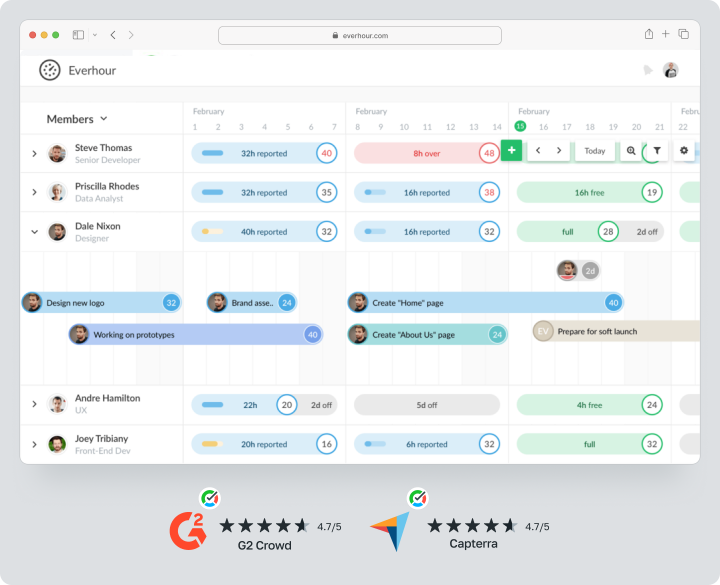
Everhour is known for its deep integration with popular task managers.
Uniqueness of Everhour:
- Integrates directly into Asana, Trello, Jira, Basecamp. The tracker embeds directly in the task card — no need to switch between tabs.
- Users can start timers directly from task cards. You see a task, click “start” — time is counted automatically.
- Budget forecasting based on current work speed. The system predicts if you will stay within budget.
- Synchronization with Slack. The team receives reminders to start/stop the timer directly in the work chat.
Limitations:
Minimum of 5 slots in the paid plan — even if there are only three of you. This is a barrier for very small teams.
Who it’s suitable for:
Creative agencies and startups that already work in Asana, Trello, or Jira and do not want to change their habits.
DeskTime
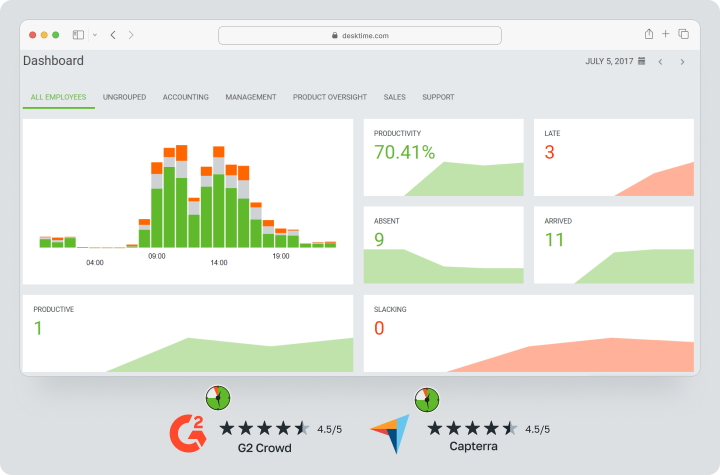
DeskTime combines time tracking, shift planning, and activity monitoring.
Features of DeskTime:
- Automatic tracking begins upon login. No need to start the timer manually — the system starts counting time automatically.
- Tracks inactivity. The system records periods of inactivity — if the computer is not in use for 3+ minutes, time is not counted.
- Screenshots taken at random intervals. For teams requiring visual confirmation of work.
- Module for planning shifts. Useful for offices with work schedules — see who works when.
Nuance:
Reports lag behind some competitors in detail. If deep analytics are needed — this is not the best choice.
Who it’s suitable for:
Office teams with work schedules, small companies that need basic monitoring without unnecessary complications.
Insightful
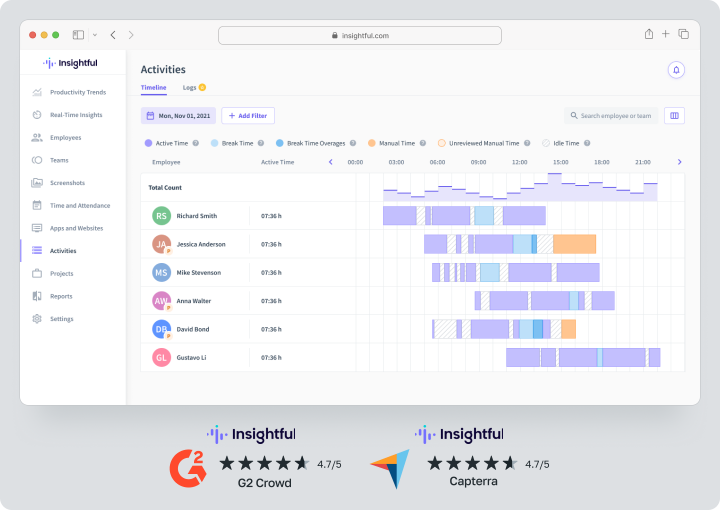
Insightful — a powerful tool for monitoring and analyzing productivity.
What Insightful includes:
- Keylogging, random screenshots, activity heatmaps. Detailed monitoring of all aspects of work — from clicks to open applications.
- Supports local deployment on private servers. For companies with strict data security requirements — you can install the system on your own servers.
- AI analysis to detect patterns. The system automatically identifies trends, bottlenecks, and potential productivity issues.
- Detailed reports for HR and management. Export data for analysis, presentations, optimizing processes.
Nuance:
The maximum level of control can decrease trust within the team. If you are working with permanent employees — this may be excessive.
Who it’s suitable for:
Large enterprises, outsourcing companies with high turnover, anyone requiring maximum control and on-premise deployment.
Comparison table of Time Doctor alternatives in 2026
| Service | Control Style | Time Tracker | Main Advantage | Price from |
|---|---|---|---|---|
| Worksection | No screenshots, based on trust | Manual / auto | Task manager and tracker in one | $3/user |
| Hubstaff | Screenshots, GPS, activity | Manual | Monitoring field teams | $7/user |
| ActivTrak | Screenshots, categorized sites | Auto | People analytics based on AI | $10/user |
| Clockify | No screenshots | Manual | Full-featured free plan | Free |
| RescueTime | No team control | Auto | Personal productivity assistant | $6.50/user |
| Timely | No screenshots | Auto (AI) | Complete tracking automation | $9/user |
| TMetric | URL logs, idle detection | Manual | Budgets and invoices for freelancers | Basic features free, $5/user |
| Everhour | No screenshots | Manual | Deep integration with task managers | Free up to 5 users, $8.50/user |
| Desktime | Screenshots, tracking idle time | Auto | Shift planner for offices | $6.42/user |
| Insightful | Screenshots, keylogging (optional) | Manual / auto | Heatmaps and on-premise version | $6.40/user |
Prices are current as of February 2026 with annual payment.
Which platform to choose in 2026?
It depends on your company philosophy.
- For strict monitoring: Hubstaff or Insightful — screenshots, keylogging, heatmaps. Maximum control for outsourcing companies.
- For a soft replacement for Time Doctor: Worksection, Timely or Clockify — these tools do not cause privacy issues. They track time without invading privacy.
- For creative agencies: Everhour — deep integration with Asana, Trello, Jira. The tracker lives where the team already works.
- For personal productivity: RescueTime — self-monitoring without external supervision. Ideal for freelancers and solo entrepreneurs.
- Best price/functionality ratio: Worksection — a combination of task manager, time tracking, and an affordable price. A rare combination.
Try Worksection for free for 14 days and see how the time tracker works together with kanban and Gantt chart.
Frequently Asked Questions (FAQ)
What is the best alternative to Time Doctor for agencies?
Worksection, Everhour, and TMetric.
Creative agencies need the ability to quickly switch between projects and create reports that are client-friendly.
Worksection combines task manager and time tracker — you see the whole project and time spent in one place. Client reports are generated in a few clicks.
Everhour integrates with Asana and Trello — if the team is already working there, the tracker embeds naturally.
TMetric monitors the budget in real time — you see the cost of each minute and prevent overages before they occur.
Are there free alternatives to Time Doctor?
Yes, several options.
Clockify offers a truly free plan without limits on the number of projects. Unlimited users — a rarity for free solutions.
RescueTime has a limited free version. Suitable for personal productivity, but without team functions.
Worksection allows teams of up to 5 users to work for free. Full features — kanban, Gantt, time tracker, reports (with limits on the number of projects).
How does Worksection differ from Time Doctor?
The philosophy is completely different:
- Time Doctor emphasizes surveillance — screenshots, URL logs, keylogging. This monitors every click.
- Worksection focuses on results. You manage tasks, start a timer on each card — without invading privacy.
Price: Time Doctor starts at $6.70 per user per month (with annual payment) with tracking and monitoring features. Worksection has paid plans starting at $3 per user per month (Business with annual payment) with a full task manager and time tracker.
Trust: Time Doctor implies control. Worksection builds on trust in the team.
Is employee screen monitoring legal?
It depends on the jurisdiction.In most countries — yes, but with conditions. Employees must be informed in writing about the monitoring. Covert surveillance is illegal.
GDPR in Europe requires explicit consent from employees. Keylogging and screenshots may violate privacy rights — check local laws.
In Canada and some US states — stricter rules apply. Monitoring personal devices is prohibited without consent.
My advice: consult a lawyer before implementing monitoring. Fines for privacy violations can be significant.
What tool is best for remote teams without monitoring?
Worksection or Timely.
Worksection combines task management and a time tracker without screenshots. The team sees the tasks, starts the timer, works — no supervision.
Timely uses AI for automatic time tracking. The system captures activity but does not take screenshots — trust remains.
Both tools are built on a philosophy of results rather than control. If the team works on trust — these are the best options.
How to convince the team to use a time tracker?
- Explain why tracking is needed. If it’s for billing clients or analyzing workload — be honest. Hidden motives will provoke resistance.
- Show the benefit for them. A tracker helps see their own work patterns, identify overload, justify a request for help.
- Choose a tool without aggressive monitoring. Worksection or Timely are much easier to accept than Time Doctor with screenshots.
- Involve the team in the selection. Let them test 2 – 3 options and choose themselves — this will reduce resistance to implementation.
Conclusion
Choosing an alternative to Time Doctor is a choice of management philosophy.
- If maximum control is needed — Hubstaff or Insightful with screenshots and keylogging. For outsourcing companies with high turnover, this may be justified.
- If the team works on trust — Worksection, Timely or Clockify without monitoring. Results are more important than the number of mouse clicks.
- For creative agencies — Everhour with deep integration into Asana and Trello. The tracker lives where the team already works.
- For personal productivity — RescueTime without external oversight.
My advice? Try 2 – 3 options on free trial periods. Involve the team in the choice — let them test and decide what they feel comfortable working with.
Because the best time tracker is the one that the team truly uses voluntarily, not the one that has the most monitoring features in marketing materials.
Start with Worksection and test the time tracker, kanban, Gantt chart, and all tools for free for 14 days — let your team work effectively on trust, not under supervision.