Service companies in the early stages of development often operate chaotically and without proper resource control. This typically manifests in the absence of systematic processes and time tracking. In this material, we will explain how to implement a systematic approach to the operations of a service business and resource accounting from scratch using a fictional digital agency as an example.
Initially, all the agency’s work was discussed in work chats. Client projects could lack a clear structure. Coordination and making adjustments took a lot of time, and additional changes from the client were not documented. Eventually, the owner realized that a task tracker was necessary for the efficient operation of the team, where all projects and tasks would be stored. Therefore, the company implemented Worksection to centralize work processes.
Benefits of Implementing a Task Tracker
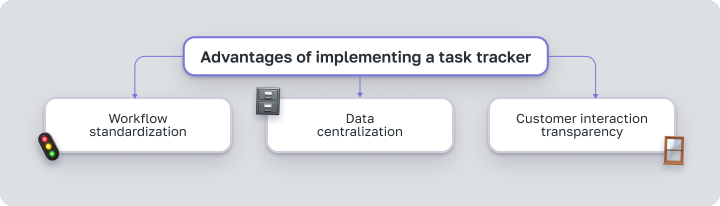
- Standardization. The manager creates and configures standard projects in the system once, which are then used later and save time.
- Data Centralization. No more need to constantly monitor the task status in team chats. All information about the company’s work is stored in one place. It shows who did what and what they are currently working on.
- Transparency in client interactions. Involving clients in projects increases their loyalty and simplifies the approval process.
Why Time Tracking is Necessary
 Prioritizing Clients
When you manage client projects, different clients require different amounts of attention and time — the main resource of the agency. Time tracking helps to understand the actual number of hours you invest in projects and helps evaluate their profitability.
For example, Company A is the largest client of the digital agency. However, Company A also takes a lot of time for additional revisions and micromanagement. As a result, instead of the 80 hours sold to the client, the team spends 120 hours on the project, but these additional +40 hours remain undocumented. Thus, even at first glance, a “profitable client” may actually incur losses for the agency.
 Team Time Control
In service companies, every hour of employees’ work affects the profitability of the business. After all, 70 – 80% of expenses are salaries of the team.
While there is a constant influx of clients, especially with subscriptions and regular payments, low project margins may not be obvious. However, when orders decrease, for example, due to a slowdown in marketing or sales, problems become apparent. Employee payments remain stable, while new income is insufficient to cover losses.
Awareness of the Need for Time Tracking
Understanding how much time and on what the team spends allows for more efficient resource allocation. This helps calculate the correct internal rate, and by adding the target margin, sell the agency’s time on favorable terms.
Time tracking also answers the following questions:
- How much time can the team allocate to client projects each month? This effectively means what “time bank” the company has.
- How much time does the team actually spend on client projects? To verify the alignment of actual figures with those indicated in client invoices.
- What is the cost per hour of the company’s work? To find out the internal rate that takes into account all agency expenses and allows operating at breakeven.
Challenges of Implementing Time Tracking
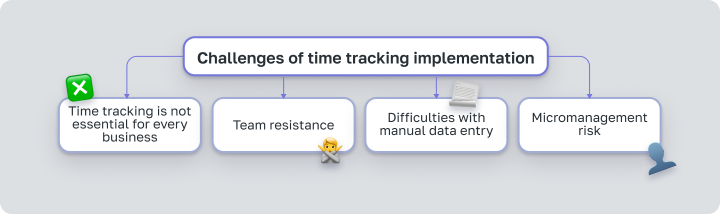
Not all businesses actually need time tracking
Firstly, not all businesses require time tracking. The necessity depends on the type of company. For example, in creative agencies, the business owner is more concerned with solving the client’s problems than how much time it takes.However, in legal firms, the situation is different. When a company has 30 lawyers with an hourly rate of $200, it is important to understand how their time is distributed and on which projects it is spent, isn’t it? In this case, typical tasks require detailed hour tracking for better planning, performance evaluation, and cost optimization.
Team Resistance
Implementing time tracking can provoke negative reactions in the team. Management understands the value of such tracking, but when it comes to implementation, team resistance is inevitable. Some workers may perceive it as a form of additional control, while others may see it as unnecessary bureaucracy.
 Difficulties of Manual Data Entry
Time tracking typically begins with timesheets in Excel. This means that employees have to work in one program while manually updating data about spent hours in another. This approach complicates an already challenging process of implementing hourly tracking.
 Lack of a Responsible Person for Implementation
Without a responsible person for the implementation process, the integration quickly spirals out of control. Within a week, many start entering hours from memory every Friday. This reduces accuracy and overall tracking effectiveness. Therefore, ensure that there is someone who will monitor adherence to the new rules, constantly monitor, and report results.
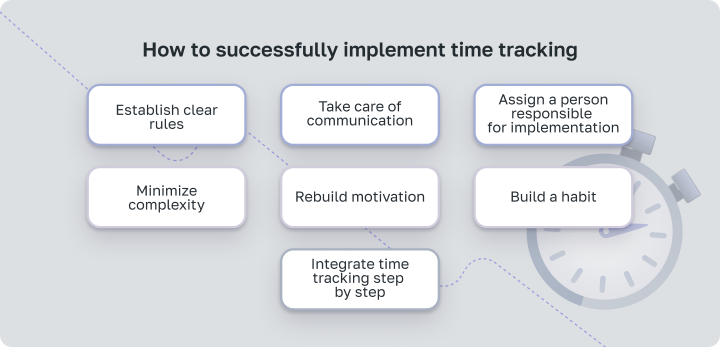
How to Successfully Implement Time Tracking
Set Clear Rules and Ensure Communication
Implementing time tracking requires political will from management. First, explain the goals of time tracking to the team. Emphasize that it is aimed at increasing project efficiency, not controlling the team.Create a clear plan with rules for all team members. For example, define which types of tasks need to be tracked and how to do it using the chosen tool. Provide regular feedback and share information with the team about the success of the implementation.
Assign a Responsible Person for Implementation
There should be someone responsible for implementing time tracking. Their duties should include reminding the team about time tracking and regularly monitoring the tracked time according to the plan.
Minimize Unnecessary Actions
Time tracking should occur within the same tool where the team logs tasks. Avoid switching between tools so as not to complicate the process unnecessarily.
Consider project management services with an integrated time tracker, such as Worksection. Worksection has a built-in timer that lets you easily start tracking time. If you use other products like Asana, Jira, or Trello, you need to set up integrations or plugins like TimeDoctor or Hourly.
Revise the Motivation System
To keep the team interested in accurately reporting working hours, it’s worth transitioning from mandated hour entry (PUSH) to incentives (PULL), creating a motivation system. This can be achieved by tying rate payments to worked hours.
In the service business, the industry standard is to track 120 hours out of 160 working hours in a month.
The motivation system may look like this:
An employee who completes the norm of 120 hours receives the full rate. For fewer hours, the income decreases, and for overtime work, such as 130 hours, a small bonus is provided. The bonus should be moderate, and the penalty for underperformance should be significant.
This is necessary so that the employee meets the norm but does not overwork and burn out.
 Build a Habit and Integrate Gradually
It is important to implement the new tool gradually. For the first month, set a relatively simple goal — to track at least 60 hours out of 120, giving the team time to adapt. The person responsible for implementation should check hour entries daily for the first weeks.
Benefits of Implementing Time Tracking
Implementing time tracking helps to assess work efficiency and increase business profitability:
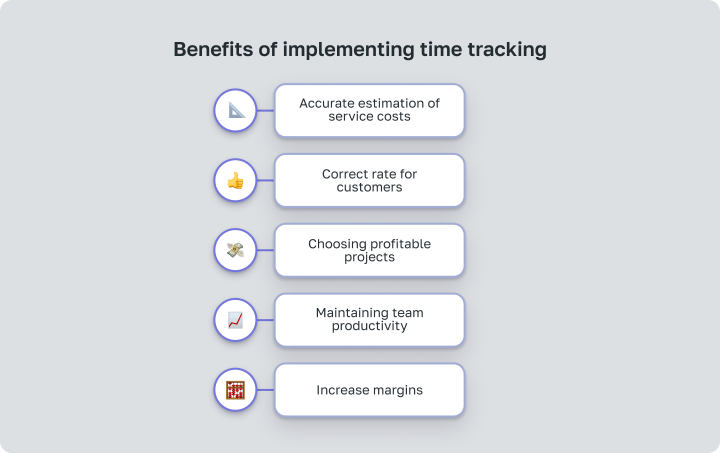
- Accurate Cost Evaluation of Services. Data about spent time allow for accurate calculations of service costs.
- Correct Rate for Clients. Thanks to time tracking, the company can set hourly rates for clients more accurately.
- Choosing Profitable Projects. The gathered data helps evaluate which projects bring more profit and choose the most advantageous ones.
- Supporting Team Productivity. Time tracking prevents overload, allowing for even distribution of tasks and avoiding burnout.
- Increasing Margin. By analyzing time costs and overheads, resources can be optimized and margin increased.
How Proper Accounting Increases Margin
Time accounting helps better manage projects and increases the agency’s margin. When a business knows how much time it spends on tasks, it can accurately price services and justify them to clients when necessary.For example, if an SMM specialist spends more time on executing a project than expected, the company can explain to the client the reasons based on the actual number of hours worked.
How to Increase the Profit Margin of a Service Business — watch on YouTube 
Calculating Internal and External Rates
For the correct calculation of the rate, it is necessary to distinguish between two types of working hours:
- Billable Hours — time spent working on a client project for which you receive payment.
- Non-billable Hours — internal meetings, training, administrative work that does not directly generate profit.
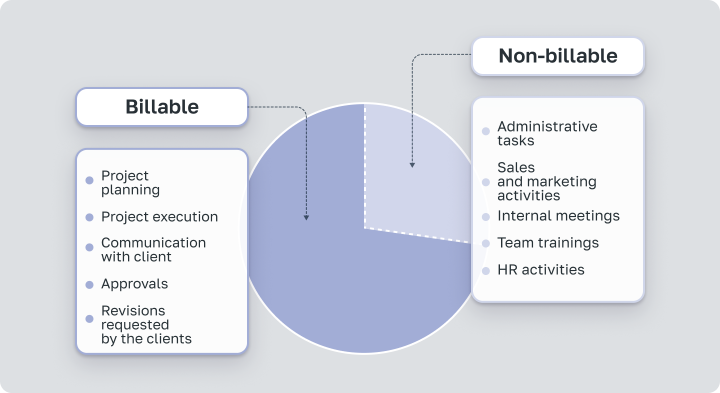
It’s billable hours that are the source of profit for the company. Therefore, when calculating the internal rate, it’s crucial to know their exact number.
- Internal Rate — is the cost of one hour of agency work considering employee salaries and overheads.
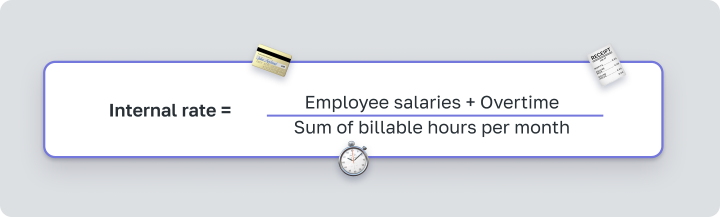
The resulting internal rate shows how much an hour of work costs the agency. In other words, at this rate, the agency will operate at breakeven.
- External Rate — is the rate that the agency charges the client. It is calculated based on the internal rate considering the desired margin.

Typical Mistakes in Calculating the Company’s External Rate
Mistake 1 Not all costs are accounted for in overheads
Sometimes not all expenses are taken into account in overheads. Forgetting about software invoices, marketing budgets, or payments for maintenance leads to understated overheads, which in turn decrease both internal and external rates.As a result, it seems that you can sell your services at a lower price than competitors without losing margin.
Mistake 2 Not understanding the actual number of billable hours
It is important for the business to accurately calculate not only overheads but also to know how many hours the team actually spends on client projects. Only after this can the external rate be calculated and invoices sent to clients.
Incorrect Calculation of the External Rate
Using the example of a digital agency owner, we will show the consequences of calculating the external rate without considering actual hours. This is merely a hypothetical example. It’s important to understand that data will vary from company to company.
Suppose, the owner assumes that the team of 5 employees works the standard 160 hours per month. The total of salaries and overheads is $10,000, and the total number of hours is 800 (5 people × 160 hours = 800 hours). With these figures, we obtain:

However, the owner lacks information about the actual time bank—the number of hours spent on work. Thus, this figure is significantly lower than the true internal rate.
For example, the agency implemented time tracking with a target of 120 tracked hours per month (both billable and non-billable). This is the industry standard to maintain efficiency while avoiding team burnout from excessive pressure. As a result, it turned out that the team actually spends only 100 hours a month on client projects.
So, the total number of billable hours is 500 (5 people × 100 hours = 500 hours). Only billable hours are important for calculating the internal rate, as they generate income for the company. Thus, the actual internal rate will be:

Therefore, using the incorrectly calculated figure of $12.5 instead of the actual $20, with a desired margin of 30%, the agency sets a low external rate.

As you can see, such a rate will not cover all the company’s expenses in our example, and the business operates at a loss. Therefore, the digital agency needed to start recording both billable and non-billable hours to profit from the projects implemented.
Depending on your calculations, the company may operate at breakeven, have low margins, or be unprofitable altogether. All indicators are individual. Proper calculation of the internal rate allows assessing the profitability of projects and taking actions to optimize them.
Worksection — A Compass for Increasing Profitability
Implementing hourly tracking is challenging, but companies that take this step gain significantly more control over their business. Worksection is an effective tool for such tasks as it allows to standardize work and accumulate data on time spent.
This helps to better understand team productivity, evaluate which clients bring profit and which do not, and move towards profitability and growth.
Further in the link, using the example of a digital agency, we will show how to set up effective time tracking in Worksection and avoid common mistakes.