
About the Company:
In 2007, together with Slava Balbek, we founded 2B.group — a design bureau specializing in residential and commercial projects. In recent years, the bureau has become one of the leading architectural design companies in Ukraine, earning awards and recognition abroad.
Later, 2B.group evolved into a new conceptual framework that brought together two companies: Bogdanova Bureau and Balbek Bureau.
Bogdanova Bureau specializes in interior design, product design, and creative management.
Systematization of Business
The Bogdanova Bureau team went through all stages of manual work, where tasks and completion reports were handed over in analog form: verbally or on paper.
The company became known internationally and we won the attention of clients from both Ukraine and Europe. Work started piling up: lots of projects, a need to assign many tasks, and a team we kept expanding with new specialists. Serious systematization became essential to keep order in projects and track the team’s work.
First experiment
I introduced a checklist application to the company — a list where you tick off completed items — along with tables where we kept data on tasks, deadlines, and employee workloads
Checklists are an excellent solution for breaking tasks into steps and following a clear list. We recorded daily tasks in checklists, which was very convenient and easy to follow.
Second experiment
I attended a training session where I was offered a program built specifically for our architectural bureau. We passed on the offer, because we knew that developing something like that could take too much time and eat up too many resources in preparation and rollout — and that carried extra risk, since the solution might simply not fit the team.
Next, I was advised to implement time tracking and was pointed to a Ukrainian-made tool for it. That’s how we arrived at Worksection — a simple solution for project management that has a built-in time tracker.
Quick adaptation is the key to success
We were ready to bring in a task tracker. The company had long used various applications where checklists could be created and tasks assigned to each other. When we started to implement Worksection, the team took to the change calmly
Now we can use a single service instead of tables, checklist applications, and chats for correspondence.
We still use tables and chats, but for simple purposes — chats for correspondence, to quickly say or ask something, and tables for reports.
Not all our employees speak English, yet most project management tools on the market operate in English. That turns into a dead end for the simplest tasks. Worksection works natively in Ukrainian, and is also available into English, German, Polish and Spanish.
We can bring clients from all over the world into our projects and work through Worksection.
How Worksection helped in the early stages
Our work involves constant contact with clients and juggling a large number of tasks. Because people perceive design subjectively, we have to keep clients informed about what we’re doing and what’s already done, and respond quickly to feedback. In Worksection, a client can be added to a project so they can see how tasks are progressing and take part in discussions. They can log in and check on things themselves. From there, we set up the following:
- Put tasks in order.
We always kept the entire work process orderly, even when setting tasks orally and through checklists. But we were only keeping the tasks in our heads. In the Worksection task list, everything needed is immediately visible:
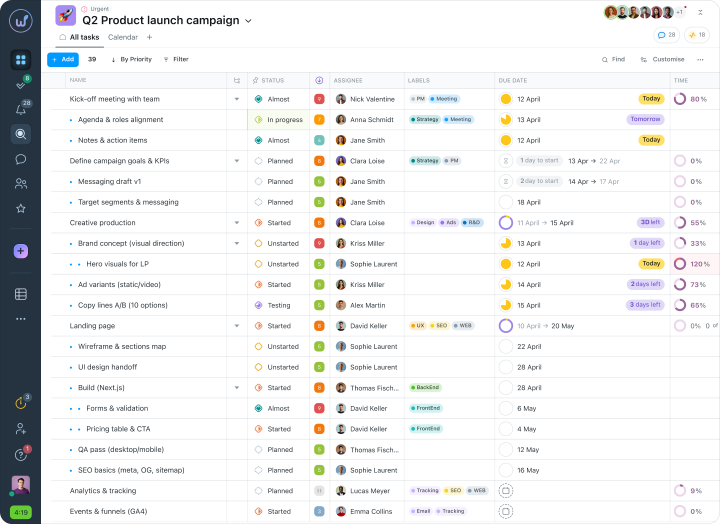
Now we leverage all the advantages of the system in task setting. We always input a deadline, priority, responsible party, and when necessary — time and cost estimates.
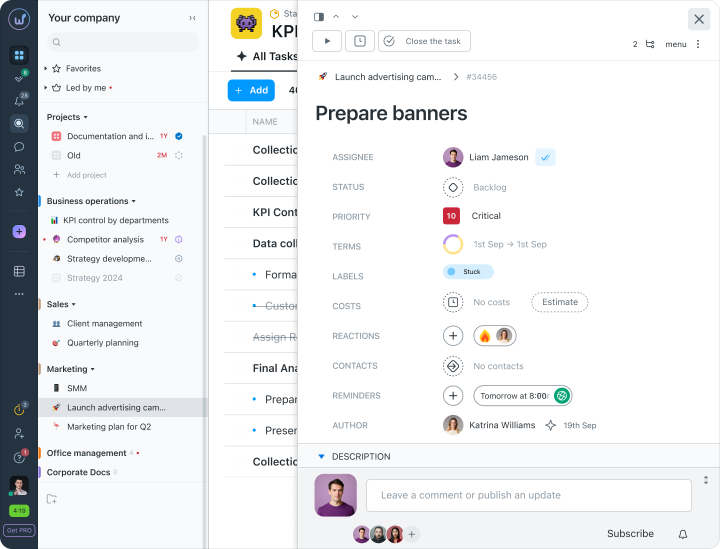
- Account for every process in the company.
It is important to understand what your team is capable of. If the company has no system for measuring productivity, the simplest approach can be implemented:
Labor productivity = time divided by the number of completed tasks.
In other words, you should understand how much time a particular task will take your employee or team.
To calculate average time, Worksection has a timer:
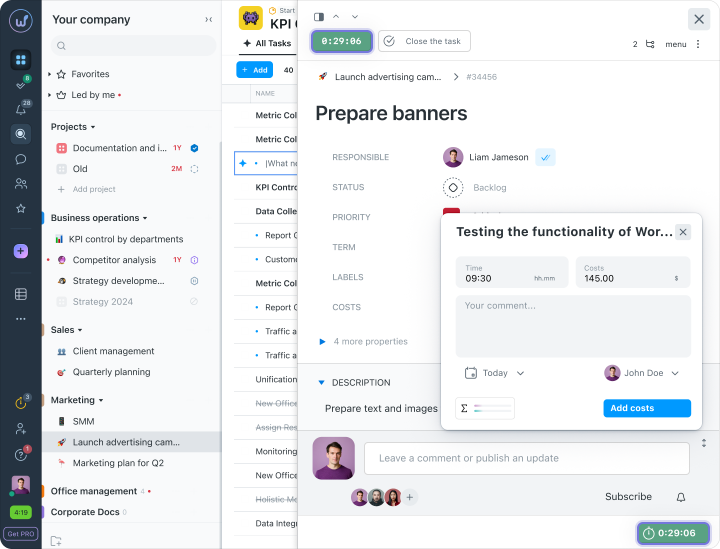
Currently, we are just implementing the timer feature. Each employee, upon starting a task, starts the timer. We hope that in the future using the timer will become mandatory. What is convenient is that expenditures can be entered post-factum. This is especially convenient in emergency situations:
Why Time Tracking is Necessary
There are probably no completely problem-free projects. In the field of design, sometimes unforeseen moments occur. Worksection helps to record deviations from “Plan A” and switch to the saving “Plan B”.
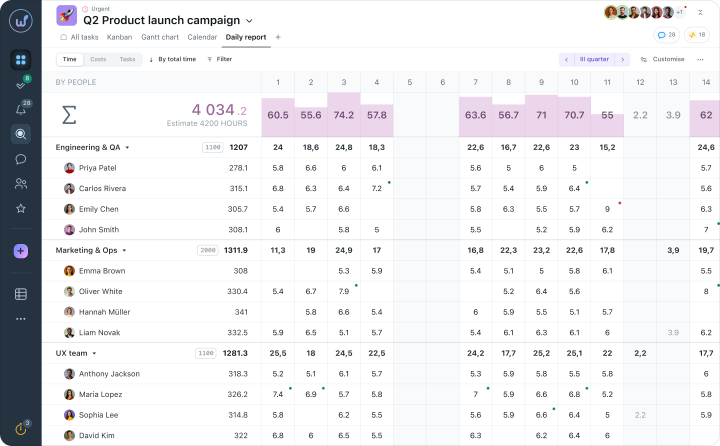
The entire chronology of actions and completed work helps to understand where delays occurred, and time tracking helps to identify at which stages the team faced difficulties.
Now we always know where to allocate more time and discuss details with the client more thoroughly, and where the team can work autonomously.
The timer helps to calculate team productivity and spot rework, to set an additional charge for the client in case of unplanned amendments.
Flexible access for everyone
Worksection has become a place where we manage not only client projects but also the administrative affairs of the company and store important documents. We needed to hide internal tasks from clients and keep administrative documents out of reach of regular employees.
We also bring people on remotely, so it is essential that they only see the tasks they are involved in.
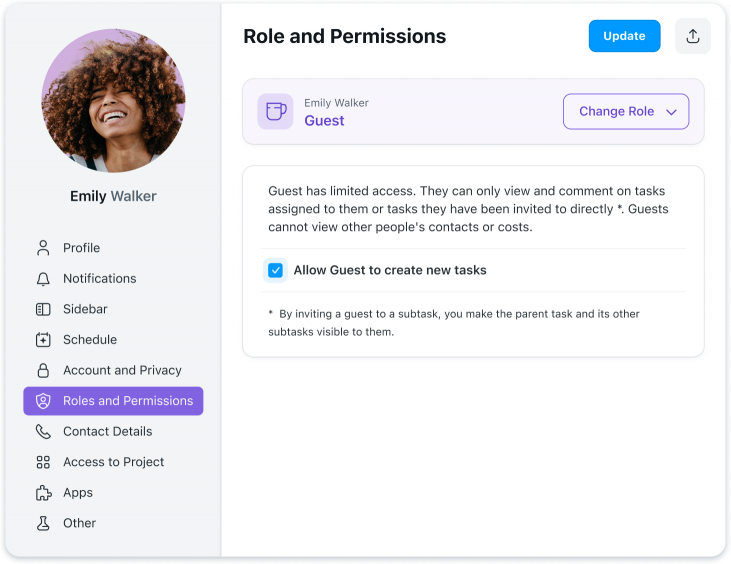
In Worksection, visibility is set up easily. For each project or individual task, visibility can be configured for departments, teams, clients, or selected individuals.
Work correspondence in chats and messengers creates noise
Messengers are still good for live communication, but most work chats turn into a dumping ground for off-topic discussions. Most people are too lazy to switch to personal messages, so correspondence about household chores and pet food sometimes leaks into work chats.
Worksection cuts out the information noise in chats and lets you keep correspondence right in the system. The chronology of events and people’s thinking always stays under the specific task..
By working through Worksection, the team sheds unnecessary stress, and management can set up transparent workflows for both employees and clients.