
Recently, a kanban board has appeared in Worksection. This is another type of task, and you can switch to it on the “Tasks” page. It looks like this:
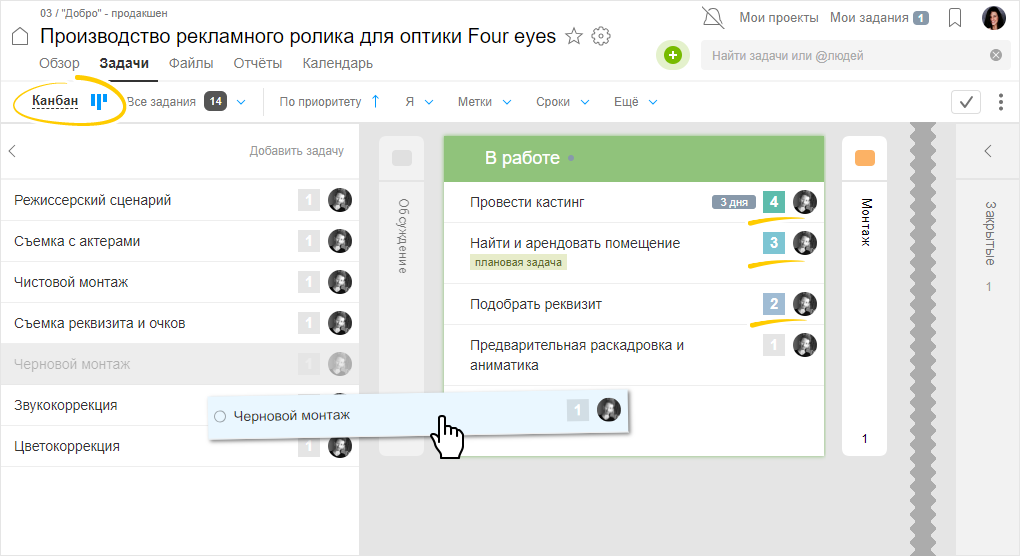
A kanban board is needed to:
- Visualize work
- Control the number of tasks at each stage to see where problems arise and where the “bottleneck” occurs
Imagine that we are a company that produces and sells videos. Let’s try to organize work using a kanban board. Let’s consider the process using the sales department as an example. In fact, we will use the kanban board as a mini-CRM.
In the sales department, all leads go through stages from the first contact to payment and closing the deal. The filled and prepared process on the kanban board may look like this:
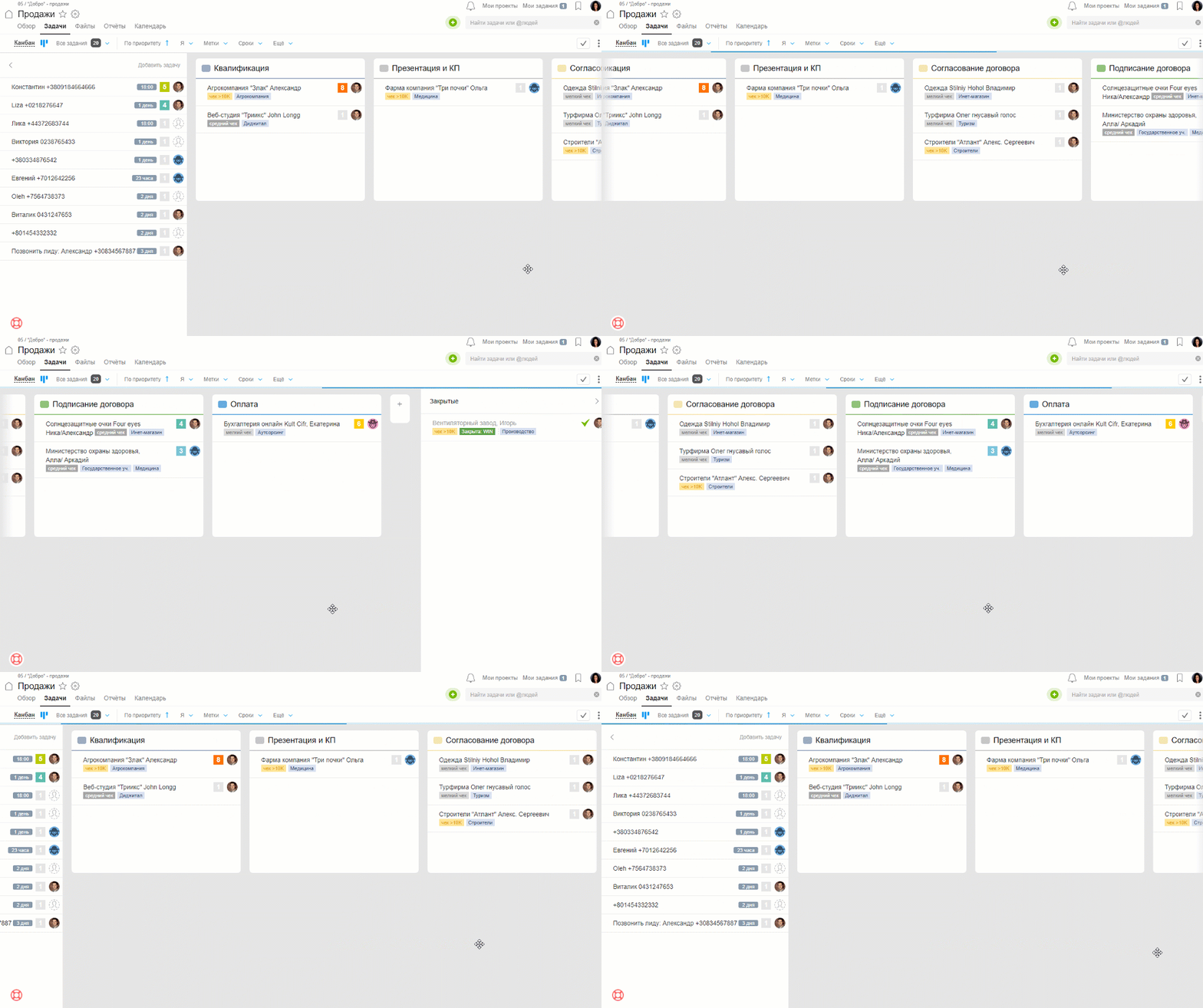
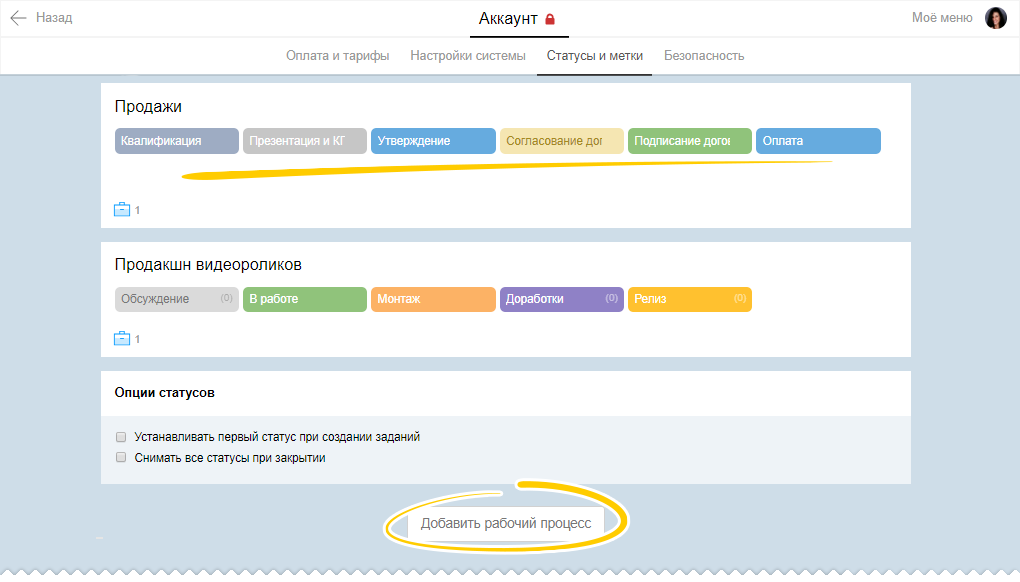
The stages are set up based on the specifics of the department. Analogously, they can be configured for any business process. In the sales department, we have identified the following stages:
Tasks can be automatically generated when a request is made on the site or created manually. Thus, they go into the Backlog, like in the “Incoming” folder. Next, according to the movement of the deal, leads need to be moved to the next stages until the task is fully closed.
Labels can serve as information about leads or tasks. You can specify the amount of the check, topic, etc.
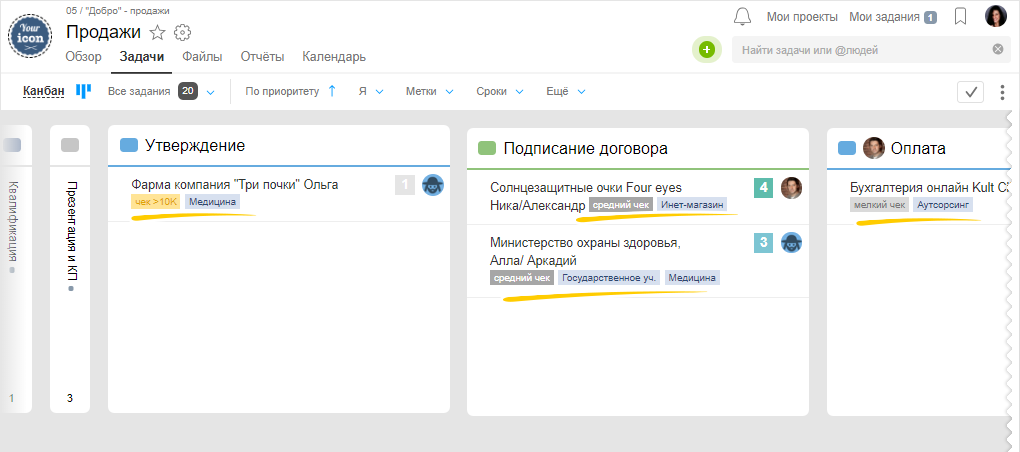
As a result, we see the sales process from a top-down perspective. Visually assessing projects at all stages of production. This allows us to identify problem areas quicker and control production.
For clarity, we have recorded a short video for you. As an example, we took the projects “Sales” and “Production”.
In the video, we show how:
- the projects look on the kanban board
- to configure the stages of the workflow
- to attach stages to the project
- to move tasks through the stages
Watch the video on our Youtube Worksection