
About us
KWA Sound Production is a studio that provides a full sound production cycle for films, series, games, and advertising. We also deliver sound equipment to filming locations, where our client companies can hire our recording and sound-processing specialists. Primary recording and voice-over of characters on-screen sounds — that’s our work.
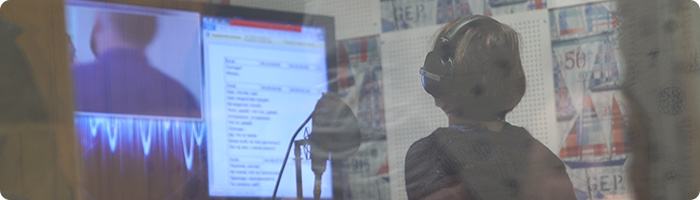
Over 80% of Ukrainian series and films were produced and recorded with the assistance of our specialists, and the products were released after being re-processed by KWA Sound Production. The studio’s work is The studio’s work is like a constant conveyor belt, with more than 50 episodes always in progress. As soon as we finish one project, a new one comes in.
We have a big team divided into 3 main departments.
Today, KWA Sound Production currently involves voice actors working on set and in the studio, sound engineers, and Foley artists. The department I manage handles the production of TV series. It is here that the actors’ voices acquire that deep cinema-like sound.
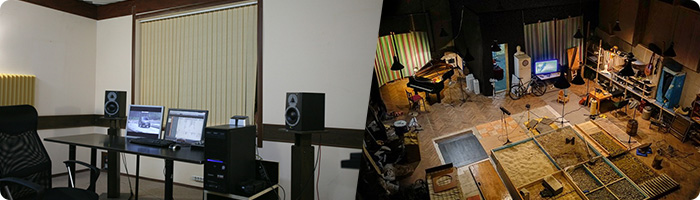
The Foley department handles something the average viewer never even thinks about while watching their favorite film or series. When the main character picks up their car keys from the table, there’s a distinctive jingle of the metal keys hitting the wooden tabletop. During filming, these sounds come out rather flat, because the focus is on the character.
To capture such sounds while the film itself is being shot, you’d need to hold the microphone close to the sound source, which is impossible. To fix that, sounds like these are recorded by a Foley artist at the KWA Sound Production studio. A Foley artist is a specialist in drawing sounds out of everyday objects, which are then added during post-production.
Optimizing performance
We started out, probably like every company, with Excel spreadsheets and chats, perhaps, as all companies.
The spreadsheets helped us when we had to run several projects in parallel. After a while, we had so many projects that the spreadsheets couldn’t hold all the information. On top of that, the company took on more specialists
We moved our communication to messaging apps, where you can even exchange files. Everything went fine until the chats started turning into a dumping ground for discussions. People were dropping film stills into the chat groups and talking about pictures from the internet outside working hours. In that kind of environment, useful and important information gets lost.
We needed a site where we could clearly assign a specialist to a specific job so the whole team could see it. It is also essential to be able to share details of tasks and leave comments there.
That’s how the idea was born to look for a professional project management tool where all the work discussions and tasks could live.
how we chose our task manager
These days there are a lot of good solutions. We looked at systems from foreign companies, but they had too many confusing features and didn’t support the Ukrainian language.
We watched reviews of various programs and even tried a few ourselves, but we settled on Worksection. What won us over was how simple the system was: we didn’t have to spend a lot of time figuring everything out. The main job of any task manager is to simplify and speed up the routine work of managing all your processes, and Worksection does this brilliantly.
Jumping ahead, I’ll say we’re happy with the functionality too. Despite its simplicity, the system now helps us run a whole pile of projects with a team of 30+ people.
Getting the team on board
For some, it was a lifesaver, because now everyone has personal access to the whole to-do list. There’s no need to keep everything in your head anymore — you can just open Worksection and see what needs to be done.
But there’s one caveat. We have some true masters of their craft whose processes have been running like clockwork for years. People like that don’t need close supervision, so they use Worksection only to the extent of checking what needs to be done and marking off what’s done. That helps us gauge the overall progress of a project.
Our main toolkit in the system
It took us no more than 2 weeks to get accustomed to all processes. Some people began to work immediately through Worksection, and someone took a while, but still came to the conclusion that it is useful and convenient.
We still give each other simple verbal tasks. But everything important is now recorded in Worksection as a task. For our work, we use the following features of the system:
- Projects, tasks and subtasks
The company’s main tool is the task list. Worksection’s advantage is that the system transforms complex hierarchy of tasks into a simple list with convenient filters.
A project is a folder for tasks. We create a separate project for each client. We need it to unify the team around a client’s order.
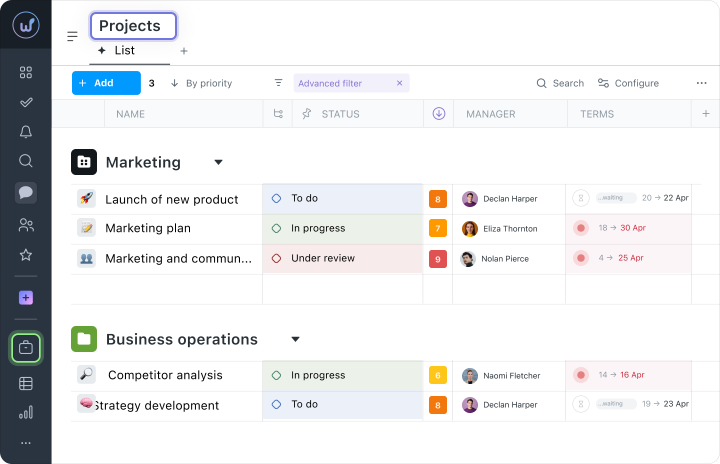
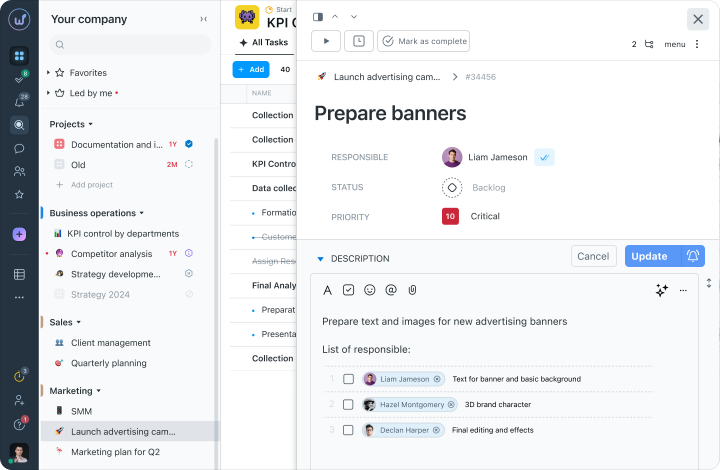
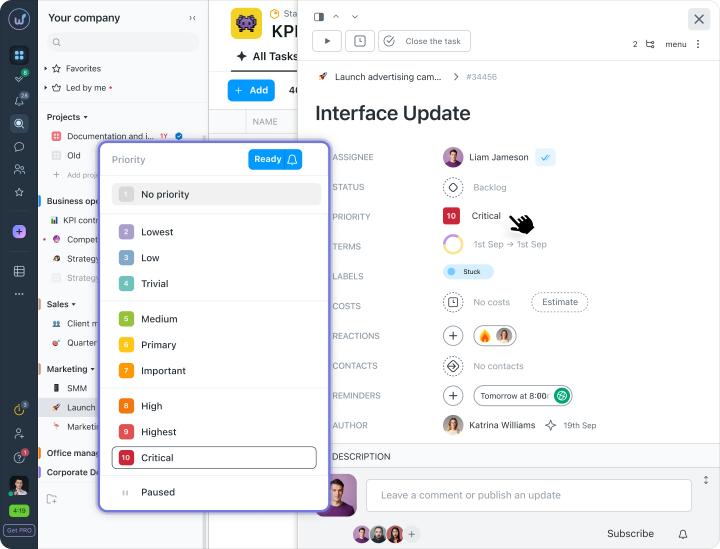
For every task, you can assign a person responsible, set its deadline and priority, add a label, write a brief, and attach files. And best of all — you can attach subtasks and checklists to a task.
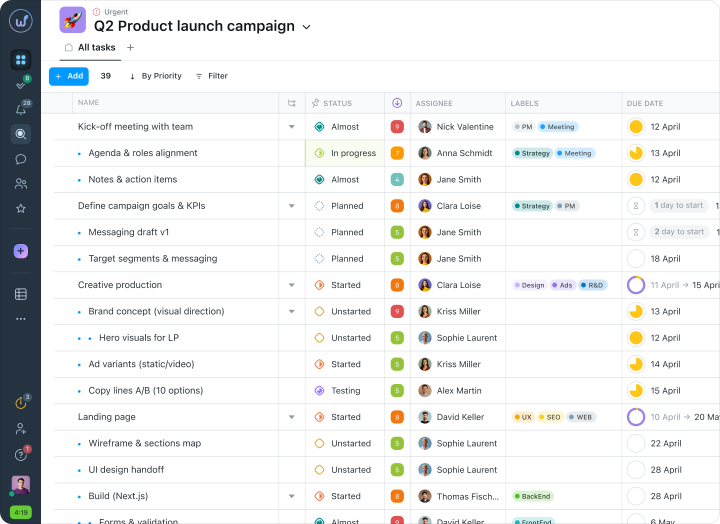
Checklists are a story of their own. They’re like a shopping list where you cross off the items you’ve completed. The task list shows everyone exactly which items were completed, by whom, and when.
- Deadlines
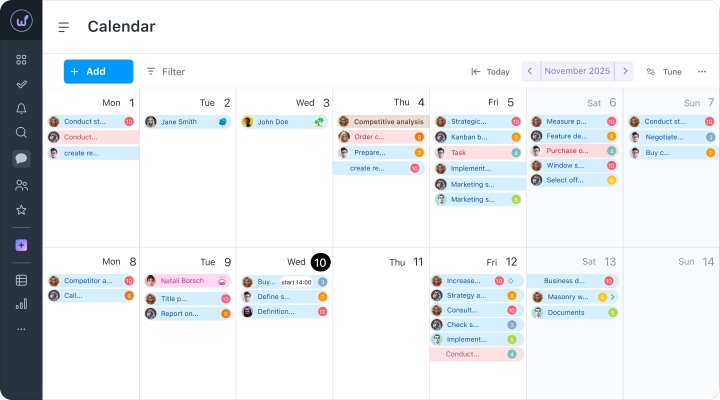
Tracking deadlines is important for us. The customer wants to obtain a finished product and thus sets precise timeframes.
All the deadlines are already known at the planning stage, as soon as a new project comes in. Here, our understanding of how much time each process takes helps us. Voicing several episodes can take a week; creating effects and sounds, one to two weeks. Task deadlines like these are entered into Worksection.
The project manager can plan the work sensibly around deadlines, and every employee always knows the timeframes: which task needs to be done, and when
- Gantt chart
This is the second important tool we use to visualize our progress. The chart shows the timeframe of each task, its priority, and the person responsible. Everything is visible at a glance..
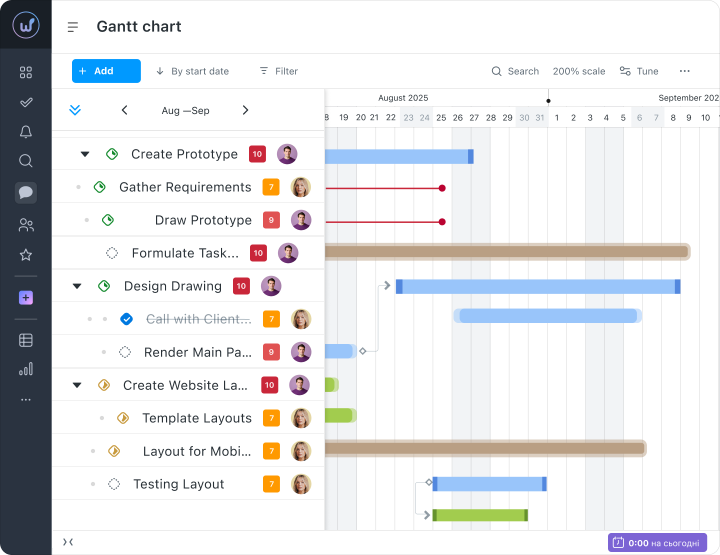
What’s even more important is that the chart lets you set dependencies between tasks. When you have a cycle of processes that the whole team works on, you can set a sequence of tasks. So, once Task A, “Dub recording,” is completed, Task B, “Voice-over mixing,” opens automatically.
- Priorities
We set priorities to distinguish the main tasks from the secondary ones. It’s a simple feature, but it helps us bring order to a long list of tasks and build a hierarchy for our actions.
How Worksection helped us
When more projects started coming in and the company was taking on new specialists, misunderstandings and confusion became common. Some people forgot to file reports, while others misread tasks and could even waste a whole working day.
Worksection helped us improve our communication and restore order. Now nobody jots notes in personal notebooks or sticks Post-its on their desk. All the information you need is now in the computer.
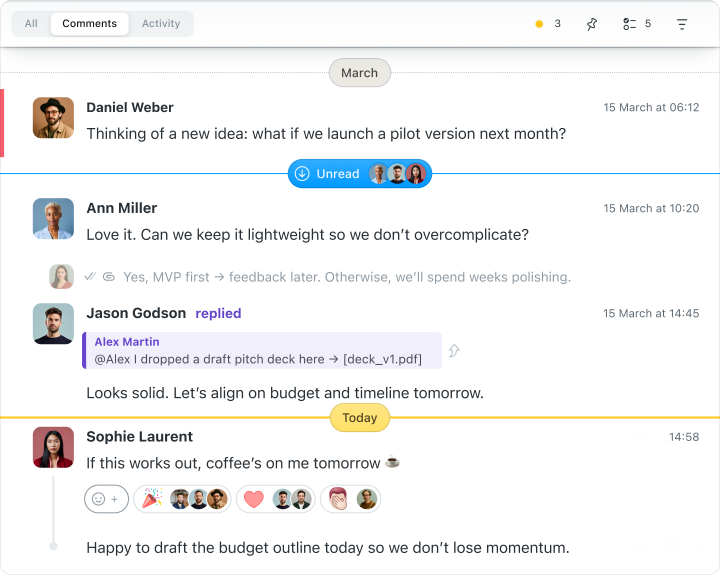
The messaging apps have become what they’re meant to be — personal apps. Apps like Telegram are perfect for chatting with family, reading the news, or asking a colleague out to lunch. But when it comes to work tasks, messaging apps lead to chaos. With Worksection, work processes are discussed right inside the task:
Who Worksection is right for
Any company with more than 2 – 3 projects and 5 people. When simple spreadsheets and chats were no longer enough, KWA Sound Production chose Worksection. Right now we have more than 80 episodes in production, which we track and manage through this service.
Worksection is a simple solution that doesn’t require any preparation or dedicated project management specialists to get started.
I wish the Worksection team continued success. Keep growing, so you can help businesses become more productive and make work easier for people.
On behalf of KWA Sound Production, we wish everyone many more good films, joy in life, and productive work.