
About us:
- Digital agency
- The team consists of 15 people
- More than a hundred completed project
- 55+ customers, including Libresse, Libero, ТЕТ, 1+1, ATB, Philips, Khortytsia etc.
- Using Worksection since 2016
Challenges from major brands
Our digital agency, Sasquatch Digital, has been working in online communications since 2009. We started with local projects for big businesses, then moved on to providing all-in-one service for small businesses. Over time, we began working directly with major brands.
Major brands are huge companies with a branching structure and multilevel tasks. In a setup like that, you can no longer plan on a scrap of paper or in an Excel spreadsheet. You come to realize just how important a task manager is, because you can’t keep every task in your head: a website, BTL activation, working with opinion leaders, creating content and distributing it.
The manager has to keep the team’s work under control: to know what’s happening and when, who’s doing what, and to understand how much time it all takes.
Why Worksection
How to make an advertising agency up and running?
At a certain point, we came to the conclusion that we needed a task manager. Since we at Sasquatch Digital like a systematic approach, we first analyzed the popular options on the market and looked at what our colleagues and customers use. We tried Basecamp, Asana, Trello, and other systems. In the end, we arrived at Worksection.
Worksection seemed like the most intuitive task management service. We didn’t even have to watch the video tutorials. The team took to Worksection with no hassle.
When I open the program and see lists, tables, and Task Boards, it puts me in a state of calm focus at work. I understand that everything is under control.
One program for everyone
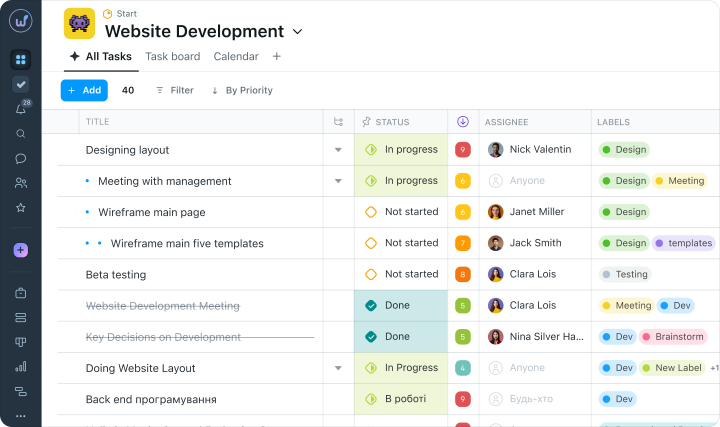
The Sasquatch Digital team is 15 people: designers, the RND and SMM departments, account managers, and specialists in comprehensive advertising. Everyone has different tasks and needs. For example, it’s important for the account managers to keep an eye on timing, so they rank tasks by how urgent they are. For me, it’s important to see task priorities, so I go by the color-coded priority scale.
What I like in it
Another thing I like about Worksection is that you can shape the task field to suit yourself. Highlight important information with color, format the text, add links, and upload files. You can also connect the task manager with Google Docs or Slack — I think that feature is useful for event agencies.
The team also uses the Task Board, and it’s a great replacement for the stationery stickers on the office walls.
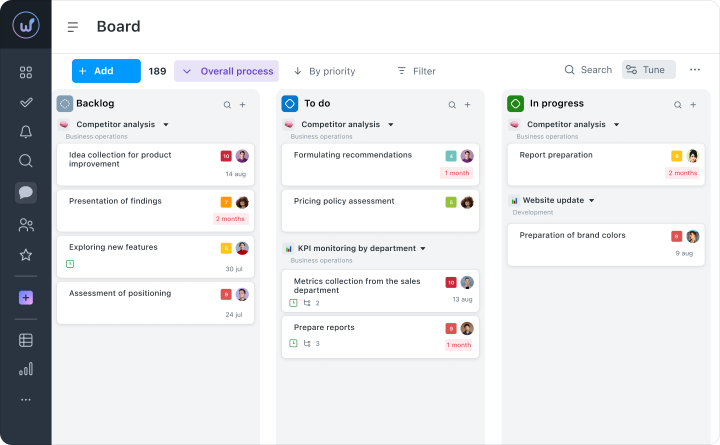
The Worksection task manager is compact, convenient software for taking in (your current tasks and processes.
Emojis
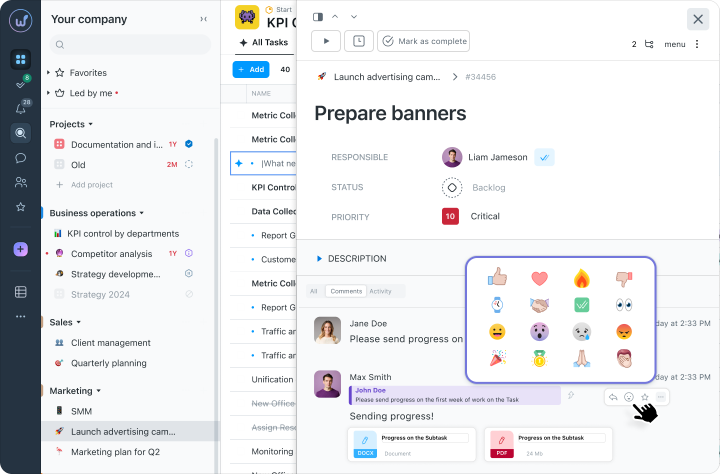
We also use the whole set of emojis available in Worksection. At one point we even asked employees: “Just send a ‘thumbs-up’ if you’ve accepted the task!” It’s convenient.
Life before Worksection
Before this, we simply discussed tasks among ourselves and set them by email. There was no structure to how tasks were assigned: something could get lost, or an employee could misunderstand the details. There was no clear picture of who was doing what that day. You always had to look up and ask: “What are you working on today?”
Who needs a task manager, and why
A task manager for teams is needed in any type of business. Anywhere there are more than two people doing the workє, you need to plan and to keep tasks and processes under control.
Even though we make little use of the time tracker in Worksection, there are companies for which time tracking is issue No.1. A lot of freelancers want to work in a systematic, controlled way. Using Worksection, freelancers like that can join an agency project and interact with customers directly.
Worksection is a logical, convenient solution for digital It’s much better than a notepad
If you took Worksection out of the agency’s processes now, half the people would ask, “How do I set a task now?” and the other half would cry, “All my plans were in there!” Worksection is a service not just for team task management but for personal task management too. Really convenient.