Nobody searches for Asana alternatives out of curiosity. Something broke first: a renewal quote came back higher, a feature turned out to be a paid add-on, or half the team quietly went back to running client work out of a spreadsheet.
The money involved is not small. Zylo's 2025 SaaS Management Index found the average organization wasting about $21 million a year on unused SaaS licenses, up 14.2% year over year. Meanwhile Wellingtone's State of Project Management 2026 report found only around a third of organizations mostly or always deliver projects on time. Teams are paying more for project management software and still missing dates, which is why project management tools get replaced more often than any other category in the stack.
Here's the problem with most lists of the best Asana alternatives: they're affiliate rankings carrying pricing from two revisions ago. Four of the five pages currently ranking for this term still describe an Asana free plan that supports 15 users. It supports 2. This guide covers 11 Asana alternatives with verified pricing, the real cost of matching Asana feature for feature, and a migration plan that won't lose your project data. Every tool here is a working project management platform, not a task list with a pricing page.
Why teams leave Asana in 2026
Teams leave Asana for three reasons: the free plan shrank to 2 users, the project management features most teams need sit two tiers up, and there's no native budget tracking at any price. For agencies and service teams that bill by the hour, that last one is usually the deal-breaker. Per-seat cost compounds from there.
The free plan shrank. Asana's free tier is now called Personal and supports 2 users, verified August 2026. Teams that onboarded years ago on a larger free plan are hitting a wall that did not exist before.
The features you need are two tiers up. Paid plans start at $13.49 per user/month, and that tier only buys the project management basics: Timeline, Gantt charts, dashboards, custom fields, and forms. Portfolios, goals, workload, proofing, and time tracking require Advanced. So the honest floor for most project teams is $30.49.
There's no native budget tracking at any plan level. Timesheets, user rates, and project budgets sit in a separate Timesheets and Budgets add-on at $5.99 per user/month billed annually. A team can pay Asana's top public price and still not know whether a project made money.
Per-seat cost compounds. A 20-person team on Advanced with the add-on pays $36.48 × 20 × 12 = $8,755.20 a year, before separate tools for time tracking or proofing.
No self-hosted option, and data residency is an add-on. Asana's own pricing FAQ states the company does not plan to offer an internally hosted version. Buyers with residency or security requirements should read that line carefully before running a procurement process.
Balance matters. Asana remains one of the strongest work management platform options for large organizations: the interface makes it easy to assign tasks and manage tasks across departments, the project management templates run deep, goal-to-portfolio linking is good, and the enterprise integration list is longer than anyone else's here. Managers can track progress across dozens of projects without leaving the portfolio view. A large marketing org living in Salesforce and Tableau, with nobody asking about project profitability, should probably stay put — the Asana alternatives below are for everyone else.
What Asana actually costs in 2026
| Plan | Per user/month (annual) | Per user/month (monthly) | What you get | What's still missing |
|---|---|---|---|---|
| Personal | $0 (2 users) | $0 | Unlimited tasks, list/board/calendar | Everything past 2 people |
| Starter | $10.99 | $13.49 | Timeline, Gantt charts, dashboards, custom fields, forms | Portfolios, workload, time tracking |
| Advanced | $24.99 | $30.49 | Portfolios, goals, workload, proofing, time tracking | Budgets, rates, timesheets |
| Enterprise | Contact sales | Contact sales | SAML, SCIM, team capacity planning | Budgets (still an add-on) |
| Timesheets and Budgets add-on | +$5.99 | +$5.99 | Timesheets, user rates, project budgets | — |
A team that needs task management, Gantt, time tracking, and project budgets pays $30.49 plus $5.99 — $36.48 per user/month — on Asana Advanced with the add-on. No competing page in this search result performs that calculation.
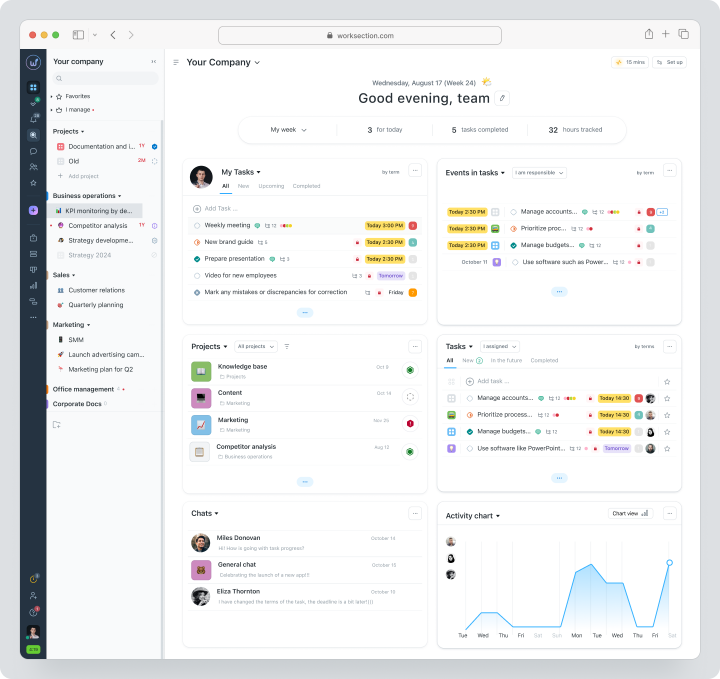
Price the same requirement across the best Asana alternatives and the gap widens. Worksection covers time, rates, and planned-versus-actual cost on its Business plan at $й0 per seat/month, per its plans and prices page. Teamwork handles profitability on Grow at $29.99 per user/month billed annually. ClickUp Business gives you task tracking and time tracking but no budgets at $19 per user/month. monday.com only unlocks time tracking on Pro at $12 per seat/month. Four project management tools, four different answers to the same requirement.
The 11 best Asana alternatives compared
These are the best Asana alternatives on the market right now, ranked by how completely each one solves the grievances above rather than by feature count. Every entry states price with billing basis, key features, who it suits, and where it falls down.
1. Worksection — best overall value, and the only tool here with budgets built in
2. ClickUp — best free plan in the category
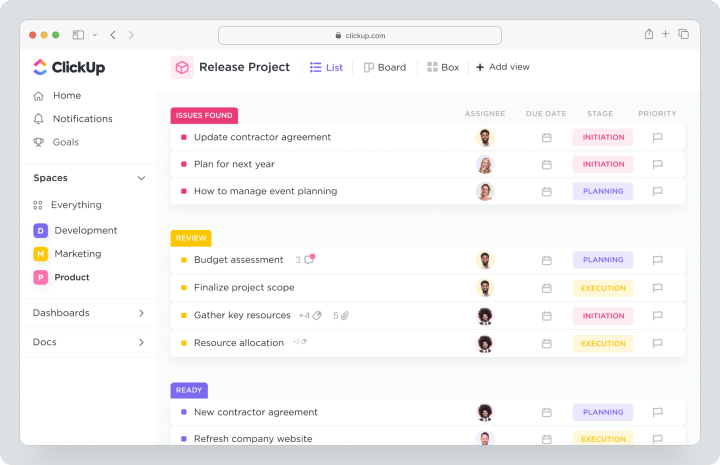
Pricing: Free Forever (unlimited members and tasks, 60MB storage). Paid plans start at $7/user/mo billed yearly ($10 monthly) on Unlimited; Business $12/user/mo yearly ($19 monthly); Enterprise quote-only. Verified on ClickUp pricing.
Best for: small teams who want the most project management features per free plan dollar and don't mind assembling them.
Why it beats Asana: unlimited members on the free plan, where Asana gives you 2. Native time tracking, unlimited Gantt charts, Kanban boards, docs, whiteboards, and 15+ project views all land on Unlimited at $7, which makes task tracking cheap to start.
Where it falls short: 60MB of free storage disappears in weeks on any creative workflow. The interface is dense and there's a steep learning curve — teams routinely report 2–3 weeks configuring it, and new users bounce off the first workspace they open. Brain AI is a separate $9/user/mo add-on billed on every paid member. No project budgeting.
Verdict: one of the best Asana alternatives for teams with someone who enjoys building systems.
3. monday.com — best for custom fields and build-your-own workflows
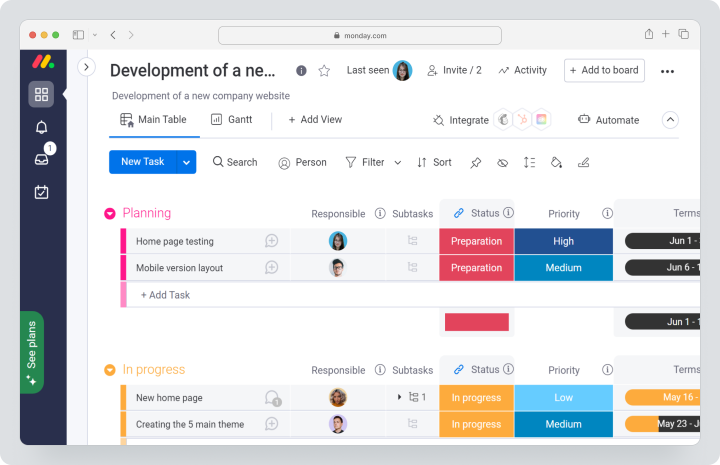
Best for: ops teams and project managers shaping a project management tool around an unusual process.
Why it beats Asana: deeper workflow automation, better workload views, custom fields that bend further, and board flexibility that suits many teams who manage tasks in ways no template anticipates.
Where it falls short: Basic has no automations or integrations at all, so Standard is the real entry point and the free plan is close to a demo. Time tracking and the more advanced features don't appear until Pro at $19. And the free plan is 2 seats — the same constraint you're leaving. Our Monday alternatives piece goes deeper on this one.
Verdict: strong for process-heavy teams, and among the more capable Asana alternatives for custom workflows. Not a fix if cost was the original complaint.
4. Trello — best simple alternative to Asana for small teams
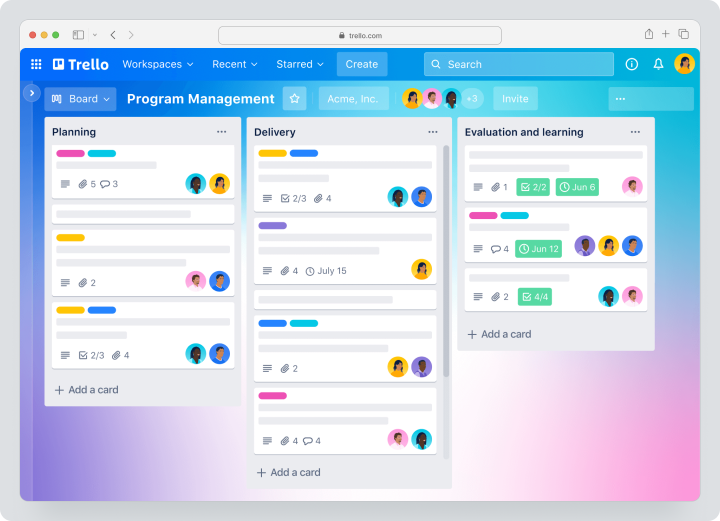
Pricing: Free (10 boards per workspace, 10 collaborators). Paid plans start at $5/user/mo billed annually ($6 monthly) on Standard; Premium $10/user/mo annually ($12.50 monthly); Enterprise $17.50/user/mo, annual only, 50-seat minimum.
Best for: small teams of 3–10 who need simple project management, simple task management, and visual task boards, nothing more.
Why it beats Asana: setup takes twenty minutes and there's almost no learning curve — drag a card, assign tasks, done. Kanban boards are the whole product, Butler handles repetitive tasks without a workflow-builder degree, and Power-Ups are now unlimited on every plan.
Where it falls short: basic features only until you pay. Gantt-style timeline, calendar, and dashboard views all require Premium at $10 — double Standard. No native time tracking on any plan, no resource management, thin reporting, and SSO means paying separately for Atlassian Guard unless you're on Enterprise.
Verdict: if simple project management is honestly the whole requirement, stop reading and go use Trello. The cheapest way to track tasks that exists.
5. Wrike — best for client management and creative approvals
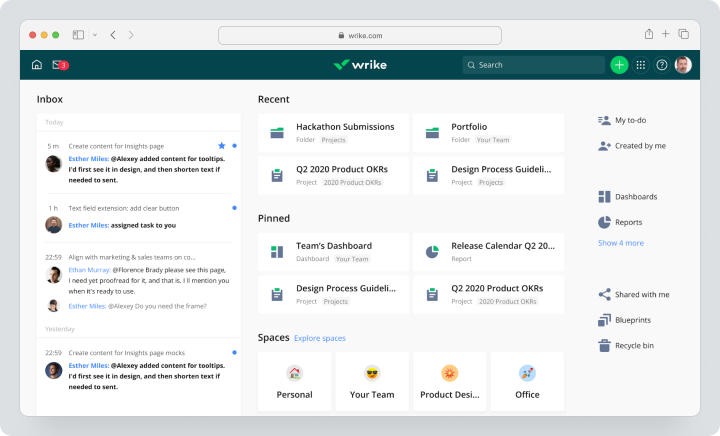
Pricing: Free ($0, task management, board and table views). Paid plans start at $10/user/mo billed annually on Team, for 2–15 users; Business $25/user/mo annually, 5–200 users; Pinnacle and Apex quote-only.
Best for: creative and client service teams drowning in review cycles, and small teams testing the free plan before committing.
Why it beats Asana: dynamic request forms with conditional logic, interactive Gantt charts from the $10 Team plan, granular permissions for external project teams, and a free tier that Asana can't match on headcount.
Where it falls short: the pricing grid was rebuilt in January 2026 and the good stuff moved up. Budgeting, bill and cost rates, billable hours, advanced reporting, and resource planning now sit on Pinnacle, which has no public price at all. Business is annual-only, the interface carries a steep learning curve, and Whiteboard is a $15/user/mo add-on.
Verdict: worth it if approvals are the bottleneck, and the strongest of these Asana alternatives for regulated client work. Expect a sales call if you need the financial layer.
6. Teamwork.com — best for agencies that manage client work by the hour
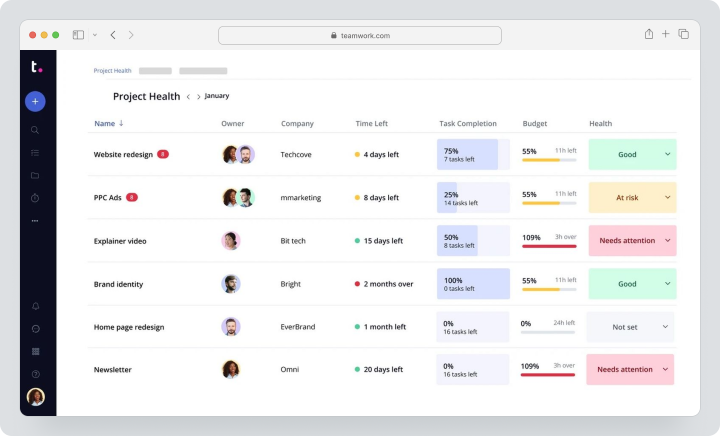
Pricing: Free (5 users, 2 projects). Paid plans start at $10.99/user/mo billed yearly ($13.99 monthly) on Deliver; Grow $19.99/user/mo yearly ($29.99 monthly); Other rates—customized.
Best for: service teams and agencies of 15–75 already tracking billable hours who want profitability in the same place. The same shape of team that digital marketing agencies tend to fall into.
Why it beats Asana: native time tracking and billable hours, profitability tracking, client portals, project tracking that shows project progress against budget rather than against a deadline, and accounting integrations that hold up. It's built to manage client work rather than internal work.
Where it falls short: the menus are cluttered. Profitability, workload, and advanced budgeting need Grow at $19.99, and retainer management only arrives on other. The free plan caps at 5 users and 2 projects.
Verdict: the closest thing here to a full agency operating system, priced accordingly.
7. Zoho Projects — best budget option for larger and enterprise teams
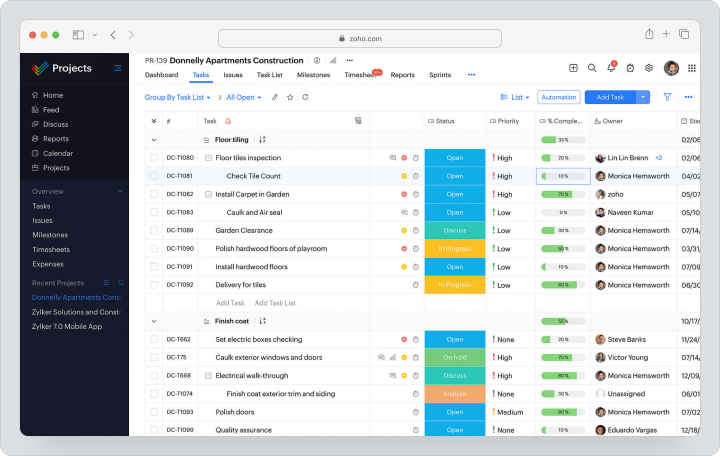
Pricing: Free (3 users, 2 projects). Paid plans start at $4/user/mo billed annually ($5 monthly) on Premium; Enterprise $9/user/mo annually ($10 monthly); Ultimate around $14.
Best for: cost-sensitive enterprise teams of 50+ running complex projects, especially ones already inside Zoho.
Why it beats Asana: Premium at $4 includes Gantt charts, subtasks, time tracking, project templates, and workflow automation — none of it gated behind an enterprise tier. Enterprise at $9 adds critical path, baselines, and custom roles, which is a lot of project management features for the money and holds up on complex projects.
Where it falls short: the interface takes getting used to and mobile lags the competition. External stakeholders are a separate licence class billed at roughly $3/user/mo, so client access costs extra.
Verdict: the lowest seat price of the best Asana alternatives here, by a distance. You pay for it in polish.
8. Jira — best for agile teams running Scrum
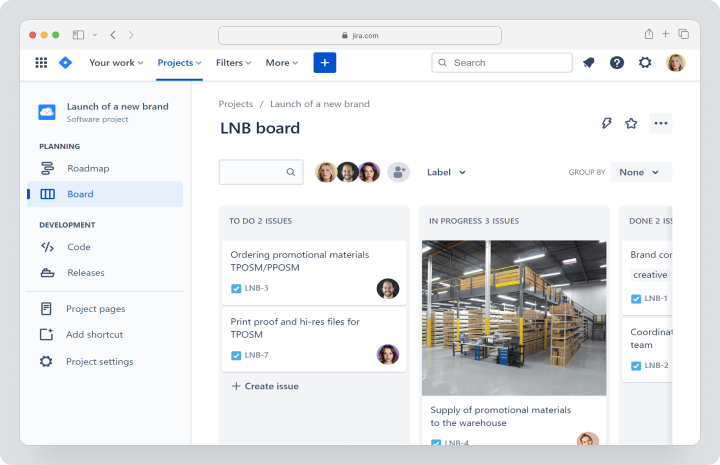
Pricing: Free (up to 10 users, 2GB storage). Paid plans start at $9.05/user/mo billed monthly on Standard (roughly $7.91 annually); Premium $18.30/user/mo monthly; Enterprise annual quote.
Best for: software development teams who live in sprints and want project management to look like an issue tracker.
Why it beats Asana: sprint planning, backlogs, burndown and velocity charts, custom issue types to track bugs properly, deep GitHub/GitLab/Bitbucket integration, and permissions granular enough to satisfy a compliance officer. Agile teams running agile delivery at scale rarely find a better fit.
Where it falls short: a steep learning curve and open hostility to non-technical teams. No financial tracking. Time tracking means paying for Tempo Timesheets on top. Atlassian Guard for SSO is a separate subscription on every plan below Enterprise, and Atlassian bills licensed seats whether or not anyone logs in.
Verdict: ideal for software development, wrong for everyone sitting next to it. Few project management tools are this specialised.
9. Linear — best for product and engineering teams that want speed
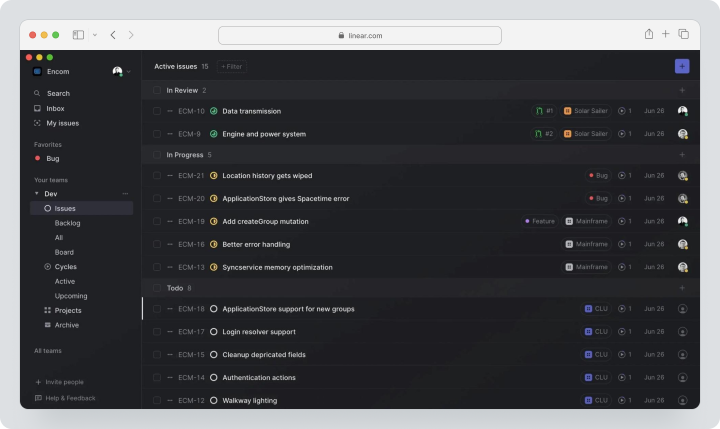
Best for: product and engineering teams under 50 who find Jira exhausting.
Why it beats Asana: speed. Keyboard-first, cycles instead of sprints, clean roadmaps, native Git integration, and AI agents bundled into every tier rather than metered. Project updates and project progress roll up from the work itself rather than from a status meeting.
Where it falls short: the 250-issue free cap is a hard stop, not a soft nudge — new issues are blocked until you archive or upgrade. Engineering-only by design: no time tracking, no resource management, no Gantt, and. Teams doing broader product development work usually need something alongside it.
Verdict: a joy for the dev team, useless for the rest of the company.
10. Notion — best for project documentation
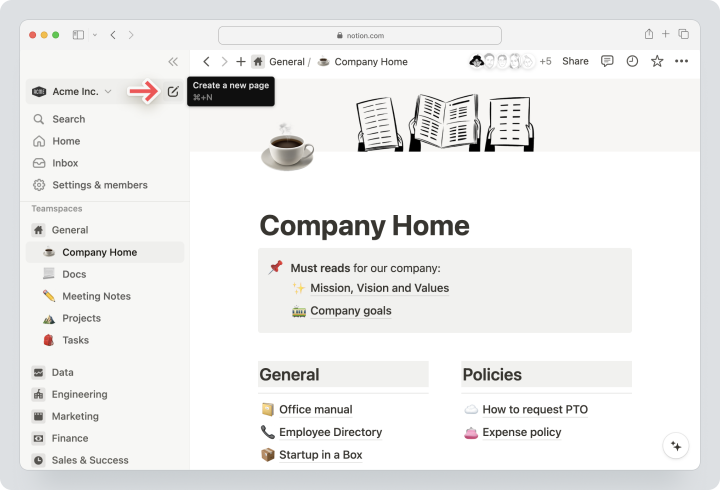
Pricing: Free for individuals. Paid plans start at $10/user/mo billed annually ($12 monthly) on Plus; Business $20/user/mo annually ($24 monthly); Enterprise custom.
Best for: teams whose real problem is scattered project documentation rather than project management itself.
Why it beats Asana: the knowledge base is in a different league, databases bend to anything, real time collaboration on docs is excellent, and team collaboration around linked documentation keeps everyone on the same page.
Where it falls short: it isn't project management software. No time tracking, weak Gantt, limited advanced reporting and dependencies. It keeps projects organized without helping you deliver projects. Full Notion AI now requires Business at $20, and Custom Agents bill $10 per 1,000 monthly credits on top of every seat.
Verdict: a brilliant second tool, and a poor alternative to Asana on its own.
11. Basecamp — best flat-rate option for larger teams
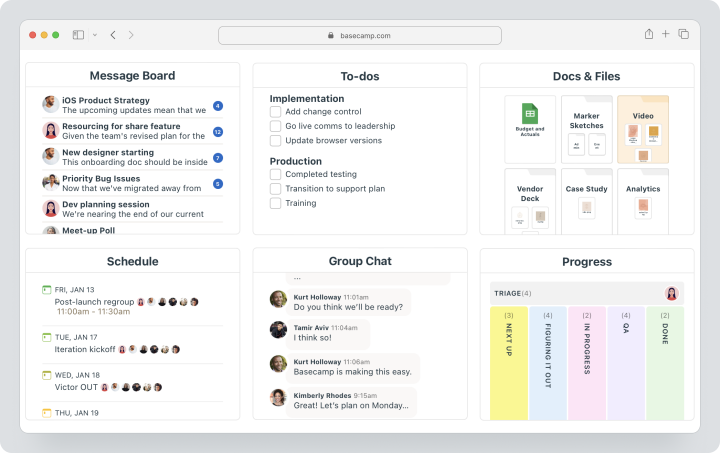
Pricing: Free (1 project, 1GB). Paid plans start at $15/user/mo billed monthly on Plus, or a flat $299/month billed annually ($349 monthly) on Pro Unlimited for unlimited users.
Best for: remote teams past 20 people who want their project management bill to stop growing.
Why it beats Asana: the flat plan stops scaling at roughly 20 employees ($299 ÷ $15), clients and contractors are always free, so new team members are productive on day one. Message boards, chat, and automatic project summaries are built in, which keeps remote teams on the same page without a second tool.
Where it falls short: basic features only — no Gantt charts, no automation, no custom fields, no task dependencies, very few integrations, and no meaningful reporting on your team's productivity. Timesheet and Admin Pro Pack are $50/month add-ons on Plus, bundled only on Pro Unlimited. The free plan is one project — evaluation, not production.
Verdict: the cheapest option at 100 seats by a wide margin, if the constraints are acceptable.
Also worth a look
Four more Asana alternatives that didn't earn full entries. Smartsheet if the team thinks in spreadsheets. Paymo and Freedcamp for freelancers and very small teams. Quire for people who liked Asana's shape but wanted less of it. Height if AI-assisted triage appeals.
Asana alternatives compared at a glance
Here are all eleven Asana alternatives side by side, with Asana as the last row so you can compare against what you're already paying. Every price matches the entry above it. Use it to shortlist two or three project management tools, then price the full configuration for each.
| Tool | Starting price (billing basis) |
Free plan | Native time tracking | Gantt | Project budgets | Client/guest access | Best for |
|---|---|---|---|---|---|---|---|
| Worksection | $5/seat/mo | 5 users | ✓ (Business) | ✓ | ✓ | ✓ | Agencies billing by the hour |
| ClickUp | $10/user/mo | Unlimited members | ✓ (Unlimited) | ✓ | ✗ | ✓ | Free-plan maximalists |
| monday.com | $12/seat/mo | 2 seats | ✓ (Pro only) | ✓ (Standard) | ✗ | ✓ | Custom workflows |
| Trello | $6/user/mo | 10 boards | ✗ | ✓ (Premium) | ✗ | ✓ | Small Kanban teams |
| Wrike | $10/user/mo | ✓ | Pinnacle | ✓ (Team) | Pinnacle | ✓ | Creative approvals |
| Teamwork.com | $13.99/user/mo | 5 users | ✓ | ✓ | ✓ (Grow) | ✓ | Agency profitability |
| Zoho Projects | $5/user/mo | 3 users | ✓ | ✓ | ✓ | Paid add-on | Budget-conscious scale |
| Jira | $9.05/user/mo | 10 users | Tempo add-on | Add-on | ✗ | Limited | Agile teams |
| Linear | $12/user/mo | 250 issues | ✗ | ✗ | ✗ | Business plan | Product engineering |
| Notion | $12/user/mo | Individuals | ✗ | Weak | ✗ | ✓ | Project documentation |
| Basecamp | $15/user/mo | Per project | Add-on | ✗ | ✗ | ✓ | Flat-rate simplicity |
| Asana | $13.49/user/mo | Limited | Advanced only | Starter | Add-on (+$5.99) | ✓ | Enterprise task management |
What you'll actually save
This is an illustrative model using list prices, not a quote: 20 users, one year, annual billing where available. The baseline is Asana Advanced plus the Timesheets and Budgets add-on, because that's the cheapest Asana configuration that can tell you whether a project made money.
| Tool and plan | Annual cost, 20 users |
Difference vs Asana |
What you gain or lose |
|---|---|---|---|
| Asana Advanced + add-on | $8,755.20 | — | Baseline: portfolios, goals, budgets |
| Zoho Projects Premium | $960.00 | −$6,475.20 | Keep time and Gantt; client seats cost extra |
| Worksection Business | $1,800.00 | −$5,635.20 | Keep budgets and Gantt; fewer integrations |
| Wrike Team | $2,400.00 | −$5,035.20 | Gain request forms; budgets move to Pinnacle |
| ClickUp Business | $2,880.00 | −$4,555.20 | Keep time tracking; lose budgets |
| monday.com Pro | $4,560.00 | −$2,875.20 | Gain automation depth; no budgets |
| Teamwork Grow | $4,797.60 | −$2,637.60 | Keep profitability tracking; busier UI |
One caveat stops that middle column from being the whole argument: the lowest per-seat price doesn't automatically win. A cheaper tool that needs two paid integrations to meet the requirement isn't cheaper — it's cheaper on the line item finance looks at.
There's a margin argument underneath this too. SPI Research's 2026 professional services benchmark put billable utilization at 66.4% in 2025, the lowest in their survey history and well under the 75% they consider healthy. Project managers who can't monitor project progress against hours can't defend a margin, whatever the software costs. Any tool you pick should let you track progress against budget, not just against the calendar. Worksection's business cases are mostly stories about exactly that gap.
Export Asana data to CSV or JSON, pilot one project in your chosen alternative to Asana for two weeks, then migrate team by team with a hard sunset date. Most Asana alternatives make this easier than Asana does. Attachments, comment threads, custom field configurations, and automation rules usually don't survive a CSV round-trip. Tools with a native Asana importer preserve considerably more.
How to migrate off Asana without losing your data
- Audit before you export. List the projects that are genuinely active.
- Export your Asana data. CSV and JSON both work. Know what's being lost: attachments, comment history, custom field setups, and automation rules rarely come through cleanly.
- Pilot one project and run both systems for two weeks. Rebuild the workflows carrying most of the work, not all of them. Both systems hold the same data for a fortnight, which gives you project visibility during the switch rather than after it.
- Migrate in waves and set a hard sunset date. One team at a time. Run 30–45 minute training sessions for new team members and record them for whoever's away. Move the project teams carrying live client work last, not first. Give two weeks' notice, then switch Asana off.
Worksection, monday.com, ClickUp, Wrike, and Smartsheet all offer Asana import, and Worksection's automatic Asana import works on every plan including the free one. Rebuild your project management templates once inside the new tool and the second wave moves twice as fast.
Which of the best project management tools should you pick?
The right Asana replacement isn't the one with the longest feature list, and the best Asana alternatives for a 12-person studio are not the ones a 400-person enterprise should shortlist. Most teams overpay for configurability they never touch and underpay attention to the financial layer they need to manage projects profitably.
- Choose Worksection if you bill or budget by the hour and want time, cost, and tasks in one place. The why Worksection page makes the fuller case.
- Choose ClickUp if the free plan has to carry the team for now and nobody minds the setup.
- Choose Zoho Projects if seat price is the binding constraint and you manage projects across a large headcount.
- Choose Trello if Kanban boards are honestly the whole requirement for your small teams.
- Choose Jira or Linear if you're a software development team and nobody outside engineering needs in.
- Choose Wrike or Teamwork.com if client approvals and profitability are the daily fight.
- Stay with Asana if goals, portfolios, and enterprise integrations matter more than cost control, and nobody's asking about project margin. That's a real answer for some readers.
If the reason you're here is wanting to see time, cost, and project status on the same screen as the tasks, start a free trial or book a demo and have someone walk through a setup sized to your team.
FAQ
What is the best free alternative to Asana?
ClickUp has the most generous free plan, with unlimited members and unlimited tasks, though storage is capped at 60MB. Worksection's free plan supports 5 users and 2 projects with Kanban boards, checklists, and real time collaboration in chat. Wrike's free tier has no user cap. Trello allows unlimited cards across 10 boards per workspace. This matters more than it used to: Asana's free Personal plan is now limited to 2 users, so most teams outgrow it immediately and land on paid plans within a quarter.
Why are people switching from Asana?
The three most common reasons are cost, gated features, and missing financial tracking. Asana's free plan supports only 2 users, and project management features like Gantt, portfolios, workload, and time tracking require paid plans. Asana has no native project budgeting at any plan level — timesheets, user rates, and budgets are a separate add-on at $5.99 per user/month. For agencies and service teams that bill by the hour, that gap is usually the deciding factor.
Is there an Asana alternative with built-in time tracking and budgets?
Yes. Worksection includes time tracking, hourly rates, cost tracking, and planned-versus-actual budget reports on its Business plan at $10 per seat/month. Teamwork.com offers profitability tracking on Grow at $29.99 per user/month, and Zoho Projects includes time tracking from Premium at $5 per user/month. ClickUp includes time tracking but not budgets; Wrike moved budgeting to its quote-only Pinnacle tier in January 2026. Matching this in Asana requires Advanced plus the Timesheets and Budgets add-on.
Can I migrate from Asana without losing my data?
Mostly, but not entirely. Asana exports to CSV and JSON, and the major Asana alternatives — Worksection, monday.com, ClickUp, Wrike, and Smartsheet — all offer Asana import. Worksection's automatic Asana import is available on every plan, including the free one. Attachments, comment threads, custom field configurations, and automation rules typically don't survive a CSV migration intact. Test with one project first, run both systems in parallel for two weeks, then set a hard cutover date.