

About the 1991 Civic Tech Center
We are the first center in Ukraine for developing civic technology organizations and startups. We try to make the atmosphere as productive as possible so that people can create truly cool things.
We have a coworking space for startups, an event zone, and meeting rooms. You can organize your own projects with us or attend events hosted by our team.
A field that works at the intersection of civic initiatives, business, and IT solutions is exactly what our country needs
Why It Is Important to Set Tasks
No matter the size of the organization, it’s always very important to set tasks and track their progress. And always with time and deadlines in mind.
It’s crucial to understand what you, your colleagues, and your management are working on. Seeing the full range of tasks, employees feel a sense of responsibility for the whole organization.
Thanks to the task manager, everyone has a sense of time, and the chance of forgetting something drops close to zero.
A lot of projects get stuck because of the human factor. Everything can fall apart if even one tiny detail is forgotten.
How We Are Organized
In our work, we use Worksection. We have one project set up in it. For now, we are not creating more, as we plan to connect other projects from the SocialBoost organization in the future.
Everything is divided into tasks. There are four root tasks: Events; Office Supplies; Legal Issues; Marketing. All work is conducted in subtasks and using checklists. Each task has a responsible person who oversees all work in the subtasks.
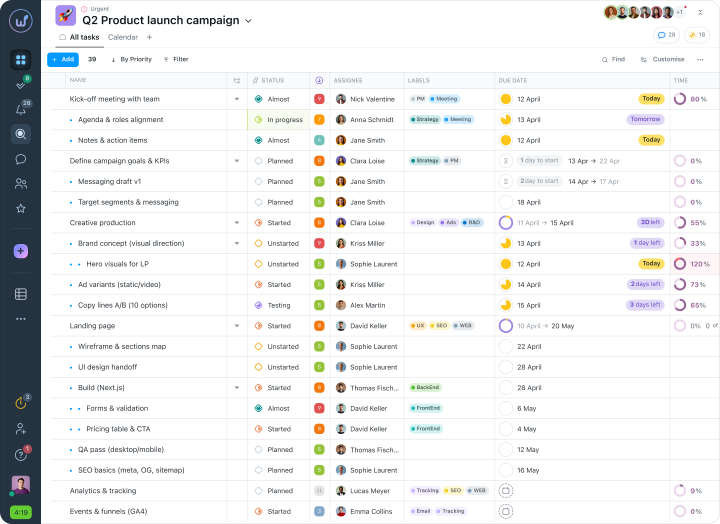
When a new event is planned, we duplicate an existing, similar task. Then we simply change the title, the deadlines, and the person responsible, and sometimes clarify a few details. This saves a lot of time for companies with standard, recurring tasks.
Employees and Worksection
Worksection is our main tool, and everyone uses the system actively, every day. During onboarding, we held mini-presentations and explained a few things. Now everyone is used to it, and there are no complaints.
At the start, the main thing is to explain the rules for setting tasks: deadlines, setting them in advance, naming them correctly, and so on.
This is what I believe: how you set a task, and how clearly you do it, determines whether it gets done correctly and on time.
Why Worksection?
I’ve tried Asana, Basecamp, Trello, Redmine, and Worksection. And when I started working on this project, Worksection was the obvious choice — because, given the nature of our work, a cascading model of task-setting matters. That is, the ability to set tasks at any level. With other systems, I ran into usability issues, at least for me personally.
I value a usable, simple interface and the functionality I need. Everything you need is in one window.
I also like Worksection for its mobile app and responsive design
Functionality That Makes Life Better
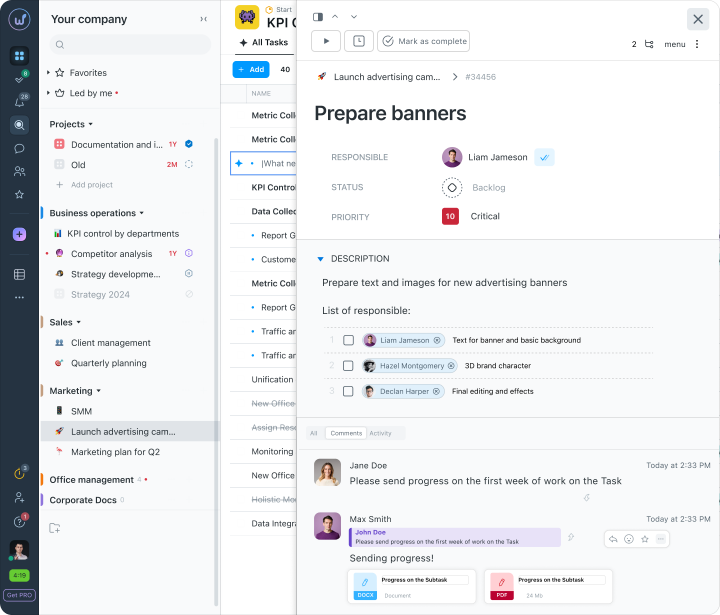
We use all the “tricks” of the editor. It’s handy to embed links and break things down into checklists and numbered lists.
Several people often work on a task, and we tag them (mention them) so they get personal notifications.
And my favorite — attaching files and using emojis to react quickly to comments.
Time Tracking and Timer
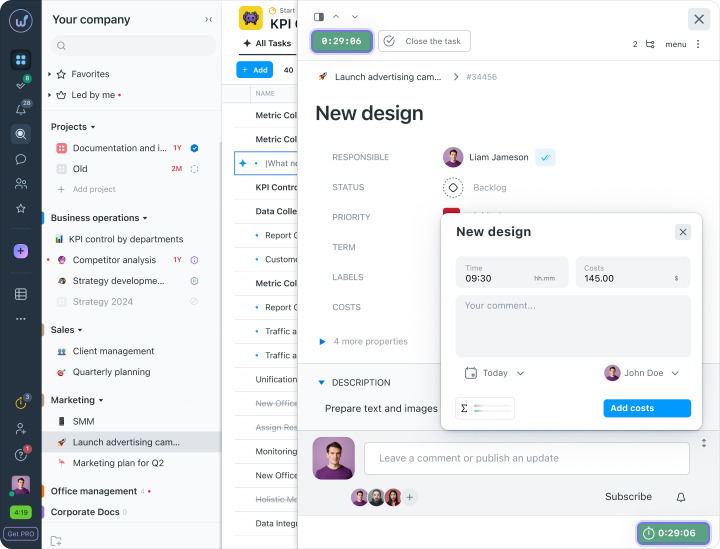
I only log time manually, entering it into tasks myself. I do not use the time tracker because I work in multitasking mode and quickly switch from one task to another. Employees use the timer, but for longer-term tasks, such as writing an article.
Tags and Statuses
The most common tag for our project is “urgent.”
In Worksection, you can create deferred tasks by setting start and finish deadlines. Such tasks are moved to a waiting mode. In them, we use the tag “in progress.” A person can start working on a task earlier, and by placing the corresponding tag “in progress” — everyone understands that the task is already underway.
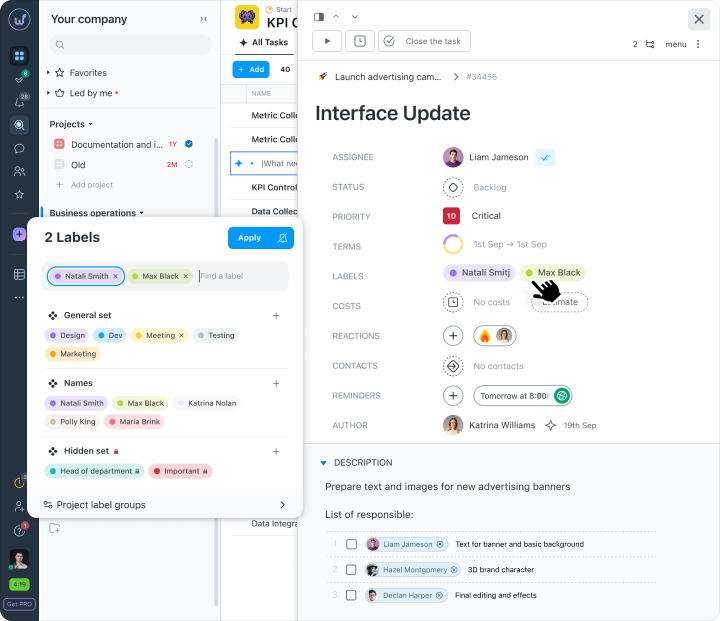
Sometimes several people share the work on a task equally. For that case, we created our own labels with employees’ names. We added them to the task as assignees, and it was clear who was working on it.
Report
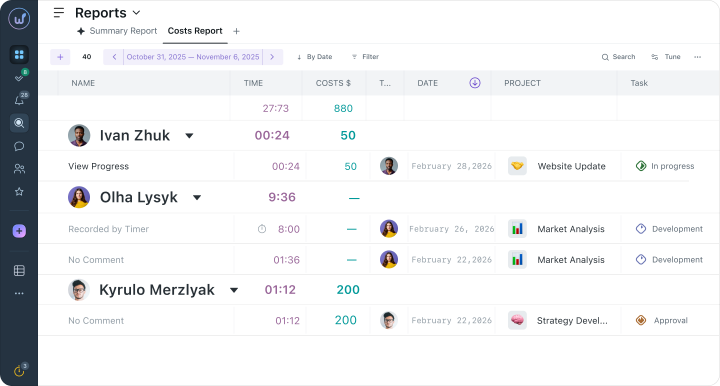
The report is more for me. For understanding where we fell behind on deadlines. It is convenient to look at closed tasks and understand why it happened, to track how such situations impact other tasks.
I generate reports with the necessary filters and download them. The report contains a link to the task, which is a significant plus. If you need a detailed history, you can immediately go from the Excel file to the task.
Drawbacks
I wish a task could have several people responsible. I work around this by tagging the necessary people in the task description. But we still miss having that functionality.
And add some emojis — what, are you stingy with emojis?
Who Is It Suitable For?
I believe that Worksection is suitable for any business. Especially for those planning events. In any case, the choice of the system depends on the tasks set. Specific examples might include various digital or PR agencies, law firms.
We happily recommend Worksection to our residents, startups, and projects. For them, it’s not just a great service but also a tool that helps them get better and reach their goals faster.