Solutions
worksection
beta
help
How to manually log time and financial costs in a task?
Task costs are records of the actual time and/or money spent on a task. They can be added manually from the task window or from the task list in Table view.
All account users except Readers can log costs.
Note!
- The "Cost tracking" settings may restrict who can view and log financial costs. In this case, only the Account Owner and Administrators can view and log them.
- The ability to log time costs is available only if Time Tracking is enabled in the account settings.
- The ability to log costs is available only if Costs Tracking is enabled.
- If only one tracking type (time or financial) is enabled, only that type will be available in the cost logging window.
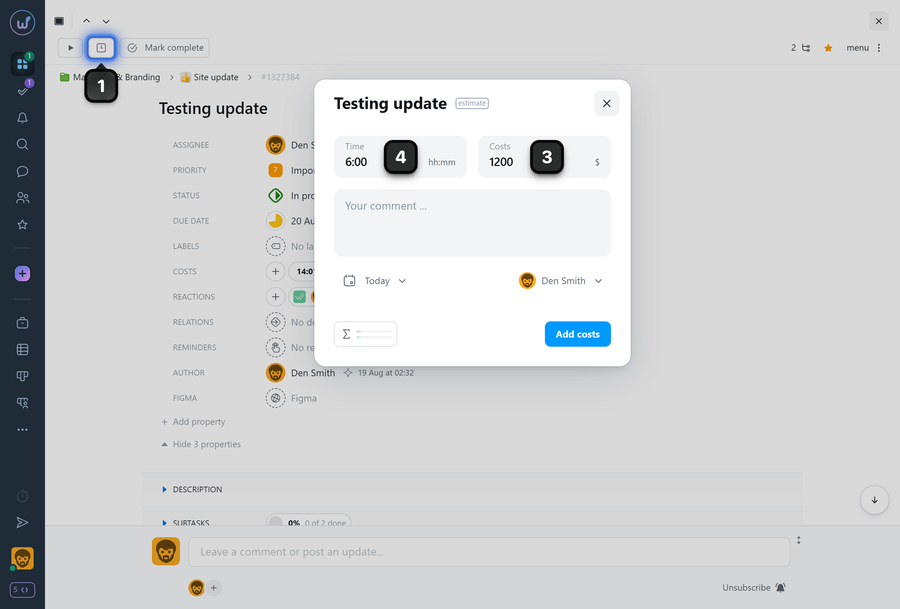
To log costs from the task window, click "Add to costs" button1 at the top of the task window. In the dialog that opens, enter a value in the Time2 or Costs 3 field.
If needed, add a comment to the logged costs (it will appear in reports), then click Add.
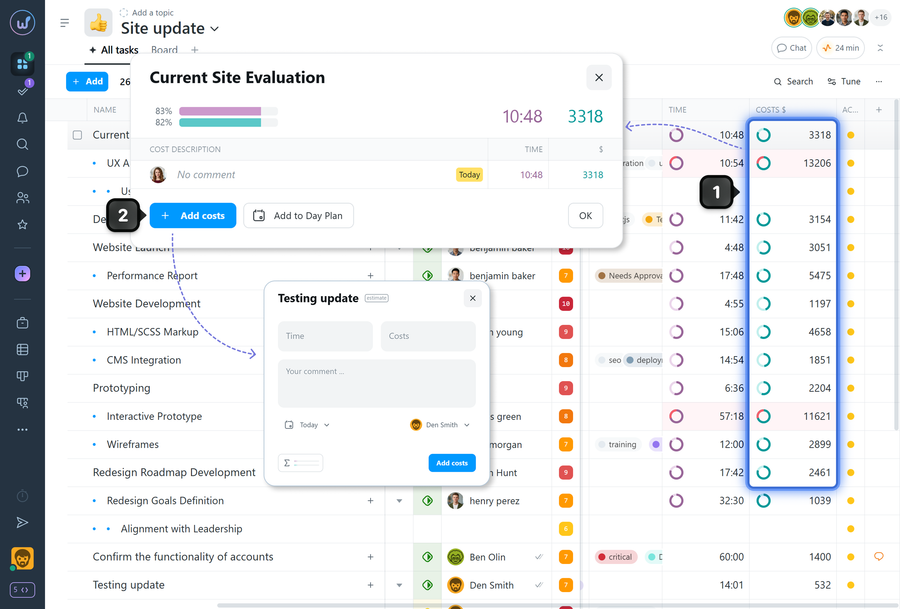
To add costs from the task list, click the field1 in the appropriate column (Time or Costs) for the required task. In the dialog that appears, click Add costs2. The cost adding window will open.
Leave your review
Did this article help you?
Glad we could help! What was helpful?
Sorry this didn't help. What went wrong?

