Solutions
worksection
beta
help
How to view task activity?
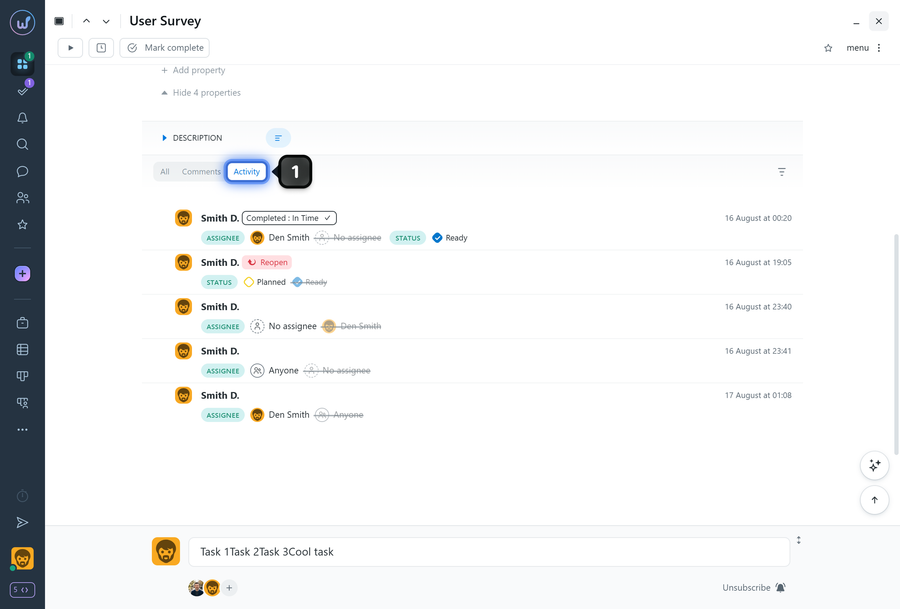
Activity shows what has happened to a task, including status changes, date updates, assignee changes, and other actions. It helps you quickly understand who made changes and when.
All users who have access to the task can view its activity.
To view task activity, scroll to the activity and comments section of the task window and select “Activity”1.
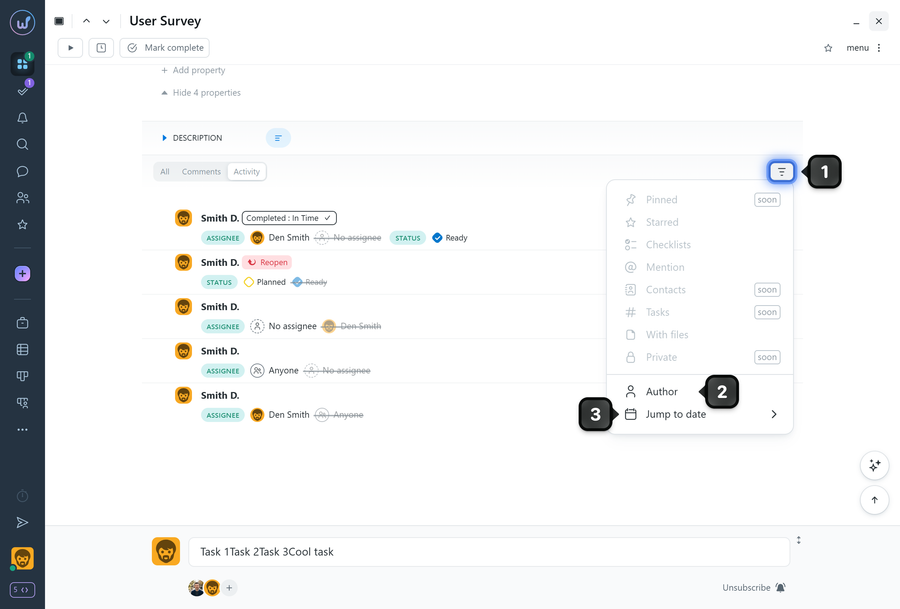
If needed, you can apply filters1:
- Author filter2: select a specific user to display only their events and comments.
- Jump to date3: use the “Jump to Date” option to quickly jump to a specific day in the activity feed.
Note! Only actions performed with subscriber notifications enabled are included in task activity. For example, if a label is assigned to a task with the “Do not notify subscribers” option, it will not appear in “Activity”, but it will still be recorded in the “Task History” (log).
Leave your review
Did this article help you?
Glad we could help! What was helpful?
Sorry this didn't help. What went wrong?

