Solutions
worksection
beta
help
How can I see how long a task remained in a specific status?
Any participant who can see the task can open the task's “Status History” - a window that shows:
- who changed the status and when;
- how long the task remained in each status.
To view the “Status History”, hover over the “Status” parameter field1 in the task window and click the “Status History” button2 that appears.
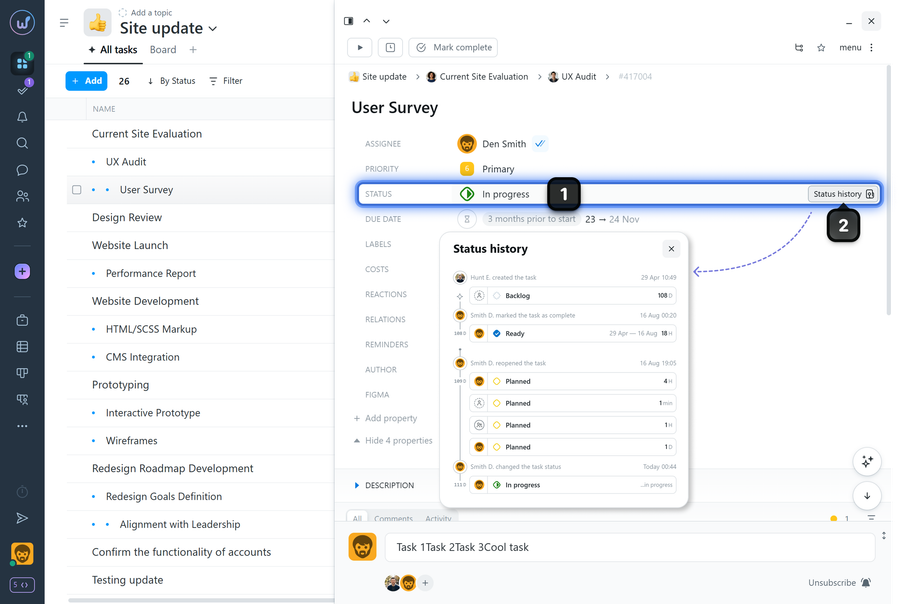
- the left side shows the sequence of status changes (who changed the status and when) relative to the task creation date;
- the right side of each row shows how long the task remained in that status (for example: “2 hours”, “23 hours”, “4 days”, etc.), as well as the date when the status was changed
Leave your review
Did this article help you?
Glad we could help! What was helpful?
Sorry this didn't help. What went wrong?

