Solutions
worksection
beta
help
How to find out if the assignee has opened their task?
To help monitor task progress more effectively, Worksection provides a read indicator showing that the assignee has viewed:
- the task or subtask; or
- the latest comment in the task.
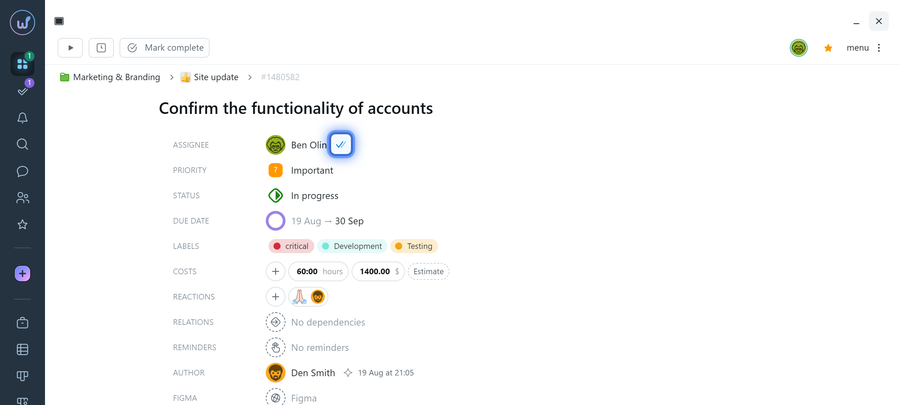
In the task window, the read indicator is displayed next to the assignee's name in the task properties.
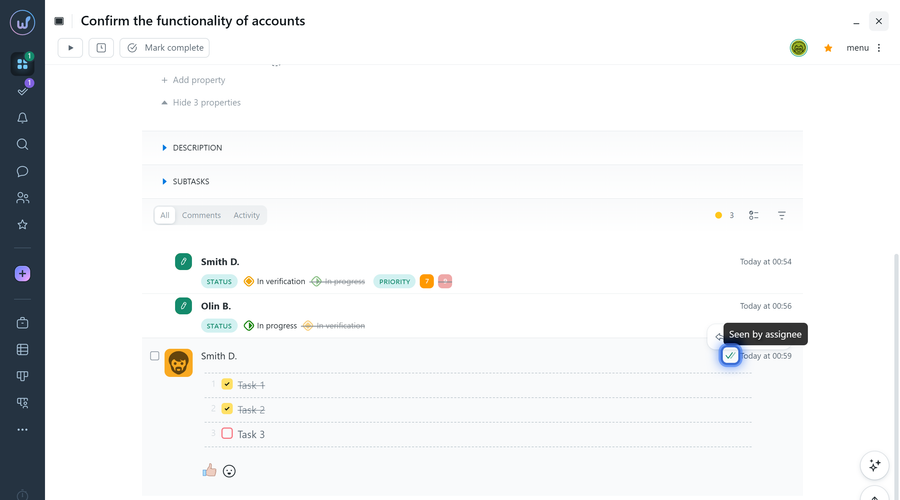
In the comments section, a double check mark indicates the most recent comment that has been viewed by the assignee.
Hover your mouse over the double check mark to see a tooltip confirming that it has been viewed.
Note! If the task author and the assignee are the same person, read information is not displayed.
Leave your review
Did this article help you?
Glad we could help! What was helpful?
Sorry this didn't help. What went wrong?

