Solutions
worksection
beta
help
How to view the task event history (log)?
Permission to view task history belongs to:
- Account owner
- Account administrator with the "Allow admin to edit everything" permission
- Team administrator with the "Allow admin to edit everything" permission (for tasks where a member of their team is the author or assignee)
- Department administrator with the "Allow admin to edit everything" permission (for tasks where a member of their department is the author or assignee)
- Project manager
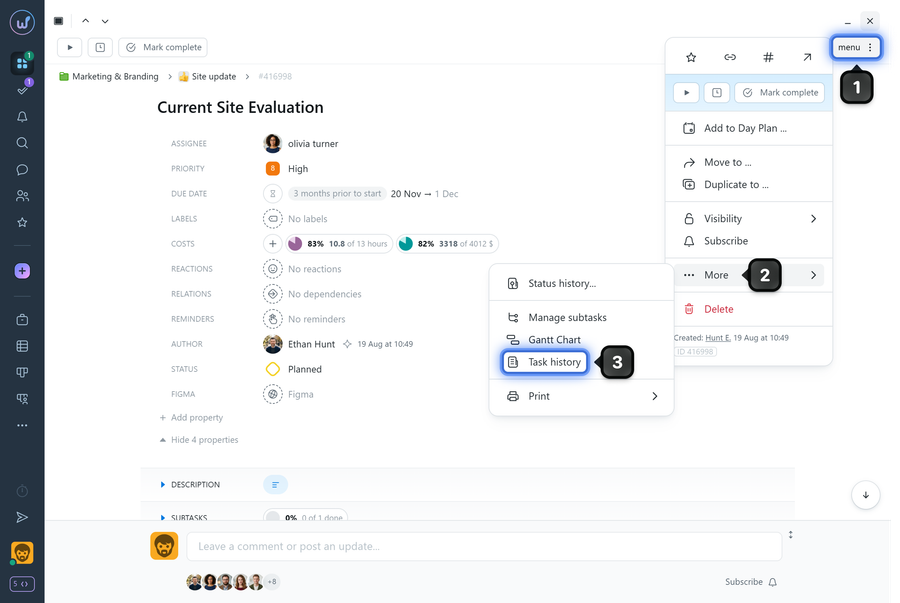
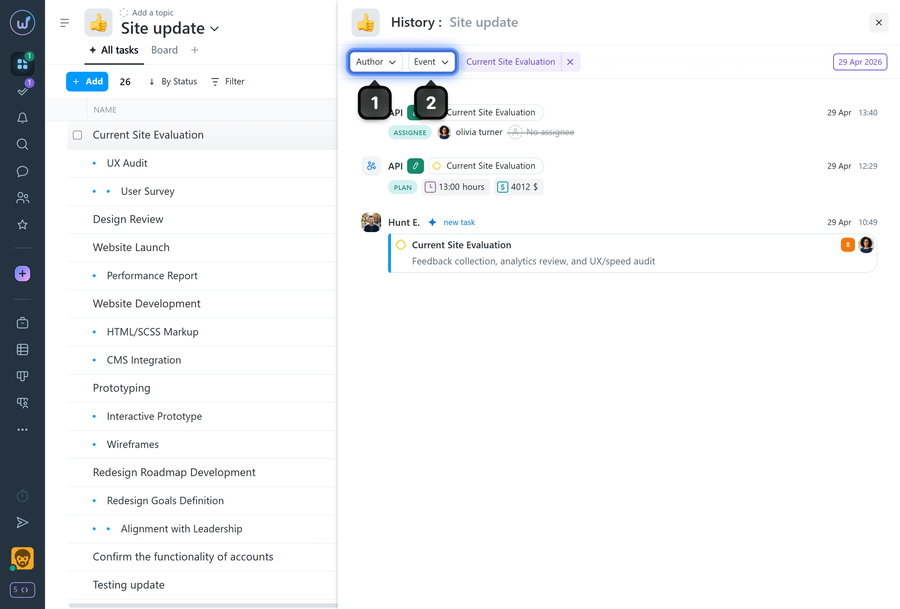
To open the task history, in the task window click "Menu"1 → "More"2 → "Task history"3.
Please note! The task event history is cleared after the project is archived.
Leave your review
Did this article help you?
Glad we could help! What was helpful?
Sorry this didn't help. What went wrong?

