Solutions
worksection
beta
help
How can I repeat a task with subtasks?
To make a recurring task repeat together with its nested subtasks, enable recurrence in the “Due date” parameter and additionally activate the “Include nested” option.
Permissions The following users can configure recurrence:
- Account Owner
- Account Administrator with the “Allow editing everything” permission
- Team Administrator with the “Allow editing everything” permission (for tasks where the author or assignee is a member of their team)
- Department Administrator with the “Allow editing everything” permission (for tasks where the author or assignee is a member of their department)
- Project Manager
- Task Author
- Assignee (optional)
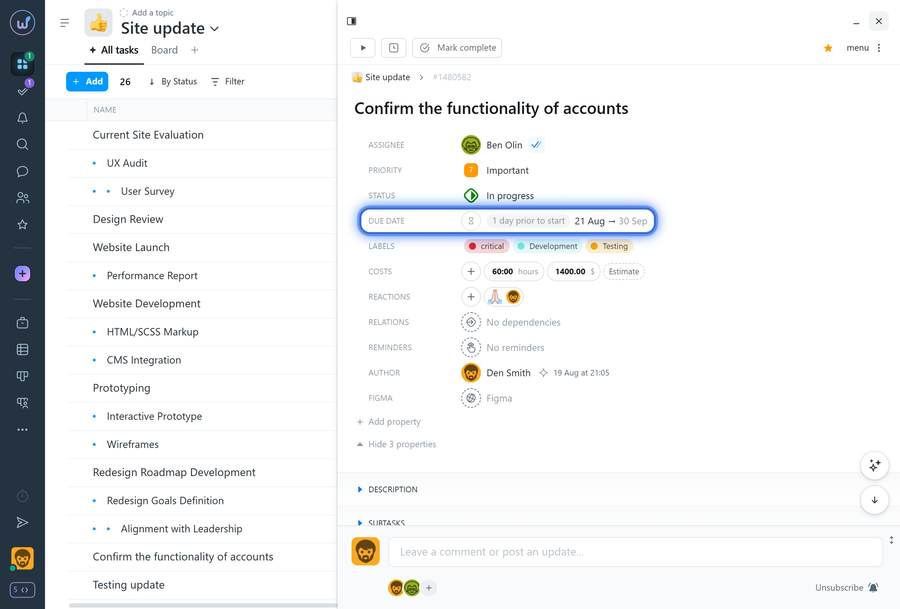
To configure recurrence with nested subtasks, open the required parent task and click “Due date” in the task properties.
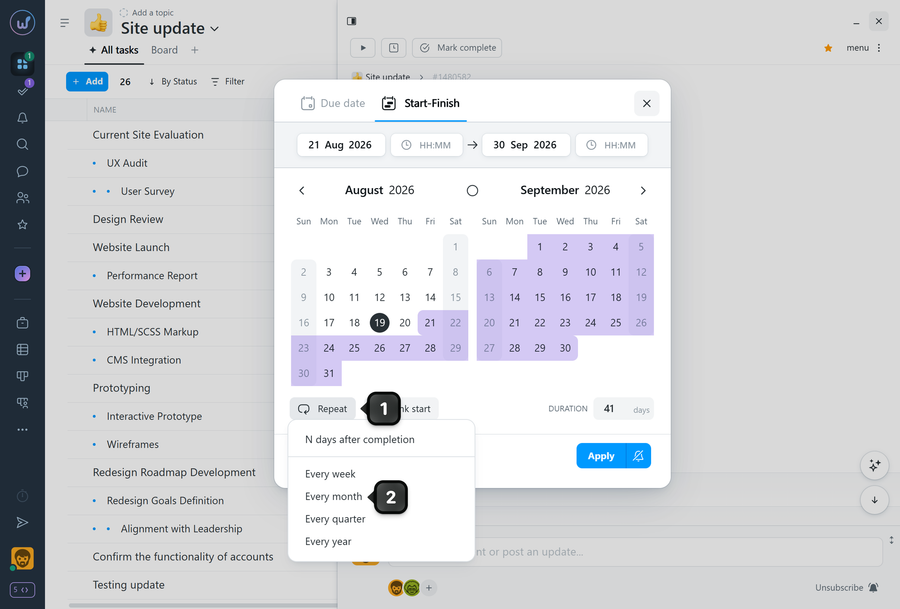
In the term settings window, click “Repeat”1 and set the recurrence period (for example, “every month”)2.
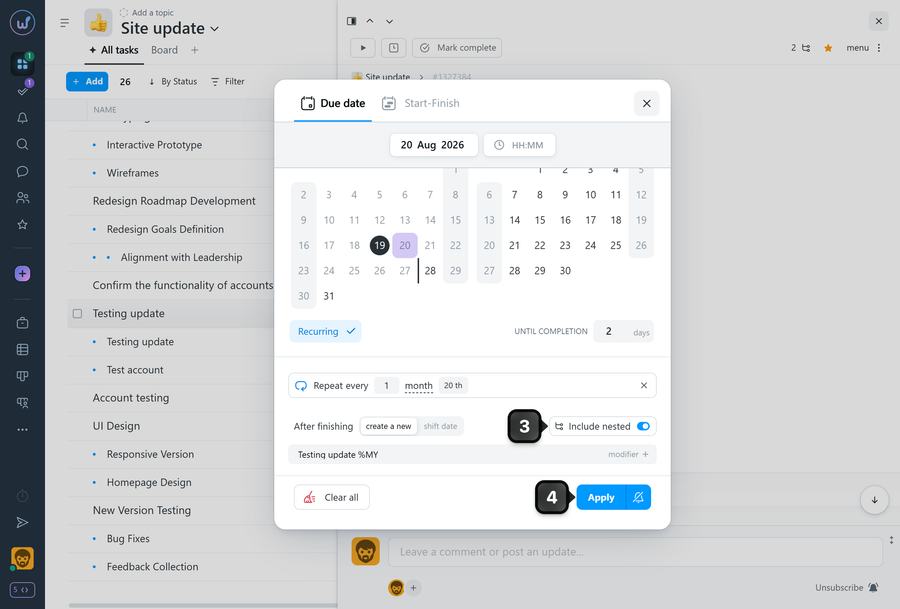
Enable the “Include nested” option3 and click “Apply”4.
How it works:
- After a recurring task is closed, Worksection creates a new task according to the recurrence schedule.
- The new task is created together with its nested subtasks and with a new term (or a “Start–Finish” date range if the task uses two dates).
Leave your review
Did this article help you?
Glad we could help! What was helpful?
Sorry this didn't help. What went wrong?

