If you searched for “Uspacy alternatives 2026,” this review compares product fit, evidence, and the effort required to switch.
Why are teams looking for alternatives to Uspacy?
Teams consider tools like Uspacy when their business processes outgrow a single workspace or when an existing CRM no longer fits. Common reasons include more advanced sales automation, broader integrations, project workload reporting, different seat limits, or stronger administrative controls. Other teams want a single system instead of several apps. Uspacy competitors range from focused CRMs to project platforms, so first decide whether the need is a full replacement or a tool that fills one gap. The best Uspacy alternatives depend on whether CRM depth, team coordination, or project delivery is the main priority.
Pros & Cons of Uspacy
Advantages
The platform combines CRM, tasks, internal communication, calendar, and automation features in one business workspace. A free plan supports small teams, and paid plans add role and process controls. The shared environment can reduce switching for teams that want customer and internal work connected.
Disadvantages
An all-in-one system may not match the depth of a specialist CRM, project manager, or communication platform in every area. Teams should check integration coverage, plan limits, and how their data is exported before placing every process inside one ecosystem.
Restrictions of Uspacy
The public plans set different limits for users, administrators, roles, integrations, storage, and automation. Confirm which features are available in your region and plan. A business-critical workspace also needs an owner for permissions, backups, data quality, and connected channels.
Prices of Uspacy
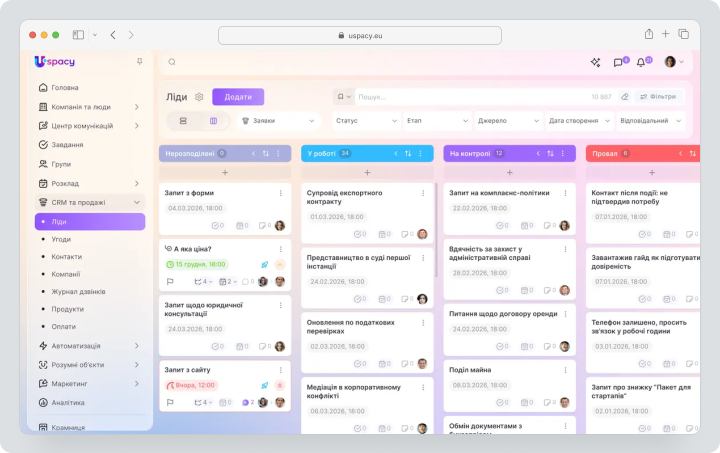
The platform lists a Free plan at $0 for up to five users, Standard at $12 per user/month billed monthly or $10 billed annually, and Professional at $24 per user/month billed monthly or $20 billed annually. The price calculator and checkout should be used to verify taxes and seat count. A cheaper alternative to Uspacy is not automatically lower-cost once onboarding, minimum seats, integrations, telephony, and data cleanup are included. Compare options by total cost of ownership, not just the first per-seat figure. Uspacy official pricing. Compare the best Uspacy alternatives by seat count, minimum seats, implementation work, and connected services.
Best Uspacy alternatives in 2026: ten options for CRM and work management
The best Uspacy alternatives span all-in-one platforms, specialist CRM, and project-management tools. ClickUp suits teams consolidating tasks and documents; Bitrix24 and monday.com cover broader business workflows, while Keap, Salesforce, Kommo, and Zoho CRM focus more heavily on sales. Asana and Jira fit teams whose main work is project or software delivery. Compare each option by the process your team needs to run.
Worksection
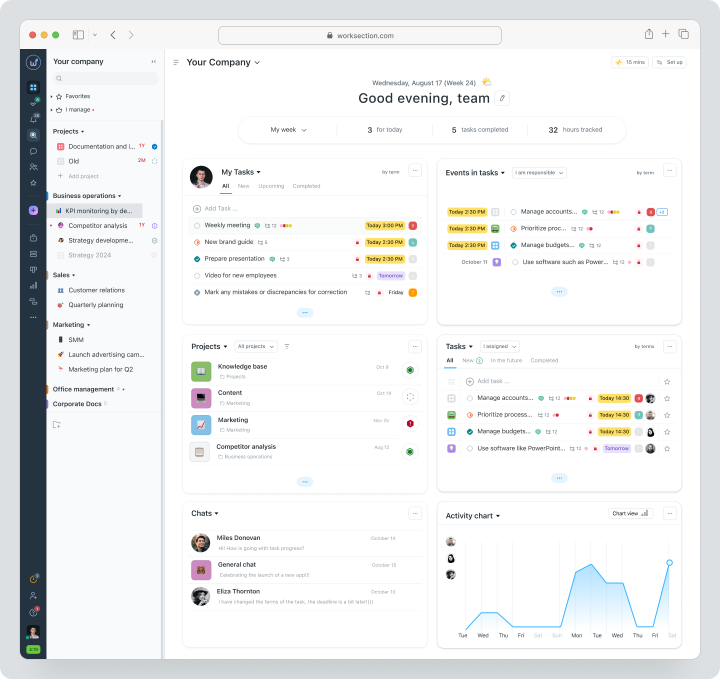
Best for: teams coordinating projects, time, and client-facing delivery.
Key features
Tasks, Gantt, Kanban, workload, time reports, project comments, and guest access support cross-functional work. Platforms: Web, iOS, Android. Common integrations include Slack, Google Drive, Google Calendar, Zapier.
The main difference from Uspacy
Worksection is a project-management workspace; the platform combines CRM, internal communication, tasks, and business tools in one ecosystem.
Prices of Worksection
The Free plan is available for up to 5 users and 2 projects. Basic costs $5/user/month with monthly billing or $3.75/user/month annually. Business costs $10/user/month monthly or $7.50 annually, while Premium costs $15/user/month monthly or $11.25 annually. Check plan limits, guest access conditions, and any additional costs for setup and integrations. Check current pricing.
Pros & Cons of Worksection
Advantages:
- Clear task ownership and time visibility.
Disadvantages:
- Not a full CRM or all-in-one telephony suite.
Review signal: G2 lists 4.8÷5 on G2; ratings reflect reviewer samples, not a guarantee of fit.
ClickUp
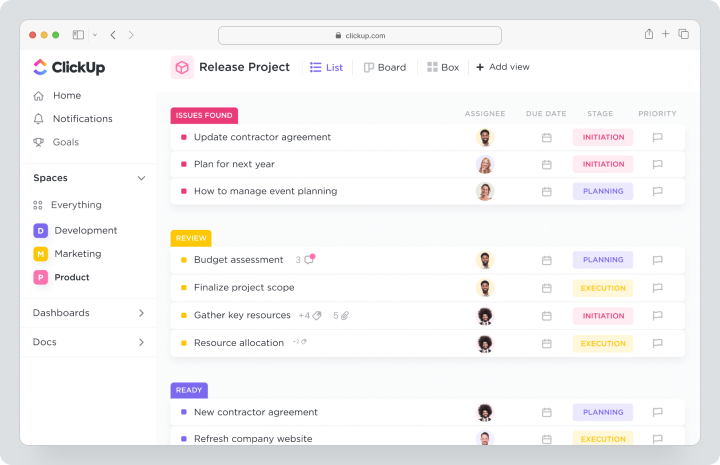
Best for: teams wanting tasks, docs, goals, and AI in one work hub.
Key features
Tasks, documents, goals, automations, custom fields, dashboards, and multiple views support varied teams. Platforms: Web, Windows, macOS, Linux, iOS, Android. Common integrations include Slack, GitHub, Google Drive, Zapier.
The main difference from Uspacy
ClickUp consolidates configurable work management; the platform packages CRM and internal communications alongside tasks.
Prices of ClickUp
Free; Unlimited from $9/user/month billed annually. ($12 monthly) Free plan: Yes — Free Forever . Check current pricing. Model the price by active seats and add-ons; include admin time, integrations, and the minimum paid users required.
Pros & Cons of ClickUp
Advantages:
- Wide feature range and flexible workflows.
Disadvantages:
- More configuration and adoption effort.
Review signal: G2 lists 4.6÷5 on G2 (15,553 reviews; Nov 2026) (checked November 2026); ratings reflect reviewer samples, not a guarantee of fit.
Bitrix24
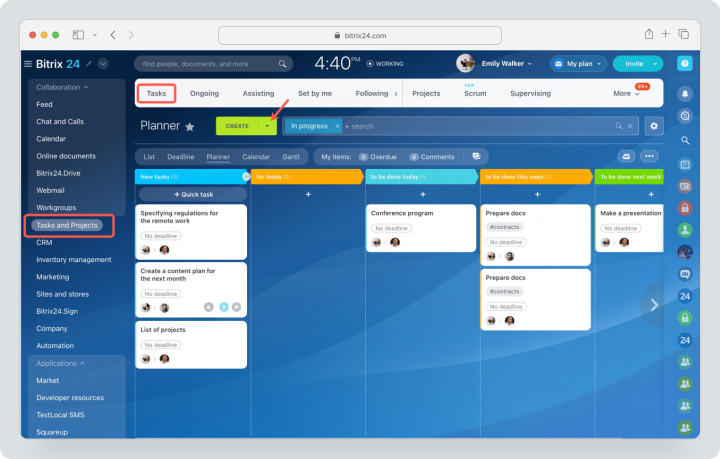
Best for: small and midsize businesses seeking CRM and internal collaboration.
Key features
CRM pipelines, tasks, chat, calls, forms, automation, and on-premise options combine sales and team workflows. Platforms: Web, Windows, macOS, Linux, iOS, Android. Common integrations include 1C, telephony providers, Google, Microsoft, REST API.
The main difference from Uspacy
Bitrix24 is a close ecosystem comparison for the platform, with broader CRM depth and deployment choices that vary by edition.
Prices of Bitrix24
Free plan; paid plans from about $49/month for a small team. Free plan: Yes — Free plan . Check current pricing. Compare workspace price bands, user caps, telephony, onboarding, and data migration; team-based plans may not scale like per-seat pricing.
Pros & Cons of Bitrix24
Advantages:
- CRM, tasks, and communication in one system.
Disadvantages:
- The interface and configuration can be complex.
Review signal: G2 lists 4.1÷5 on G2; ratings reflect reviewer samples, not a guarantee of fit.
monday.com
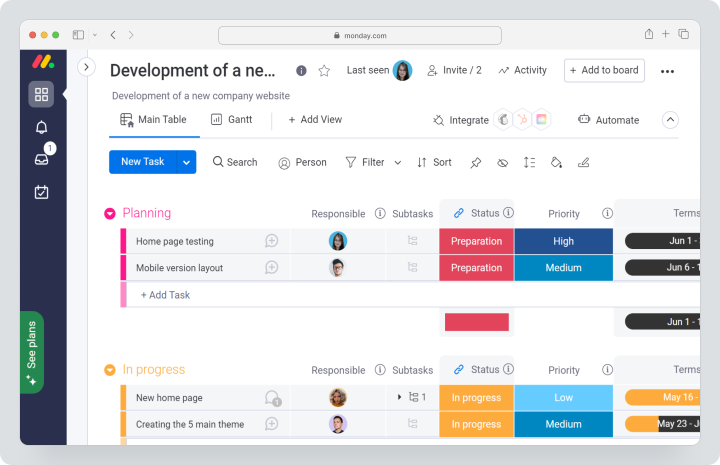
Best for: teams building visual CRM and operational workflows.
Key features
Boards, forms, dashboards, automation, and CRM templates let teams tailor sales and service processes. Platforms: Web, Windows, macOS, iOS, Android. Common integrations include Slack, Google Drive, Microsoft Teams, Zapier.
The main difference from Uspacy
monday.com is highly configurable across departments; the platform offers an integrated CRM and communication ecosystem.
Prices of monday.com
Free for two seats; CRM Basic from $12/seat/month billed annually ($14 monthly) Free plan: Yes — up to two seats . Check current pricing. A 20-seat estimate starts near $240/month annually before add-ons; account for setup, imported data, and minimum seat bundles.
Pros & Cons of monday.com
Advantages:
- Visual workflows and broad integrations.
Disadvantages:
- Paid plans can have seat minimums and tier limits.
Review signal: G2 lists 4.7÷5 on G2; ratings reflect reviewer samples, not a guarantee of fit.
Zoho CRM
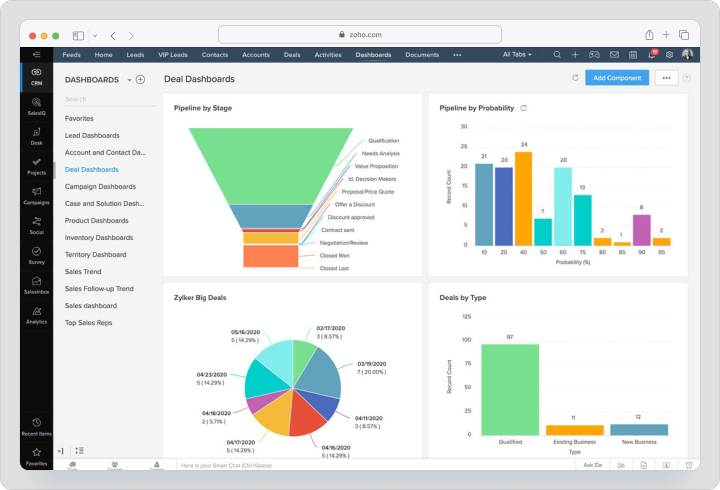
Best for: sales teams that want pipeline automation and a larger app suite.
Key features
Leads, contacts, deals, workflow rules, forecasts, analytics, and integrations support established sales processes. Platforms: Web, Windows, macOS, iOS, Android. Common integrations include Zoho apps, Microsoft 365, Google Workspace, Slack.
The main difference from Uspacy
Zoho CRM specializes in sales, while the platform bundles sales with internal chat, tasks, and company collaboration.
Prices of Zoho CRM
Free for up to three users; paid Standard from $14/user/month annually ($20 monthly) Free plan: Yes — up to three users . Check current pricing. For 20 seats, start around $280/month on annual Standard billing; add data cleanup, configuration, and any required Zoho apps.
Pros & Cons of Zoho CRM
Advantages:
- Strong CRM automation and connected Zoho products.
Disadvantages:
- The product suite can take time to configure.
Review signal: G2 lists 4.1÷5 on G2; ratings reflect reviewer samples, not a guarantee of fit.
Keap
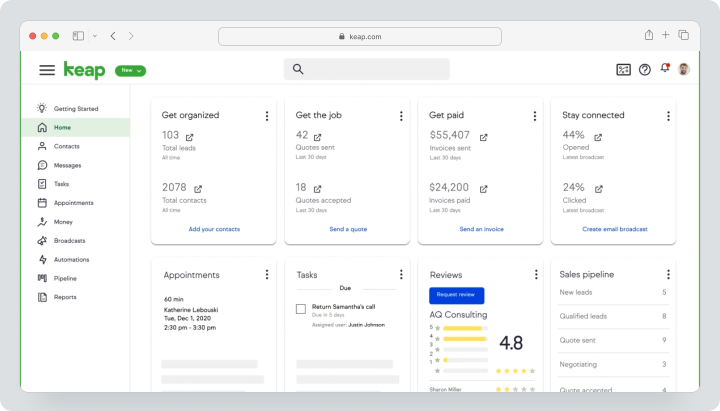
Best for: small businesses combining CRM, marketing, and payments.
Key features
Contact management, automation, email campaigns, appointments, and payments target small-business sales processes. Platforms: Web, iOS, Android. Common integrations include Gmail, Outlook, QuickBooks, Zapier.
The main difference from Uspacy
Keap focuses on sales and marketing automation; the platform adds task and internal collaboration capabilities to CRM.
Prices of Keap
From about $299/month for a small account; confirm current seat and contact bundle. Free plan: Free trial; no permanent free plan . Check current pricing. Pricing is package-based, not a simple 20-seat rate; account for contacts, onboarding, add-ons, and implementation support.
Pros & Cons of Keap
Advantages:
- Combines CRM and marketing workflows.
Disadvantages:
- Higher entry cost and contact limits can affect small teams.
Review signal: G2 lists 3.9÷5 on G2; ratings reflect reviewer samples, not a guarantee of fit.
Salesforce Sales Cloud
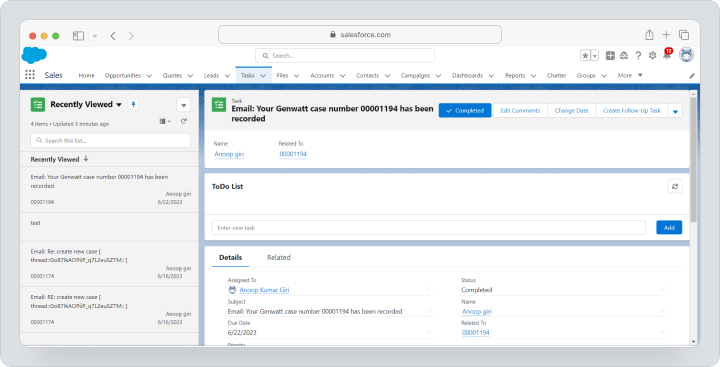
Best for: sales organizations needing extensive customization and governance.
Key features
Lead and opportunity management, forecasting, automation, reporting, and a large app ecosystem support complex sales teams. Platforms: Web, iOS, Android. Common integrations include Slack, Outlook, Google Workspace, AppExchange.
The main difference from Uspacy
Salesforce has a broad enterprise CRM platform; the platform is designed as a more compact workspace with CRM and communication together.
Prices of Salesforce Sales Cloud
Starter Suite from $25/user/month. Free plan: No permanent free plan; trial may be available . Check current pricing. At 20 seats, list price starts near $500/month; include implementation partner fees, data migration, add-on licenses, and admin capacity.
Pros & Cons of Salesforce Sales Cloud
Advantages:
- Deep customization and a large integration ecosystem.
Disadvantages:
- Implementation and administration can be costly.
Review signal: G2 lists 4.4÷5 on G2; ratings reflect reviewer samples, not a guarantee of fit.
Kommo
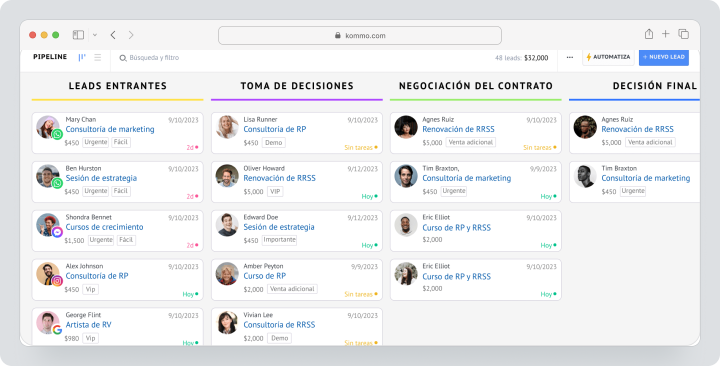
Best for: messaging-led sales teams handling leads from social channels.
Key features
Pipelines, chat-based sales, automation, and messaging integrations help teams manage conversations and follow-up. Platforms: Web, iOS, Android. Common integrations include WhatsApp, Instagram, Telegram, Facebook, Zapier.
The main difference from Uspacy
Kommo centers customer conversations and sales pipelines; the platform combines CRM with broader team collaboration.
Prices of Kommo
From $15/user/month, billed on a multi-month subscription. Free plan: Free trial; no permanent free plan . Check current pricing. Model seat fees for the required subscription term and include messaging channel setup, contact import, and workflow configuration.
Pros & Cons of Kommo
Advantages:
- Messaging-first sales workflow.
Disadvantages:
- Less breadth for internal project management and company-wide work.
Review signal: G2 lists 4.2÷5 on G2; ratings reflect reviewer samples, not a guarantee of fit.
Asana
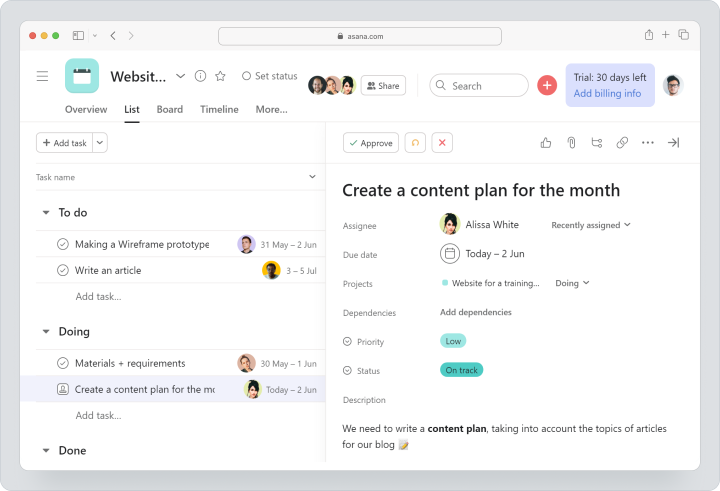
Best for: teams organizing cross-functional projects and approvals.
Key features
Tasks, timelines, forms, rules, goals, and reporting dashboards support delivery outside the CRM pipeline. Platforms: Web, Windows, macOS, iOS, Android. Common integrations include Slack, Google Drive, Microsoft Teams, Zapier.
The main difference from Uspacy
Asana specializes in project execution; the platform keeps CRM, tasks, and internal communications in one ecosystem.
Prices of Asana
Free; Starter from $10.99/user/month annually or $13.49 monthly. Free plan: Yes — Personal plan. Check current pricing. For 20 seats, annual Starter begins around $219.80/month; budget separately for CRM, onboarding, and workflow integrations.
Pros & Cons of Asana
Advantages:
- Clear project ownership and accessible views.
Disadvantages:
- Not a full CRM replacement by itself.
Review signal: G2 lists 4.4÷5 on G2; ratings reflect reviewer samples, not a guarantee of fit.
Jira
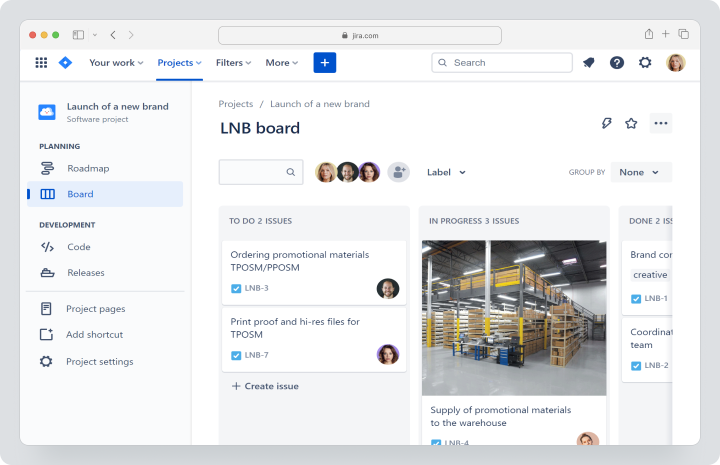
Best for: software teams tracking issues, releases, and development work.
Key features
Backlogs, boards, sprints, workflows, automation, and development integrations support engineering teams. Platforms: Web, Windows, macOS, Linux, iOS, Android. Common integrations include Bitbucket, GitHub, Confluence, Slack.
The main difference from Uspacy
Jira is specialized for software delivery; the platform is a wider business workspace with CRM and internal communication.
Prices of Jira
Free up to 10 users; Standard from $9.70/user/month. Free plan: Yes — up to 10 users. At 20 users, Standard starts around $194/month at listed rate; include configuration, marketplace apps, and migration work. Check current pricing.
Pros & Cons of Jira
Advantages:
- Strong issue tracking and developer integrations.
Disadvantages:
- Sales CRM and general business collaboration need other tools.
Review signal: G2 lists 4.3÷5 on G2; ratings reflect reviewer samples, not a guarantee of fit.
Comparison table
This Uspacy vs alternatives table compares product fit, strengths, limitations, prices, platforms, integrations, and current G2 review signals. Ratings are snapshots rather than guarantees and may shift as more reviews arrive. The platform list should be checked for the OS and mobile devices your staff use. Use this comparison to narrow the best Uspacy alternatives by fit, price, platforms, integrations, and review signals.
| Tool | Best for | Key strengths | Main limitations | Starting price | Free plan (Y/N) | Platforms | Recommended integrations | G2 rating (Nov 2026) |
|---|---|---|---|---|---|---|---|---|
| Worksection | teams coordinating projects, time, and client-facing delivery | Tasks, Gantt, Kanban, workload, time reports, project comments, and guest access support cross-functional work. | Not a full CRM or all-in-one telephony suite. | Free; Basic from $3.75/user/month billed annually or $5 monthly. | Yes — up to five users. | Web, iOS, Android | Slack, Google Drive, Google Calendar, Zapier | 4.8÷5 on G2 (217 reviews; Oct 2026) |
| ClickUp | teams wanting tasks, docs, goals, and AI in one work hub | Tasks, documents, goals, automations, custom fields, dashboards, and multiple views support varied teams. | More configuration and adoption effort. | Free; Unlimited from $9/user/month billed annually or $12 monthly | Yes — Free Forever. | Web, Windows, macOS, Linux, iOS, Android | Slack, GitHub, Google Drive, Zapier | 4.6÷5 on G2 (15,553 reviews; Nov 2026) |
| Bitrix24 | small and midsize businesses seeking CRM and internal collaboration | CRM pipelines, tasks, chat, calls, forms, automation, and on-premise options combine sales and team workflows. | The interface and configuration can be complex. | Free plan; paid plans from about $49/month for a small team. | Yes — Free plan. | Web, Windows, macOS, Linux, iOS, Android | 1C, telephony providers, Google, Microsoft, REST API | 4.1÷5 on G2 (616 reviews; Nov 2026) |
| monday.com | teams building visual CRM and operational workflows | Boards, forms, dashboards, automation, and CRM templates let teams tailor sales and service processes. | Paid plans can have seat minimums and tier limits. | Free for two seats; CRM Basic from $12/seat/month billed annually or $14 monthly | Yes — up to two seats. | Web, Windows, macOS, iOS, Android | Slack, Google Drive, Microsoft Teams, Zapier | 4.7÷5 on G2 (17,972 reviews; Nov 2026) |
| Zoho CRM | sales teams that want pipeline automation and a larger app suite | Leads, contacts, deals, workflow rules, forecasts, analytics, and integrations support established sales processes. | The product suite can take time to configure. | Free for up to three users; paid Standard from $14/user/month annually or $20 monthly | Yes — up to three users. | Web, Windows, macOS, iOS, Android | Zoho apps, Microsoft 365, Google Workspace, Slack | 4.1÷5 on G2 (2,959 reviews; Nov 2026) |
| Keap | small businesses combining CRM, marketing, and payments | Contact management, automation, email campaigns, appointments, and payments target small-business sales processes. | Higher entry cost and contact limits can affect small teams. | From about $299/month for a small account; confirm current seat and contact bundle. | Free trial; no permanent free plan. | Web, iOS, Android | Gmail, Outlook, QuickBooks, Zapier | 3.9÷5 on G2 (32 reviews; Oct 2026) |
| Salesforce Sales Cloud | sales organizations needing extensive customization and governance | Lead and opportunity management, forecasting, automation, reporting, and a large app ecosystem support complex sales teams. | Implementation and administration can be costly. | Starter Suite from $25/user/month. | No permanent free plan; trial may be available. | Web, iOS, Android | Slack, Outlook, Google Workspace, AppExchange | 4.4÷5 on G2 (27,596 reviews; Nov 2026) |
| Kommo | messaging-led sales teams handling leads from social channels | Pipelines, chat-based sales, automation, and messaging integrations help teams manage conversations and follow-up. | Less breadth for internal project management and company-wide work. | From $15/user/month, billed on a multi-month subscription. | Free trial; no permanent free plan. | Web, iOS, Android | WhatsApp, Instagram, Telegram, Facebook, Zapier | 4.2÷5 on G2 (116 reviews; Oct 2026) |
| Asana | teams organizing cross-functional projects and approvals | Tasks, timelines, forms, rules, goals, and reporting dashboards support delivery outside the CRM pipeline. | Not a full CRM replacement by itself. | Free; Starter from $10.99/user/month annually or $13.49 monthly | Yes — Personal plan. | Web, Windows, macOS, iOS, Android | Slack, Google Drive, Microsoft Teams, Zapier | 4.4÷5 on G2 (14,138 reviews; Nov 2026) |
| Jira | software teams tracking issues, releases, and development work | Backlogs, boards, sprints, workflows, automation, and development integrations support engineering teams. | Sales CRM and general business collaboration need other tools. | Free up to 10 users; Standard from $9.70/user/month. | Yes — up to 10 users. | Web, Windows, macOS, Linux, iOS, Android | Bitbucket, GitHub, Confluence, Slack | 4.3÷5 on G2 (8,090 reviews; Nov 2026) |
Best Uspacy alternative by use case
Best Uspacy alternative for AI-powered personal knowledge management
For searchable knowledge connected to customer work, ClickUp and monday.com can hold project context beside assigned actions; Worksection keeps project discussion and files near delivery. These systems do not all provide the same personal knowledge-management model. Check AI access, retention, and CRM permissions before indexing customer records. Before choosing, test a representative workflow from meeting notes to an assigned follow-up. Confirm who can search each record, whether AI output is reviewable, and how users correct a summary. This keeps useful knowledge connected without exposing customer context to the wrong team. The best Uspacy alternatives differ by workflow, so the recommendations below name tools for specific team needs.
Best Uspacy alternative for powerful formulas and databases
ClickUp and monday.com offer custom fields and dashboards, while Zoho CRM provides structured sales data and reporting. Choose based on whether formulas support a business process or whether CRM objects and forecasts are the real need. Prototype required fields, relationships, and exports before migrating years of customer history. Include sample records with duplicate contacts, changing deal stages, and custom reporting needs. Ask an administrator to test formulas, permissions, and exports, then estimate who will maintain the model after launch. That practical check is more useful than comparing feature names on pricing pages.
Best Uspacy alternative for turning daily notes into networked hubs
Notion is a natural supplement when the team needs linked meeting notes and reference pages; the platform or Worksection can keep project actions attached to operational work. Define where customer decisions are recorded and who can see them. A networked knowledge hub is useful only when its records stay current. Try a weekly process: capture a decision, link it to an account or project, assign a follow-up, and locate it later. Compare the search experience and permissions with real users. Keep the source of truth clear when CRM and project records refer to the same customer.
Best Uspacy alternative for collaborating with your team
Worksection, ClickUp, and monday.com help departments coordinate projects and shared deadlines. For CRM-led work, Bitrix24 and the platform combine tasks with customer records and communication. Compare guest roles, approvals, reports, and handoffs to sales before selecting a shared workspace for different departments. Run one cross-functional project with sales, operations, and delivery users. Check how comments, notifications, files, and customer handoffs behave, including external access. A short pilot reveals whether people can find the current status without maintaining duplicate updates in chat and spreadsheets.
Best Uspacy alternative for privacy, security, and data relationships
The platform and Bitrix24 bundle business data in cloud workspaces, while Salesforce and Zoho CRM offer broader administration features at higher tiers. Review data location, role permissions, audit logs, export, retention, and GDPR terms. For Ukrainian SMEs handling customer information, verify backup and account-recovery procedures before rollout. Ask each vendor how exports preserve relationships between contacts, companies, deals, tasks, and files. Review administrator roles, audit history, access revocation, and backup recovery with the people responsible for security. Document which system owns each record before connecting multiple platforms.
Best Uspacy alternative for mind mapping
For early discovery, use a dedicated whiteboard or planning view, then turn agreed actions into CRM or project records. ClickUp and monday.com support visual workflows; Worksection links decisions to assigned tasks. Keep a clear relationship between ideas, customer commitments, and project deadlines. A planning exercise should move from an idea to an approved decision, then to an owner and due date. Test whether the chosen tool preserves that trail and can report progress later. A separate mapping app may be enough if the core platform handles assignments and customer records well.
Best Uspacy alternative for fearless tinkerers
Salesforce, Zoho CRM, and Bitrix24 provide deep configuration, but they also require an owner for permissions, automation, and upgrades. ClickUp and monday.com offer more approachable workflow customization. Choose the system your admins can document and maintain, not simply the platform with the most settings. Make a small prototype before rebuilding all current automations. Track who owns each rule, what happens when it fails, and whether admins can restore an earlier configuration. Include upgrade and support costs in the comparison; extensive flexibility can create ongoing maintenance work.
For Ukrainian SMBs leaving Bitrix24 or Uspacy
A Ukrainian SMB moving from Bitrix24 or the platform should first map sales stages, telephony, messengers, team roles, and records that employees use daily. Bitrix24 and the platform are broad ecosystems; Worksection is more specialized around project planning and time reporting. If CRM remains central, compare Zoho CRM or Keap as well. Pilot with one department, confirm Ukrainian-language support and payment terms, and retain a verified export before switching the full company. Estimate employee training, record-cleanup time, and any paid integrations in the cutover plan, and confirm that the destination supports the team’s language and customer-service needs.
Next-generation ecosystems vs. specialized tools: where Worksection fits against All-In-One platforms like Uspacy
An all-in-one ecosystem reduces app switching by combining CRM, communication, and tasks, while a specialized tool can make one process clearer and easier to govern. Worksection focuses on project work, timelines, and time reporting rather than replacing every CRM or messaging system. Keep the platform when a shared workspace is the priority; choose a specialist when teams need stronger project execution or sales depth. The right choice depends on adoption, integration ownership, and total cost. Test the same end-to-end process in each shortlisted product, including a customer handoff and a project status report. Keep the CRM as the system of record if sales history or forecasting remains essential.
Which platform should you choose in 2026?
Choose an all-in-one workspace when combined CRM, communication, and task management are the priority. Bitrix24 is a direct alternative with CRM and collaboration; monday.com and Zoho CRM offer different CRM models; Salesforce serves more complex sales operations. ClickUp, Asana, Jira, and Worksection are better comparisons when project execution is the main requirement. best Uspacy alternatives with AI features can help automate or summarize workflows, but assess what records each tool can access. For a regional business, confirm language, payments, support, and export before committing. The best Uspacy alternatives should be tested against a real customer-to-project workflow before a company-wide move.
Total cost of ownership: what to check beyond the per-user price when switching from Uspacy
Build a 12-month estimate that includes per-seat fees, minimum seat bundles, implementation or partner costs, data cleanup, telephony, messaging, integrations, storage, and training. A lower subscription rate can be offset by paid modules or custom development. Also count the time needed to map fields, test permissions, and rebuild automations. Ask vendors to price the same team size and feature set, and keep a record of which quote includes setup and support. A fair comparison includes training, data cleanup, administration, and ongoing support.
What to prepare for migrating from Uspacy
Export contacts, companies, deals, tasks, notes, files, communication histories, users, and custom-field definitions. Map the platform roles and teams to destination permissions, and decide which records need to remain private. Create an integrations checklist for telephony, email, messengers, calendars, payment tools, and reporting. Pilot one department, validate record counts and links, and test user access. A typical cutover for a small team can take a few days; a multi-department CRM migration may take several weeks depending on cleanup and integrations. Set a read-only window, retain a dated export, and define a rollback decision before canceling the old plan. Before choosing among the best Uspacy alternatives, validate record relationships, roles, integrations, and the rollback plan.
FAQ
What is the best alternative to Uspacy for businesses?
Worksection is a strong fit when project delivery, time reporting, and client collaboration are priorities. The best Uspacy alternatives also include Bitrix24 as a close all-in-one CRM peer; monday.com, Zoho CRM, and ClickUp serve different workflow needs. Compare users, integrations, reporting, and migration cost before choosing. For a small business, the best Uspacy alternatives depend on whether a free CRM or a dedicated project tool is needed.
Are there any free analogs to Uspacy?
Yes. Its Free plan supports up to five users. Worksection, ClickUp, Zoho CRM, Asana, Jira, and Bitrix24 also offer limited free plans. The best free Uspacy alternatives differ in seat limits and CRM depth, so test the actual workflow before relying on a free tier.
Why are people leaving Uspacy?
Teams may switch when they need a different CRM specialization, more advanced ecosystem integrations, more seats, or a separate project-management platform. Some want fewer tools; others want dedicated sales automation. Ask which workflow creates friction before deciding whether to replace the entire workspace.
Why is Uspacy not working?
Check account status, browser or app updates, workspace permissions, network access, and integrations first. If messages, telephony, or CRM automations fail, capture the affected records and contact support. A recurring limitation may reflect plan access or configuration rather than a platform outage.
What are common Uspacy errors?
Common issues can include missed notifications, disconnected external channels, role-permission confusion, and imports with incomplete field mapping. Verify user access and integration credentials, then test one small import. Preserve a source export before changing CRM records or canceling a paid plan.
How does Worksection differ from Uspacy?
Worksection focuses on tasks, project timelines, workload, time tracking, and team delivery. the platform combines CRM, internal communication, and tasks in a broader business ecosystem. Worksection can complement a CRM when project execution is the gap; it is not a direct replacement for every sales function.
Is Uspacy a viable Bitrix24 replacement, and how does Worksection compare for teams leaving Bitrix24?
The platform and Bitrix24 both combine CRM and collaboration, but their plan limits and feature depth differ. Worksection is a project-management alternative for teams prioritizing deadlines, time reports, and delivery visibility; it does not reproduce a full CRM. Decide whether the move is a platform replacement or a focused project-tool change.
How difficult is it to migrate from Uspacy to Worksection or another alternative?
Difficulty depends on data volume, connected channels, and how much history must be retained. Tasks and contacts can often be exported, but automations, permissions, telephony, and linked records need remapping. Pilot a representative team and validate fields before scheduling a company-wide cutover. The best Uspacy alternatives should be tested with real records and roles before the full migration begins.
Which Uspacy alternative is cheapest for a 20-person team?
At public annual starting rates, Worksection Basic is about $75 per month for 20 paid seats, while Standard is about $200 and Asana Starter about $219.80. Bitrix24 and other workspace-priced plans use different seat bands. Recheck features, taxes, add-ons, and migration costs before comparing totals. The best Uspacy alternatives for a 20-person team may have different minimum-seat and implementation costs, so compare annual totals.
Who is Uspacy best suited for, and who should use ClickUp, Asana, or Worksection instead?
The platform suits teams that want CRM, communication, and tasks together. ClickUp fits configurable cross-functional work, Asana emphasizes project execution and approvals, and Worksection suits teams needing Gantt planning and time reporting. Select by the main workflow employees must complete each day.
Is there anything better than Uspacy?
A better fit depends on the job. Bitrix24 or monday.com may suit different CRM workflows; Worksection can be stronger for project scheduling and time reports; Salesforce may fit larger sales operations. Test the specific workflow and the total cost before switching.
When should a team choose an all-in-one ecosystem like Uspacy versus a specialized tool like Worksection?
Choose an all-in-one ecosystem when reducing app switching is the priority and CRM, communication, and tasks can share one workspace. Choose Worksection when project planning, time tracking, or delivery reporting deserves a dedicated tool. Keep the CRM if customer history and sales automation remain central. The best Uspacy alternatives are not always full replacements; a specialist can work alongside the CRM when that protects the team’s core sales process.
Which company uses Uspacy, and how should we assess a case study?
Review vendor-published cases for team size, industry, tools replaced, implementation duration, and measured outcomes. A customer story is most useful when its process resembles yours. Ask the vendor for a reference in your region and confirm which features and services were included in the reported result.