Welcome to those who are already using Worksection 2.0. We listened to your wishes and prepared an update for you. For the flexibility of your team’s business processes, we added what many of you were missing — “Custom Fields”.
Custom fields (or custom properties) in Worksection allow you to add your personal properties to a task or project based on specific characteristics: dates, times, contacts, and others as will be detailed later.
Custom fields (or custom properties) in Worksection allow you to add your personal properties to a task or project based on specific characteristics: dates, times, contacts, and others as will be detailed later.
How to do this?
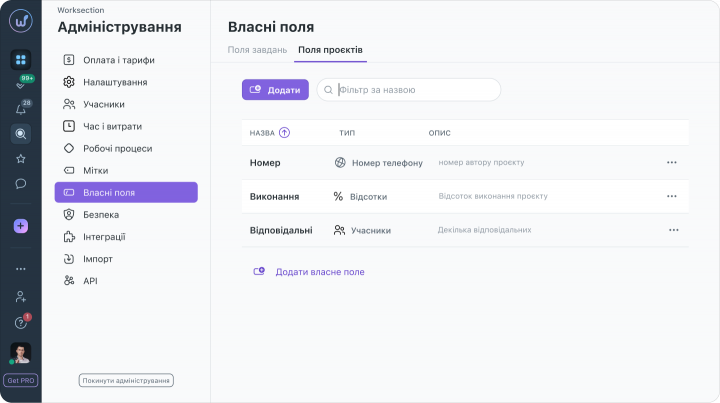
There are several ways to create custom fields for a task: directly in the task, through your account settings, or in the task list. To create custom fields for a project, you need to go to “Administration” (that is, those same account settings).
To create your field directly in the task, you need to click on the plus sign with the label “Add property”, and again on the three dots with the same label in the dropdown window. A list of parameters (the list is shown in the image below) will appear, from which you can select the one you need and proceed to edit it. If you already know which parameter you plan to choose from the provided ones, use the search — “Find”
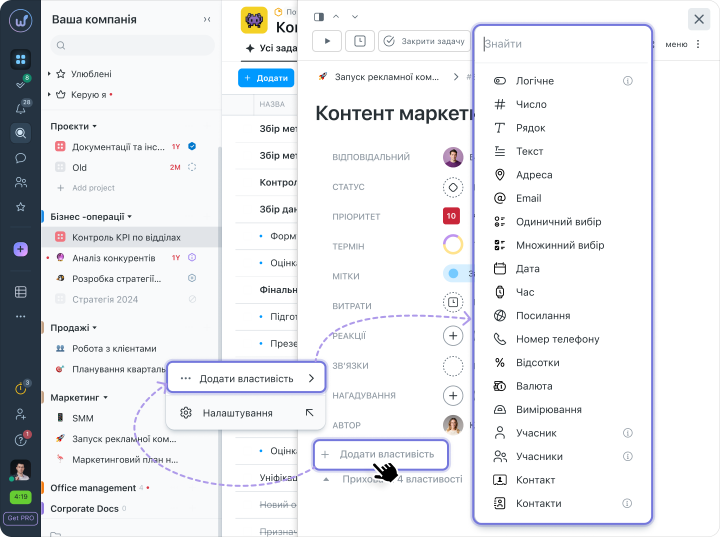
We want to note that the ability to create (or add existing ones to other projects) custom fields is available only to the “Account Administrator” with “Settings” rights.
How is this useful?
Suppose you would like to systematize content creation for social media. Is it hard to write down every time which social media and what to post? Then there is a convenient solution — “Single Selection” or “Multiple Selection”. Create options for social media that are needed specifically for you:
- Instagram,
- Facebook,
- Youtube
- anything else
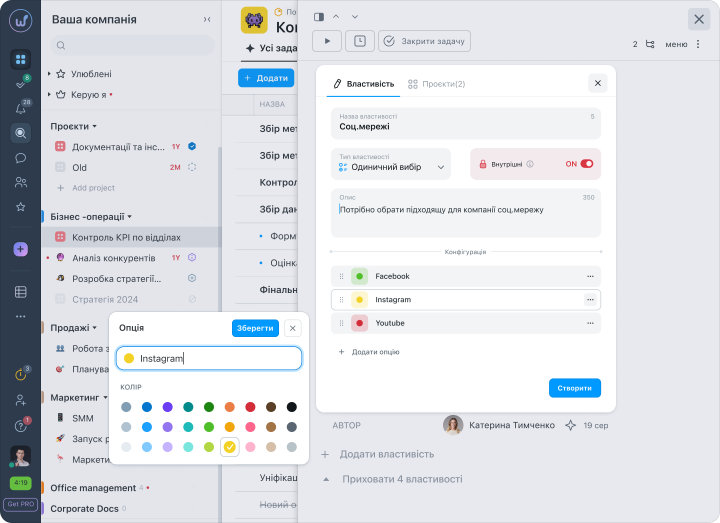
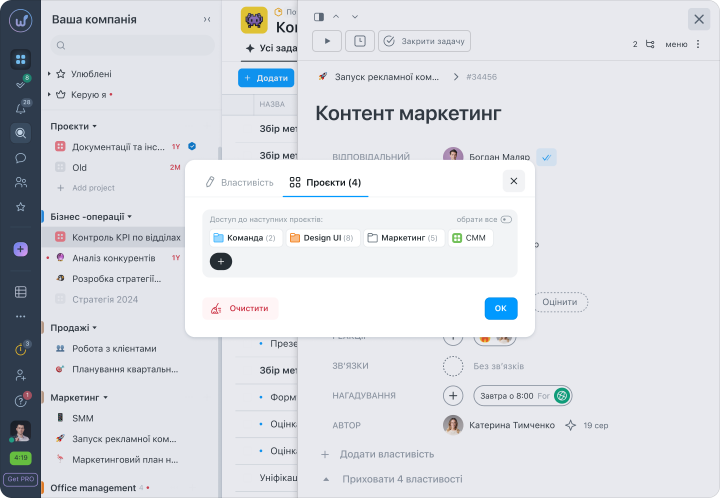
In the “Projects” tab, select access to the ones you need or select all.
Click “Create”. The custom field now displays in the task.
Similarly for other parameters, editing of the name, description, and visibility for the client is available. Configuration and its elements are displayed depending on the selected parameter.
If you write in comments or in third-party services about CTR (Click-Through Rate), or the progress of your processes — you can make your work easier and use your custom field “Percentages”. Edit the step and description to your needs, confirm — now you have a custom field where you can quickly enter your percentage without unnecessary movements.
For reporting, you can add your custom field “Link” — a link to the social media you chose, or to an advertising agency or so on. Through the currency parameter, set the maximum amount of money spent on the campaign, and enter expenditures during execution — budgeting has never been this easy.
Similarly, you can enter various data from the available parameter options. At any moment you can add your value to the field according to the units of the parameter, choose an option or enter text. By clicking on the field, you can remove it, edit it, hide it, or go into settings.
Important: Only the Team Admin or higher, Author, or Performer can edit the values.
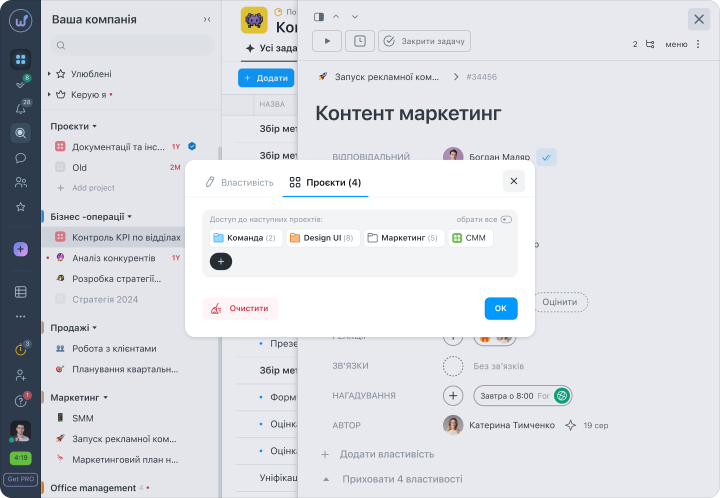
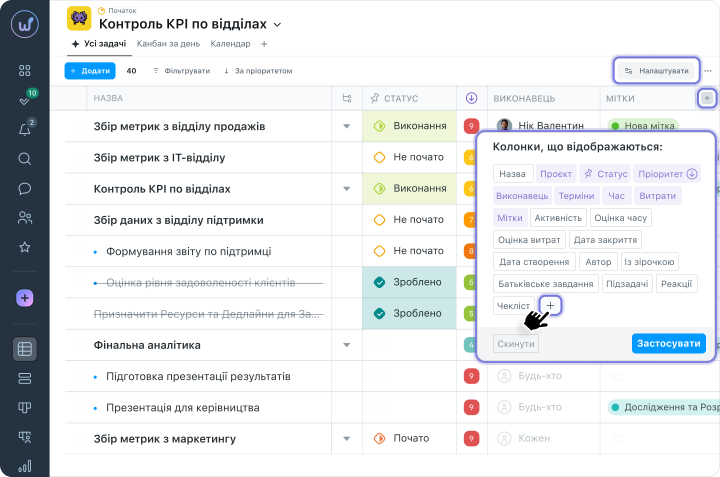
You can add “Custom Field” directly in the task list in the dropdown window “Columns to display”. Then the process happens similarly, and you will be able to see the custom field in the table columns.
Where to manage Custom Fields?
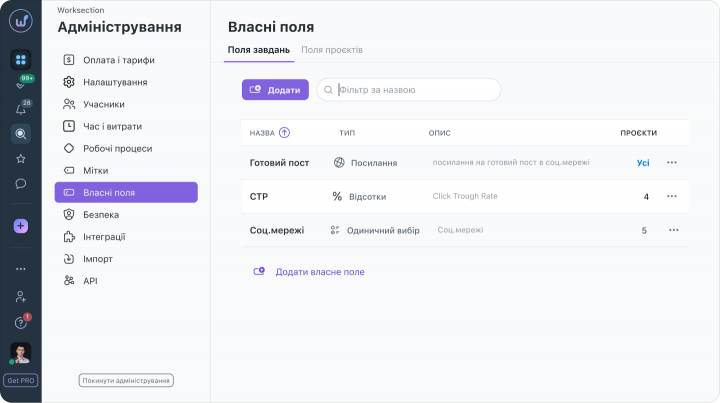
Click on your avatar in the sidebar. Select “Administration”. Here you have the option to click on “Custom Fields” and see the entire list of custom fields created in the account. You can also create more by clicking one of the two available buttons.
Friends, this is just the first step. In the future, we plan to add more types of custom fields and their parameters. We will add the ability to filter, group, and automate them, to make it even more convenient for you to work with us.
In using custom fields, you are limited only by your imagination, tell us how you use custom fields, and if you are missing something — let us know in the comments. We look forward to your feedback
In using custom fields, you are limited only by your imagination, tell us how you use custom fields, and if you are missing something — let us know in the comments. We look forward to your feedback
Happy working!
The Worksection Team