Solutions
worksection
beta
help
How do I set or remove a project color, and what is it used for?
Color helps quickly distinguish projects in lists and other view pages. Visual identification makes searching easier and allows filtering projects by color.
Permissions available to
- Owner
- Account Administrator with the "Allow managing projects" permission
- Project author
- Project Lead
A color can be set when creating the project or editing a project.
To set or remove a color, open the project window and on the "Info" tab1, click the project icon2. Choose the desired color3 or "not set"4. You can also set an emoji5.
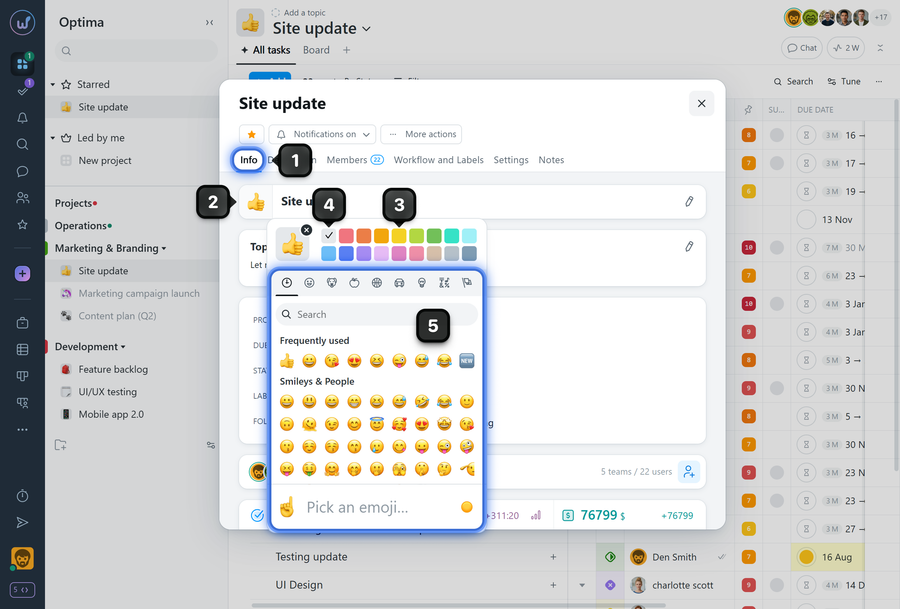
Please note! Setting an emoji helps visually distinguish a project, but filtering projects by emoji is not supported.
Leave your review
Did this article help you?
Glad we could help! What was helpful?
Sorry this didn't help. What went wrong?

