Solutions
worksection
beta
help
How do I copy a project?
Create a copy of a project to quickly launch a similar project while preserving its structure and settings.
Permissions available to
- Account Owner
- Account administrator with the "Allow project management" permission.
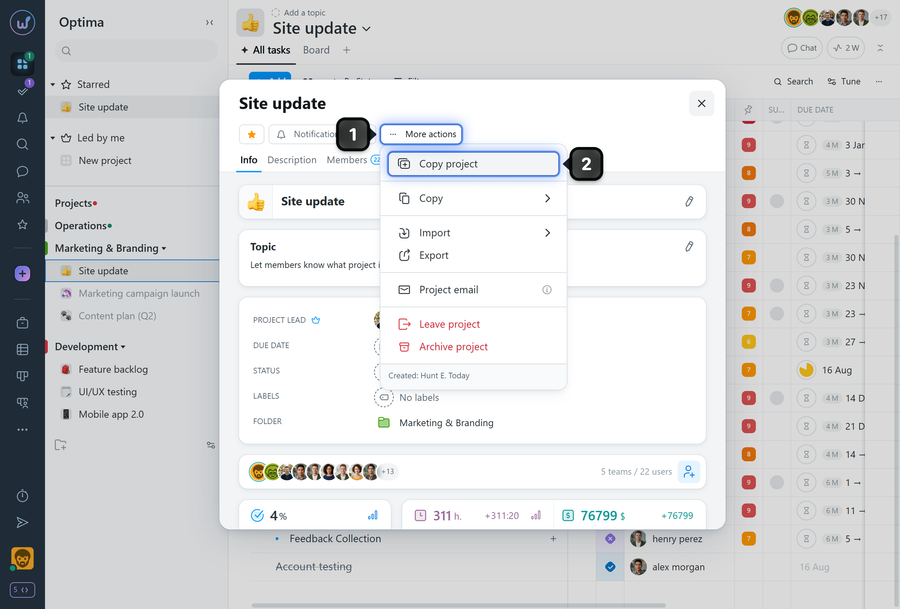
To copy (duplicate) a project, open the project window of the project you want to copy and click "More actions"1. In the menu that appears, select "Copy project"2.
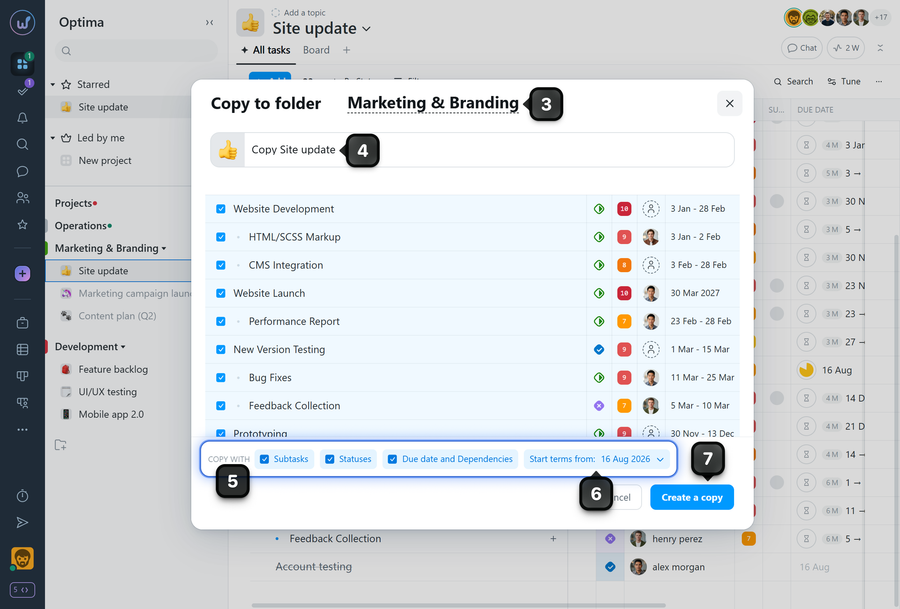
In the copy window, specify the parameters for the copy:
3 destination folder;
4 new project name
5 what to copy: subtasks, comments, statuses, due dates and dependencies;
6 Project start date: you can keep the original project start date (in which case the project and all tasks will retain their deadlines), or choose a new start date (in which case all task deadlines will be recalculated relative to that date).
7 Confirm the creation of the copy.
Leave your review
Did this article help you?
Glad we could help! What was helpful?
Sorry this didn't help. What went wrong?

