Solutions
worksection
beta
help
How do I set a project to "No notifications"?
The "No notifications" mode disables automatic notifications about events within a specific project. This is useful for internal or test projects where notifications are not needed.
Permissions available to
- Owner
- Administrators with project management permissions
- Project Lead
- Project author
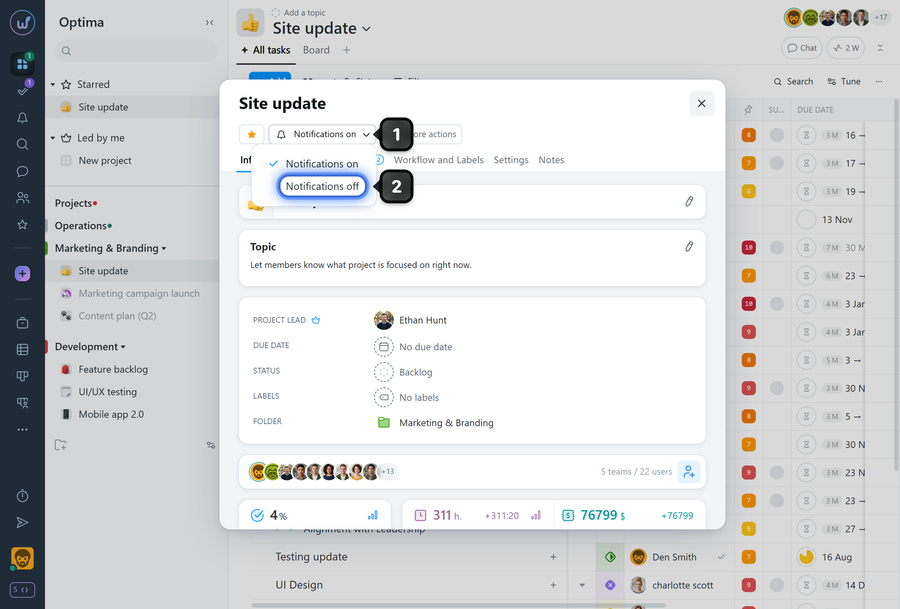
The "No notifications" mode can be set after creating the project. To do this, open the project window and click the "Notifications on" button1, then select the "Notifications off" mode2.
Leave your review
Did this article help you?
Glad we could help! What was helpful?
Sorry this didn't help. What went wrong?

