Solutions
worksection
beta
help
What is a "project topic" and how do I add one?
Project topic — a short subtitle for the project: a few words or 1–2 sentences that quickly explain its context, goal, or focus.
Permissions available to
- Owner
- Account Administrator with the "Allow managing projects" permission
- Project author
- Project Lead
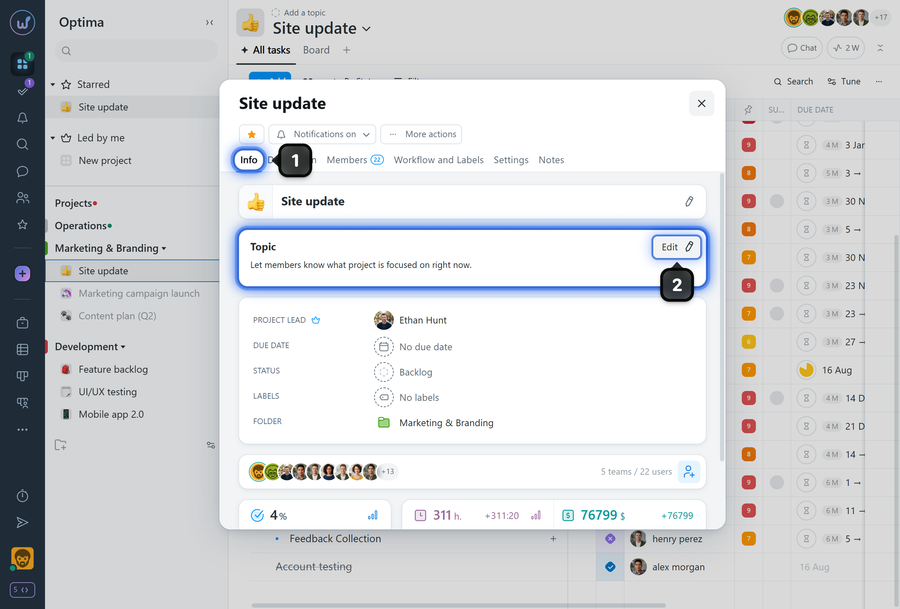
A topic can be added after creating the project. To do this, open the project window and on the "Info" tab1, click "Edit"2 in the project topic block.
You can also add or change the topic by clicking on it while on any project page.
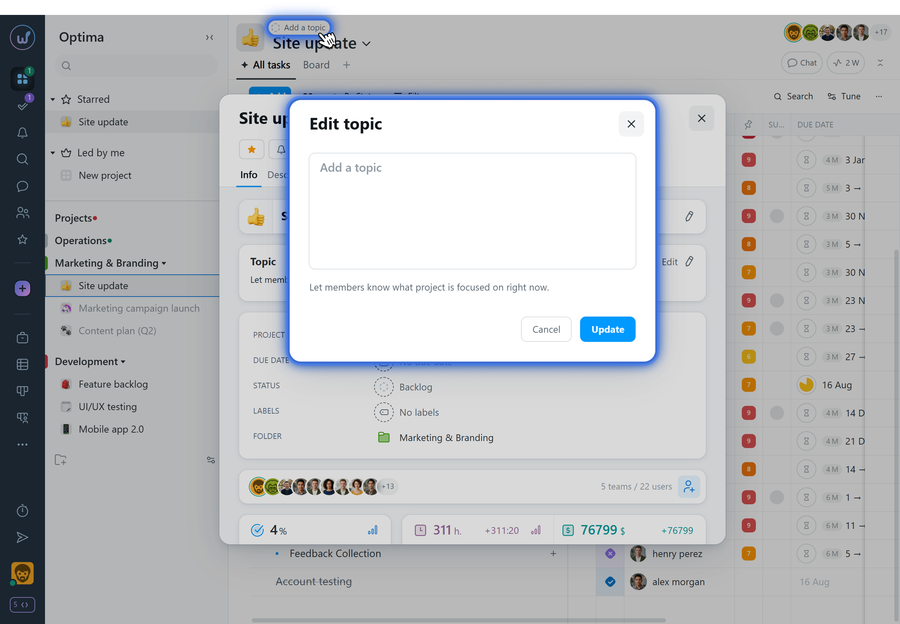
The topic is displayed in the project and may be shown on the table-view projects list page. It is visible to all project members.
Leave your review
Did this article help you?
Glad we could help! What was helpful?
Sorry this didn't help. What went wrong?

