Solutions
worksection
beta
help
How do I add estimated costs to a project?
Set the estimated costs (budget) and, if needed, estimated time costs for the project — this helps compare plan vs. actual in reports and manage expectations.
Permissions available to
- Owner
- Account Administrator with the "Allow managing projects" permission
- Project author
- Project Lead
Estimated costs can be set after creating the project. To do this, open the project window and on the "Info" tab1, scroll to the bottom and click2 to add estimated time costs, or3 to add estimated financial costs.
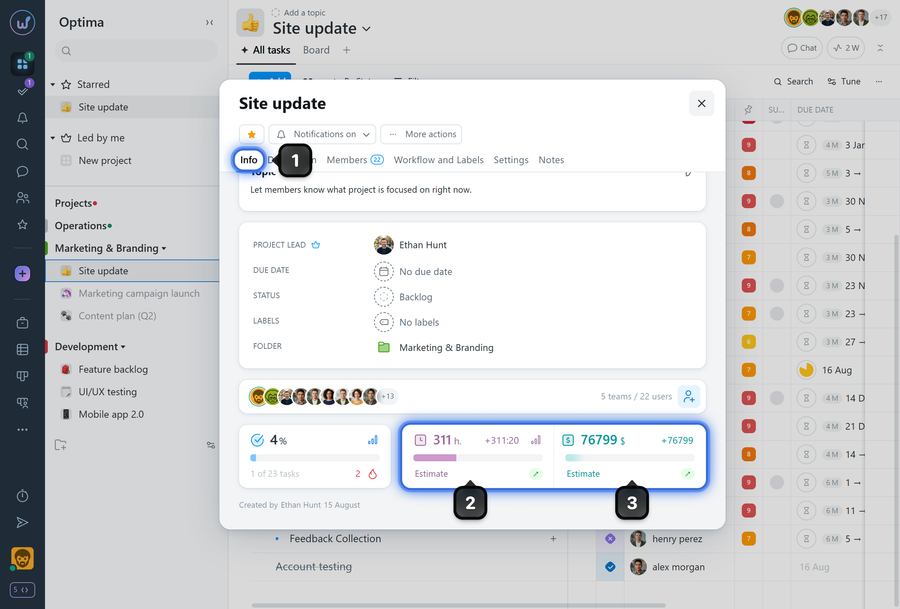
Estimated costs will be visible to all project members except members of client teams and guests. You can also disable the display of estimated and current financial costs for members with the "User" role.
Leave your review
Did this article help you?
Glad we could help! What was helpful?
Sorry this didn't help. What went wrong?

