Solutions
worksection
beta
help
How do I create a project?
Permissions New projects can be created by:
- Owner
- Administrators with the "Allow creating projects" permission
Method 1: Via the "+" button in the left sidebar
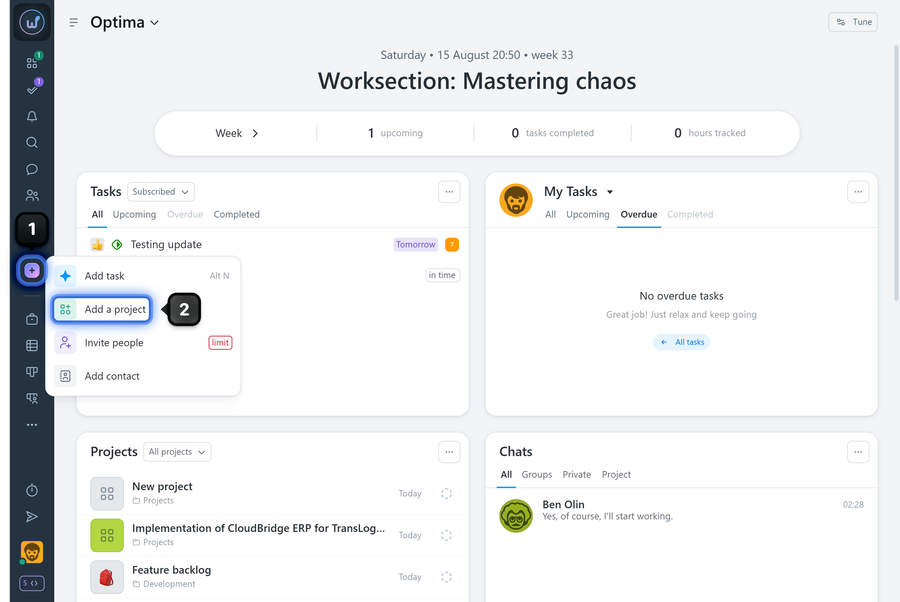
Click the "+" button1 and select "Add a project"2:
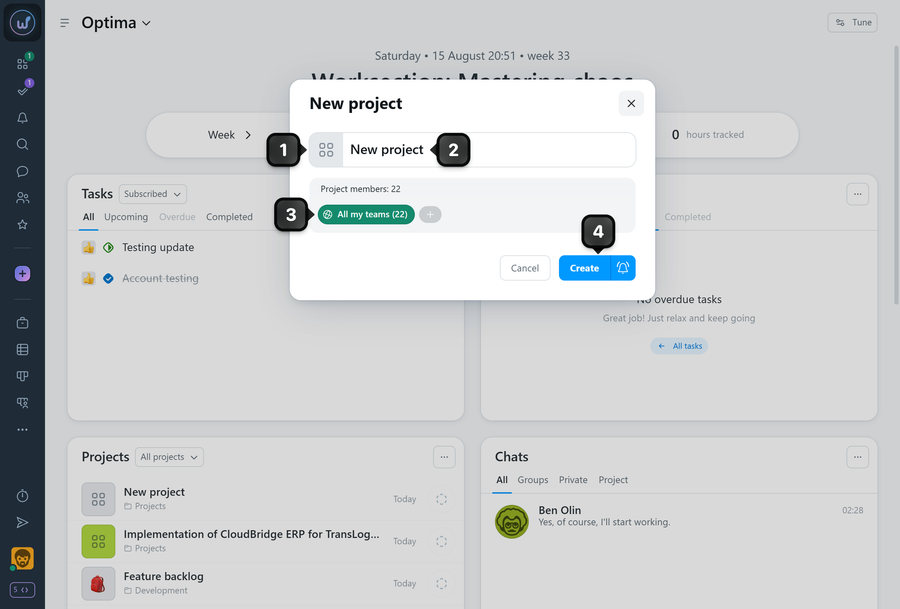
In the next window, specify:
1 optionally configure a color or set a project icon
2 project name
3 choose project members — these are the people who participate in the project. They can see all project tasks by default. Members from different teams can be added.
4 click "Create"
Method 2: Via the account projects page
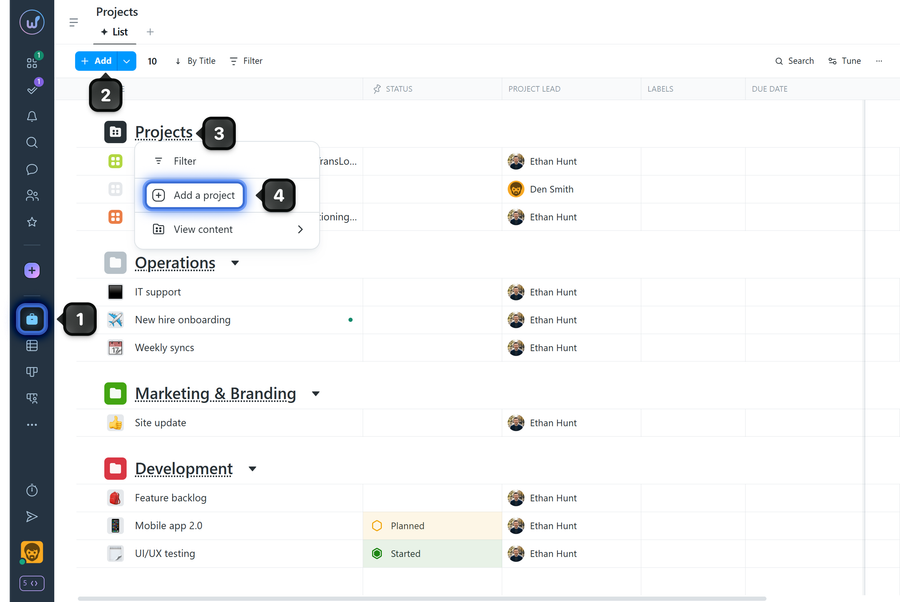
Go to the account projects page from the left sidebar1 and click the "Add" button2, or click the folder name3 where you want to create the project and select "Add project"4:
Method 3: Via the project panel
Leave your review
Did this article help you?
Glad we could help! What was helpful?
Sorry this didn't help. What went wrong?

