Solutions
worksection
beta
help
How do I add a project description?
Add a concise and informative description so the team can quickly understand the project context, goals, agreements, and any useful files or links.
Permissions available to
- Owner
- Account Administrator with the "Allow managing projects" permission
- Project author
- Project Lead
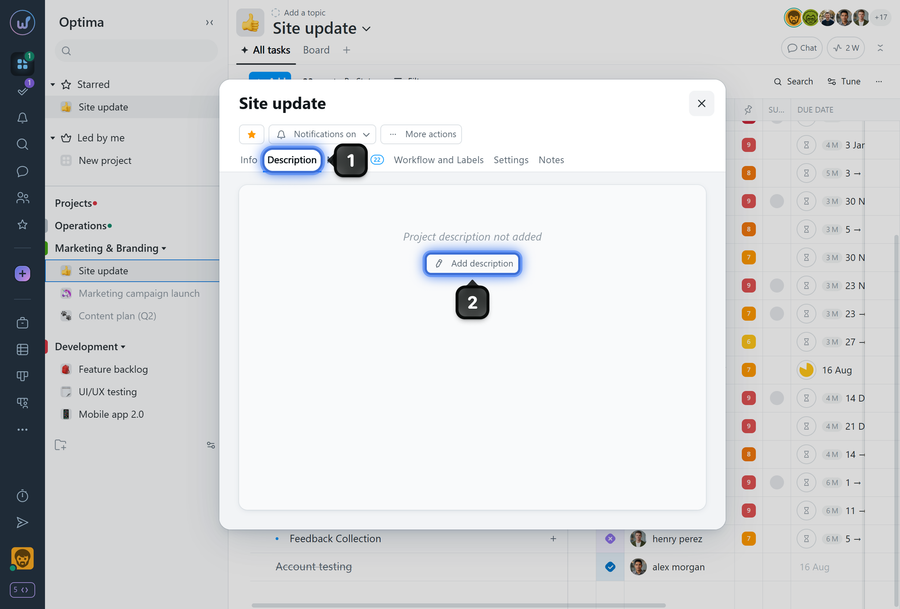
A project description can be added after creating the project. To do this, open the project window and click the "Description" tab1, then click "Add description"2.
It will be visible to all members who have access to the project.
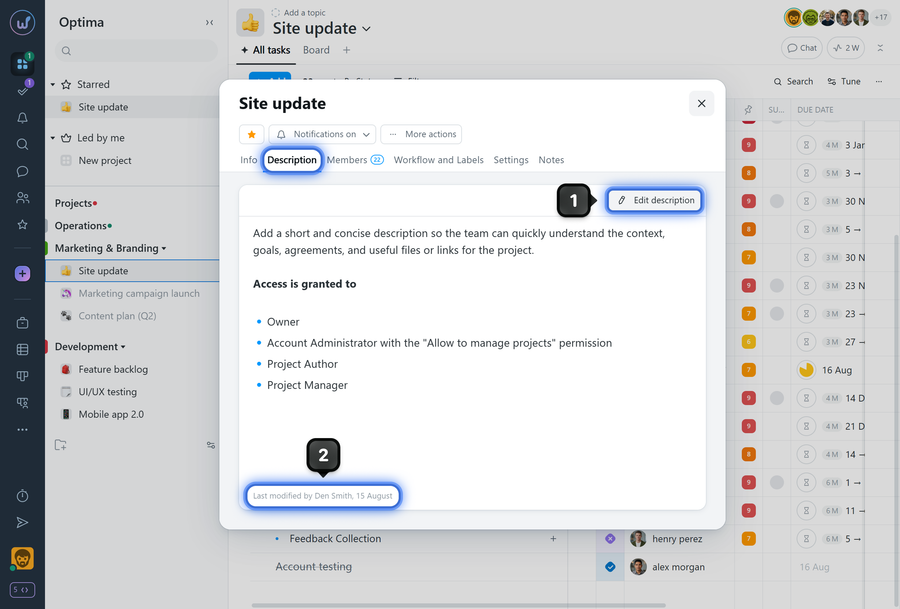
If needed, the description can be edited1 at any time, and the window will display information about when and by whom the last changes were made to the description2.
Leave your review
Did this article help you?
Glad we could help! What was helpful?
Sorry this didn't help. What went wrong?

