Solutions
worksection
beta
help
How do I add or remove task subscribers?
Subscribers are users who receive notifications about activity in a task. Subscribers can be added when creating a task or updated later.
To add subscribers when creating a task, find the subscribers list at the bottom of the task creation window and click “+”1. In the window that opens, select the users2 you want to add as subscribers and click “Apply”3.
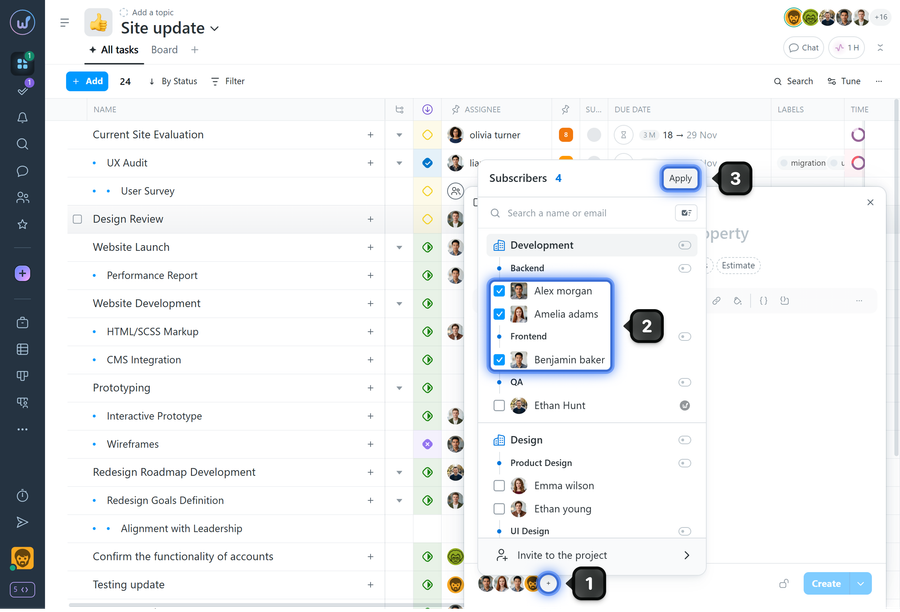
To remove a subscriber, simply clear the checkbox next to the user's name and save the changes.
How it works:
- Subscribers receive notifications about task updates (comments, status changes, and other events, depending on their notification settings).
- The subscribers list is useful when you want to keep a manager or colleague informed without changing the task assignee.
Leave your review
Did this article help you?
Glad we could help! What was helpful?
Sorry this didn't help. What went wrong?

