Solutions
worksection
beta
help
How do I restrict task visibility?
Task visibility determines who can view a task. Restricting visibility is useful for tasks containing internal information or when a task should be visible only to a specific group of users.
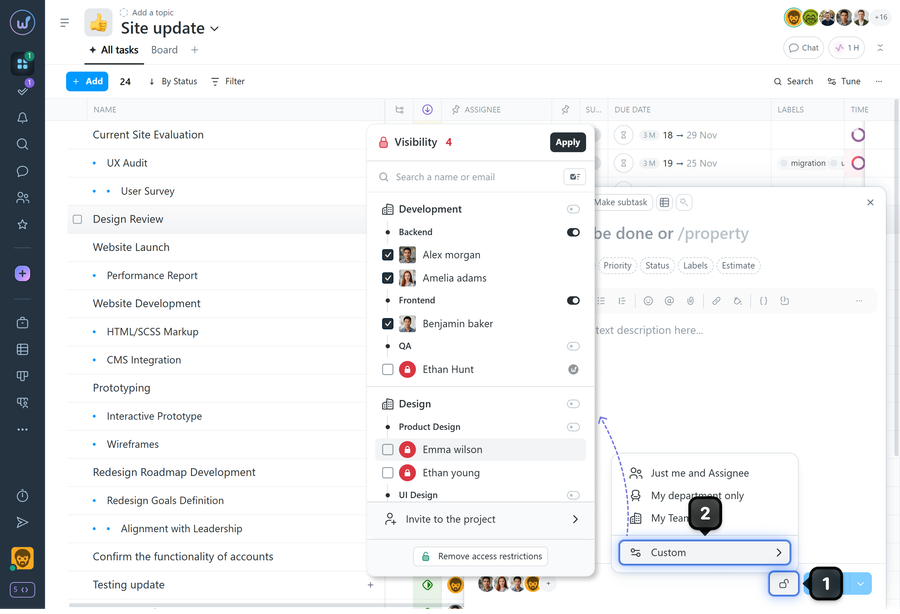
To restrict visibility when creating a task, click the “Lock” icon1 and choose the desired visibility mode2:
- Just me and the assignee
- My department only
- My team only
- Custom - opens the list of project members, where you can select who will have access to the task.
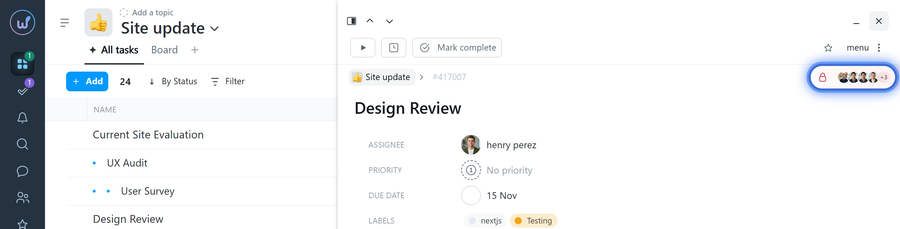
After the task is published, you will see the list of users who have access to it. If you have permission to edit the task, click this section to change the list of users.
Note! The Account Owner and Administrators with the “View hidden information” permission can see the task even if they are not included in the list of users who have access to it.
Leave your review
Did this article help you?
Glad we could help! What was helpful?
Sorry this didn't help. What went wrong?

