Solutions
worksection
beta
help
How to set a task status?
A status shows the current stage of work on a task (e.g., new, in progress, under review, done). A status can be set when creating a task or changed later in the task properties.
To set a status when creating a task, click "Status"1 and select the required status2 from the list.
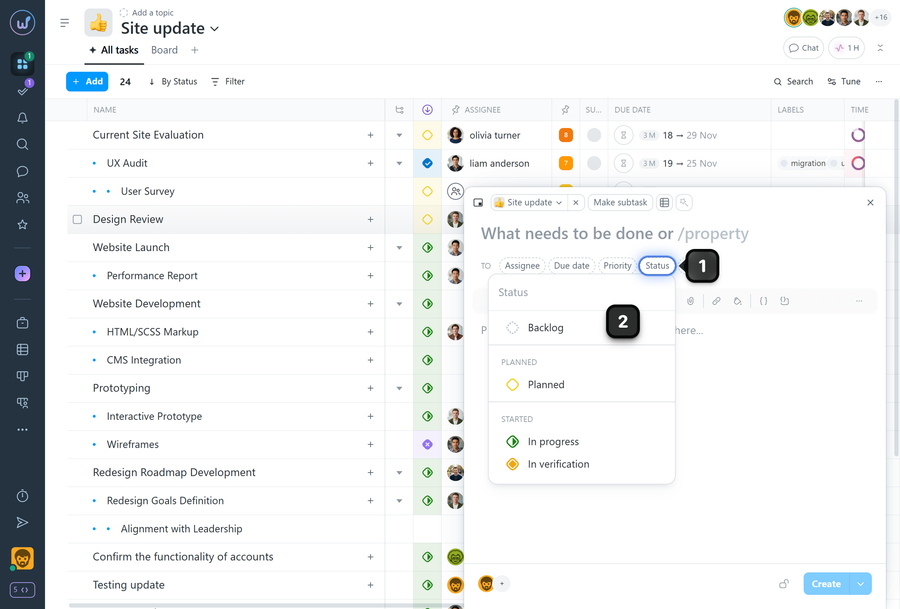
Note If you do not select a status when creating a task, it will automatically receive the "Backlog" status.
Leave your review
Did this article help you?
Glad we could help! What was helpful?
Sorry this didn't help. What went wrong?
Previous
How to set a task priority?

