Solutions
worksection
beta
help
How do I assign a task assignee?
The assignee is the person responsible for completing the task. Assigning an assignee makes it clear who is responsible for the outcome and whose “My Tasks” list the task will appear in.
To assign an assignee, create a task. In the task creation window, click “Assignee”1 and select a user from the list2. You can also choose “No assignee”3 or “Anyone”4 as the assignee.
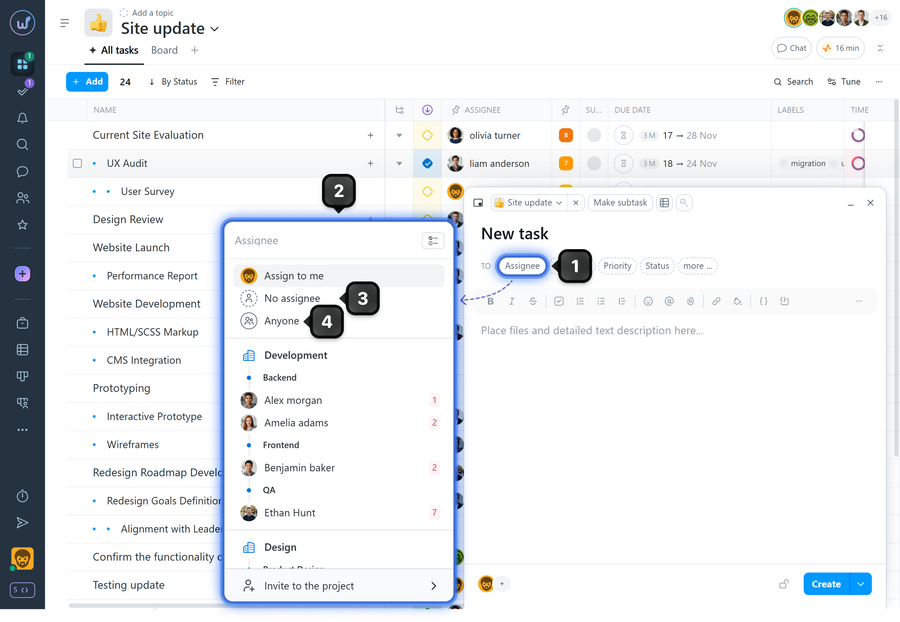
No assignee - the task is created without an assigned user. Such a task does not appear in any user's “My Tasks” list and cannot be picked up automatically. An assignee can be assigned later by a user with permission to manage the task.
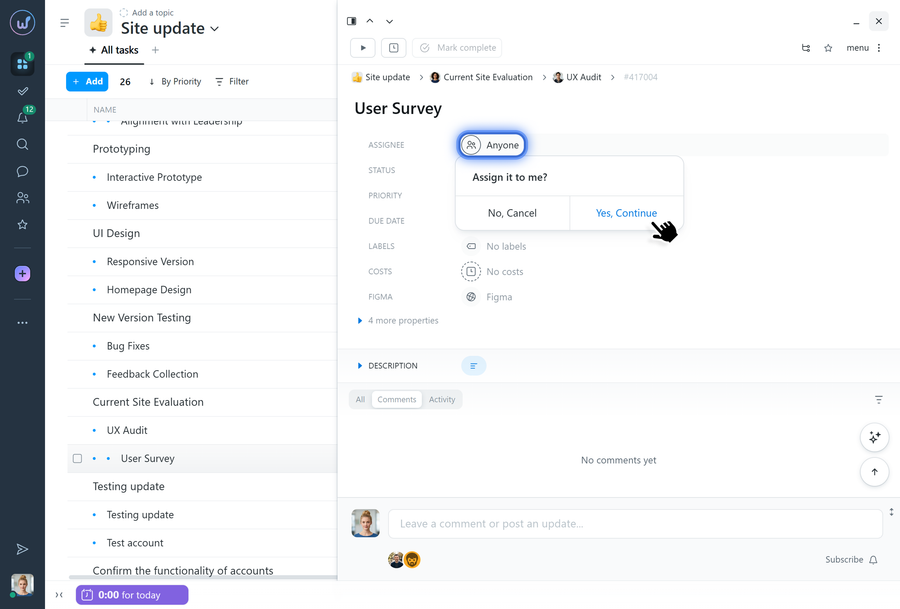
Anyone - any project participant can take such a task into work by clicking this field in the created task. They will then automatically become the task assignee.
Notes
- If you open a user's profile card (for example, from the chat or the “People” page) and click “Assign Task”, the task creation window opens with that user already selected as the assignee.
- The assignee can be changed while the task is in progress (provided you have the necessary permissions).
Leave your review
Did this article help you?
Glad we could help! What was helpful?
Sorry this didn't help. What went wrong?

