Solutions
worksection
beta
help
How do I remove a custom field from project tasks?
Permissions Custom fields can be removed from a task by:
- Account owner
- Account administrator with the "Allow project management" permission
- Project lead
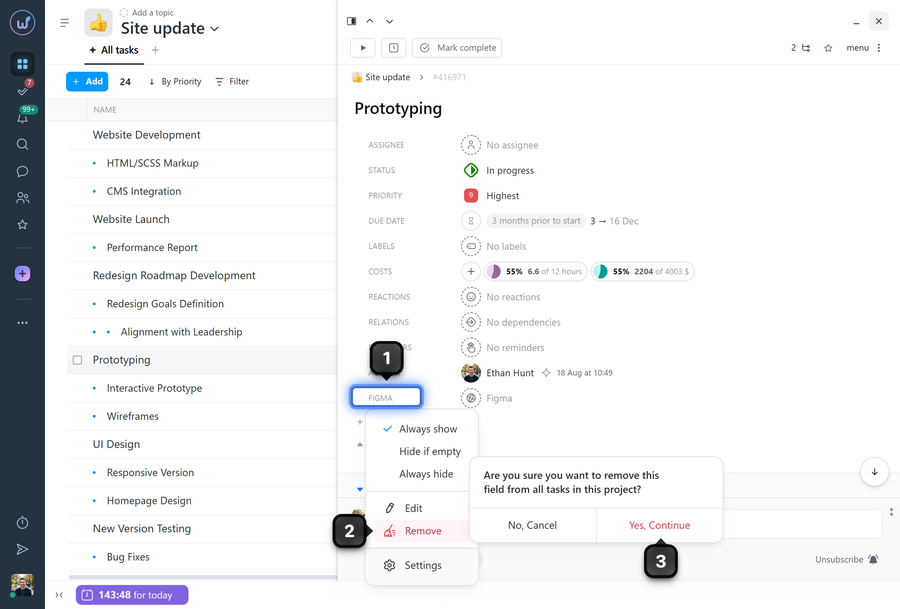
To remove a custom field from a task, open the task window and click the name of the required custom field1. Select "Remove"2 and confirm the action3.
Leave your review
Did this article help you?
Glad we could help! What was helpful?
Sorry this didn't help. What went wrong?

