Solutions
worksection
beta
help
How to change task sorting?
Task sorting is available not only on the "All tasks" page but also on other task view pages (e.g., Kanban, Gantt, etc.). The set of options in the sorting menu may differ depending on how the task list is displayed on the page. For example, on the Kanban board there is no need to sort tasks by status since they are already arranged in columns by status.
Example of changing sorting on the «All tasks» page.
To change sorting:
- Click the sorting button1.
- Select the field2 by which you want to sort the tasks.
- If necessary, change the sorting order3: from lowest to highest or from highest to lowest.
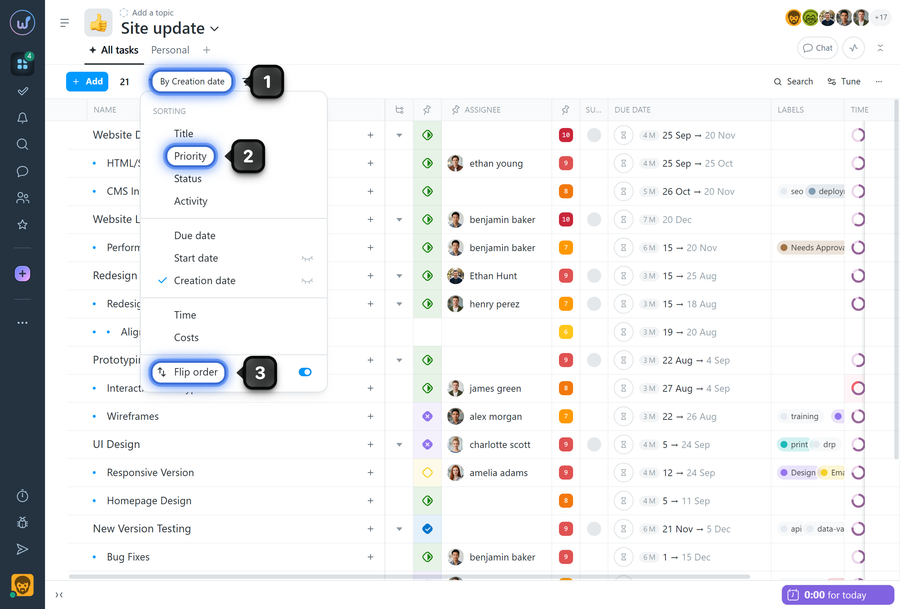
Available sorting options
- Title
- Priority
- Status
- Activity
- Due date
- Start date
- Creation date
- Logged time
- Logged costs
Please note! If "Task grouping" is applied on the page, tasks will be sorted within their groups.
How to set sorting as default
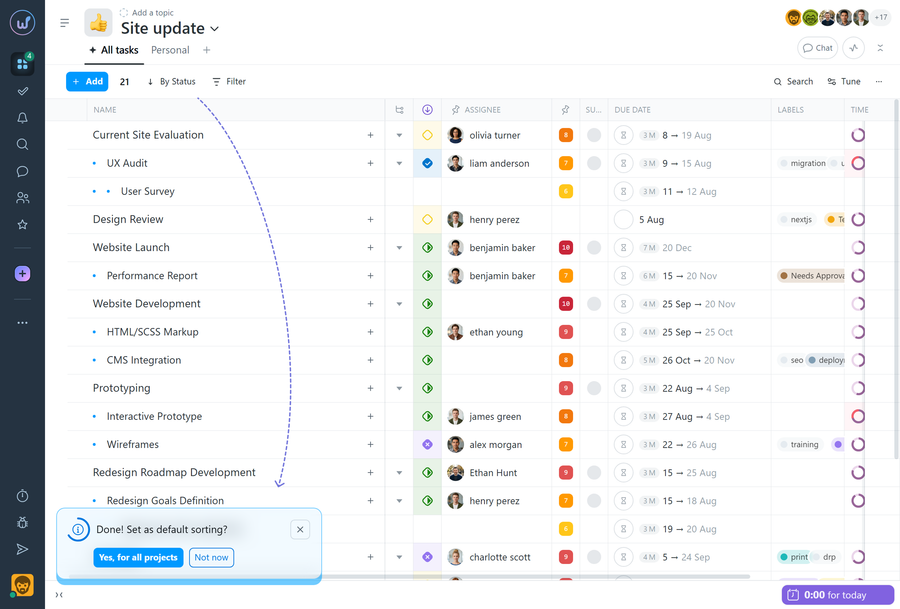
After selecting a specific sorting (e.g., by status), a tooltip will appear in the bottom-left corner offering to apply this sorting as the default for all projects. If you agree, this sorting will be used in all projects going forward.
Leave your review
Did this article help you?
Glad we could help! What was helpful?
Sorry this didn't help. What went wrong?

