Solutions
worksection
beta
help
How to show or hide subtasks in a list?
Subtasks can be collapsed/expanded under a specific parent task or all at once for the entire list. They can also be completely hidden using the "Top-level tasks only" filter.
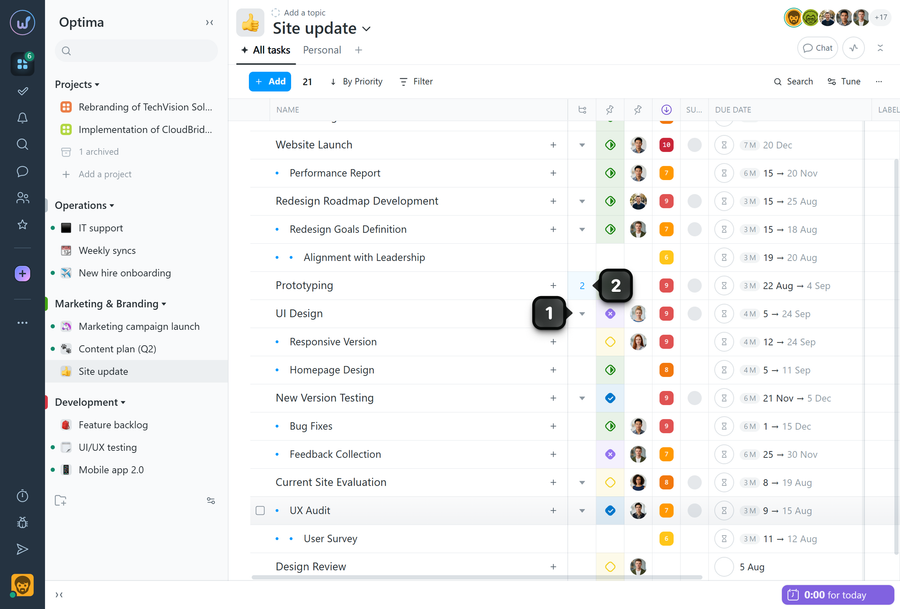
Option 1. Collapse or expand subtasks for a specific task
Click the collapse button next to the parent task1 to hide its subtasks from the list. After that, the column will show an indicator2 with the number of collapsed tasks instead of the button. Click the indicator to expand the subtasks again.
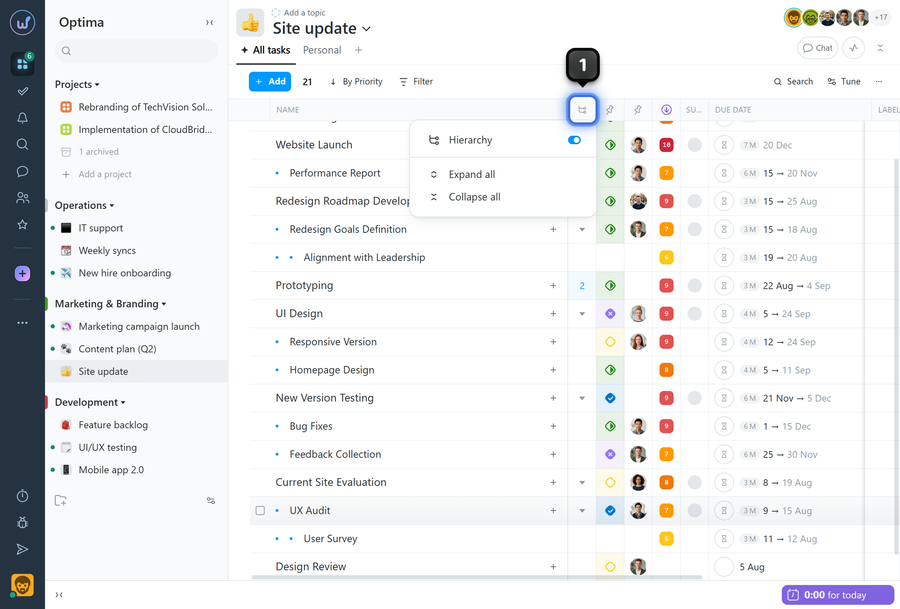
Option 2. Collapse or expand all tasks at once
Click on the "Subtasks" column header1 and in the menu select the required action: "Collapse all" or "Expand all".
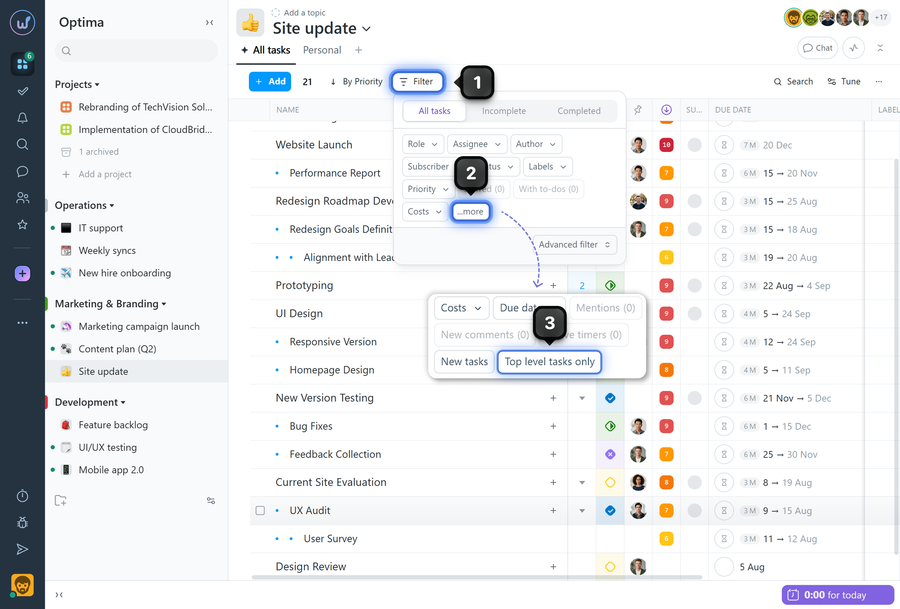
Option 3. Hide all subtasks via filter
- Click "Filter"1.
- Open the "More" block2.
- Enable "Top-level tasks only"3 — subtasks and nested tasks will not be displayed.
To bring subtasks back to the list, disable this filter.
Leave your review
Did this article help you?
Glad we could help! What was helpful?
Sorry this didn't help. What went wrong?
Next
How to group tasks?

