Solutions
worksection
beta
help
How to send a task list by email?
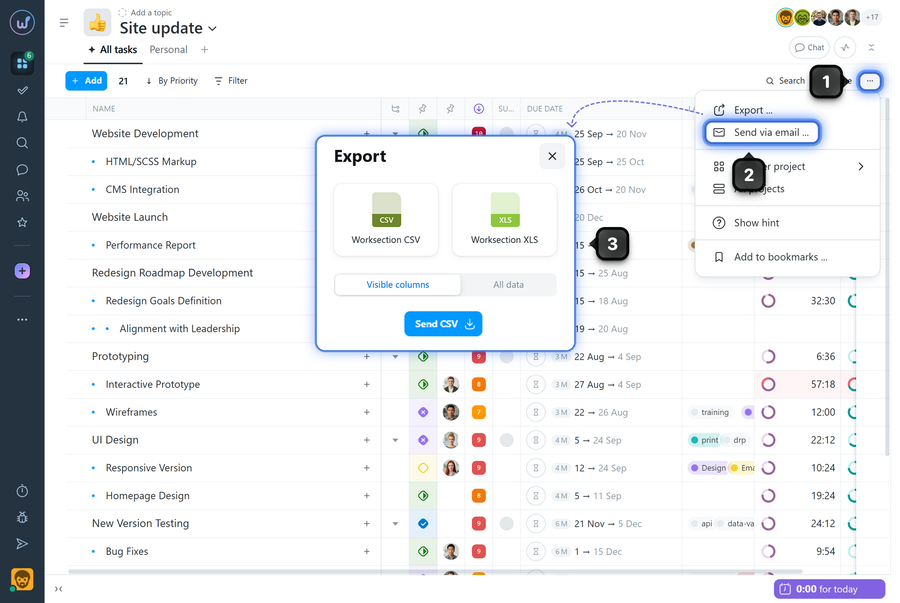
The task list can be sent by email as an export file (CSV or XLS). The current task list displayed on the page is sent (taking into account filters, sorting, and available columns).
To send the task list by email, click the "three dots" menu1 in the upper-right corner of the page and select "Send by email"2. Choose the file format: CSV or XLS3 and click "Send".
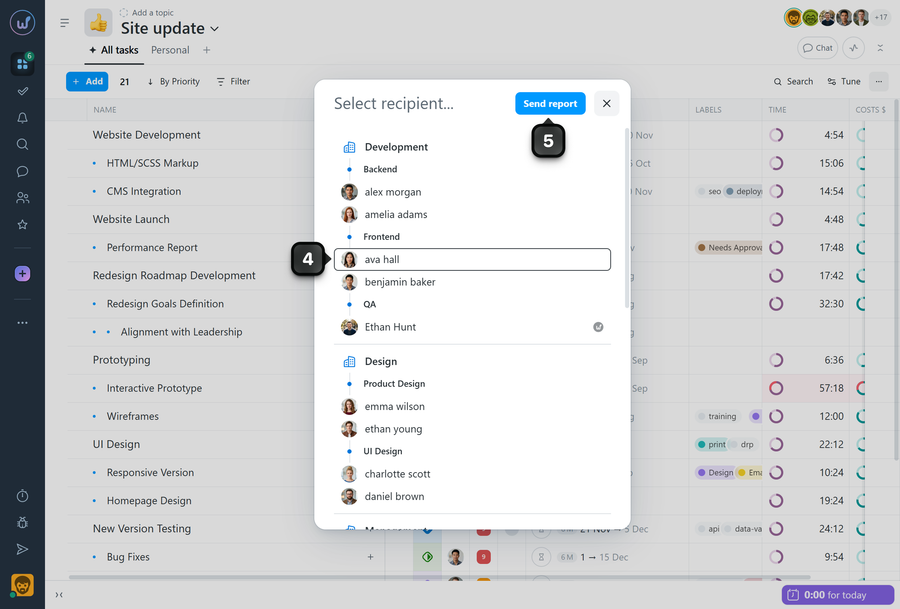
Select the recipient to whose email the file should be sent4 and confirm the action5 — the system will generate the file and send it to the selected member's email.
Please note! Large datasets may take a few minutes to generate — wait for the process to complete.
Leave your review
Did this article help you?
Glad we could help! What was helpful?
Sorry this didn't help. What went wrong?

