Solutions
worksection
beta
help
How to rename a workflow?
Permissions The following can rename a workflow:
- Owner
- Account Administrator with permission: "Access to account settings".
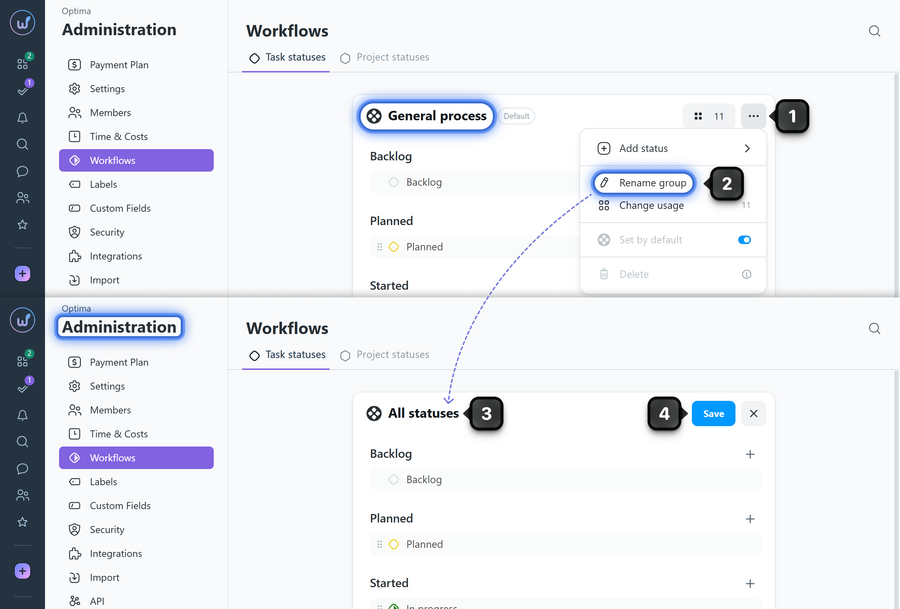
To rename a workflow, go to Administration → Workflows and find the desired workflow in the list.
Click the "three dots" button1 and in the menu that appears, select "Rename group"2. Enter the new name3 and save the changes4.
Please note!
- Renaming does not affect configured statuses, projects, or workflow assignments.
- The built-in "General process" can be renamed but cannot be deleted.
- The name should help the team quickly understand where this workflow is used.
Leave your review
Did this article help you?
Glad we could help! What was helpful?
Sorry this didn't help. What went wrong?

