Solutions
worksection
beta
help
What is the difference between "Task statuses" and "Project statuses"?
Permissions The following have access to workflow settings:
- Owner
- Account Administrator with permission: "Access to account settings".
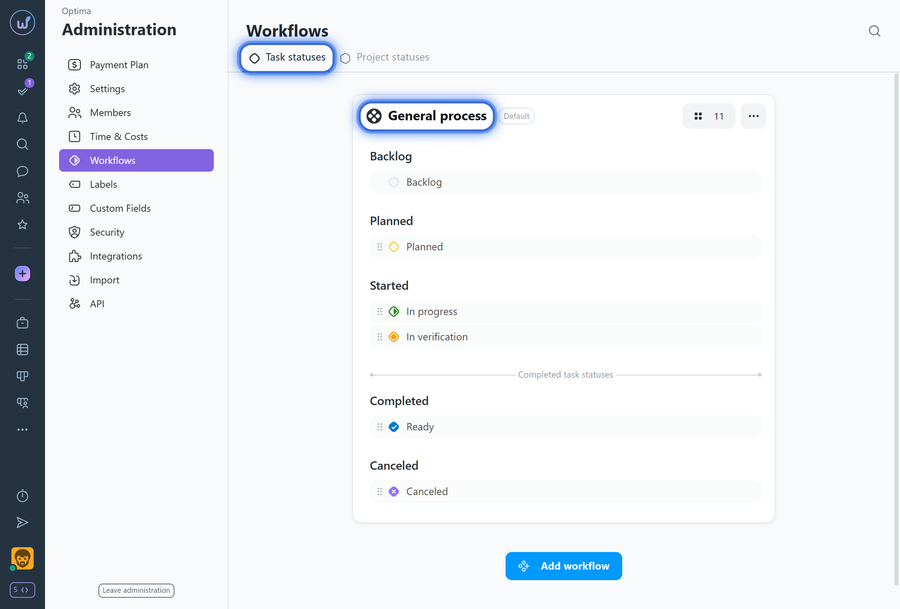
Task statuses: manage workflows (sets of statuses), add/edit/reorder statuses, assign workflows to projects; the order of statuses corresponds to the order of columns on the project tasks page in Kanban view. The "General process" is created automatically; the number of workflows and statuses is unlimited.
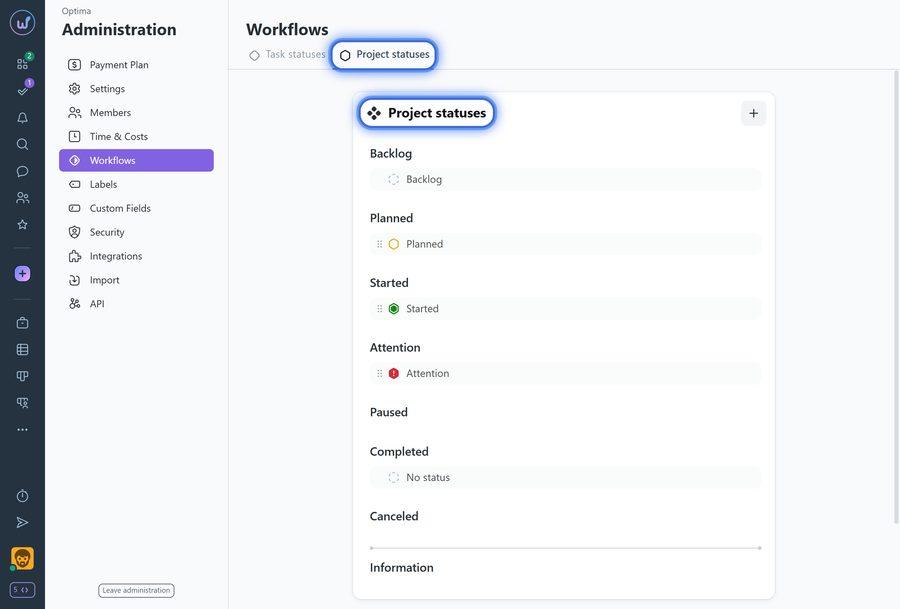
Project statuses: configure the set of statuses used to mark a project; helps quickly understand the current stage of work. The order of statuses corresponds to the order of columns on the "Projects Kanban" page.
Notes
- Project statuses are available on Business and Premium plans.
- Project statuses have only one set of statuses with no limit on the number of statuses.
When to use which
- Tasks move between stages — Task statuses.
- Need to mark the stage of the entire project — Project statuses.
Leave your review
Did this article help you?
Glad we could help! What was helpful?
Sorry this didn't help. What went wrong?

