Solutions
worksection
beta
help
How to set a workflow as the default for new projects?
Permissions The following have access to these settings:
- Owner
- Account Administrator with permission: "Access to account settings".
You can set any of the workflows as the "default", so all new projects will use the selected set of task statuses.
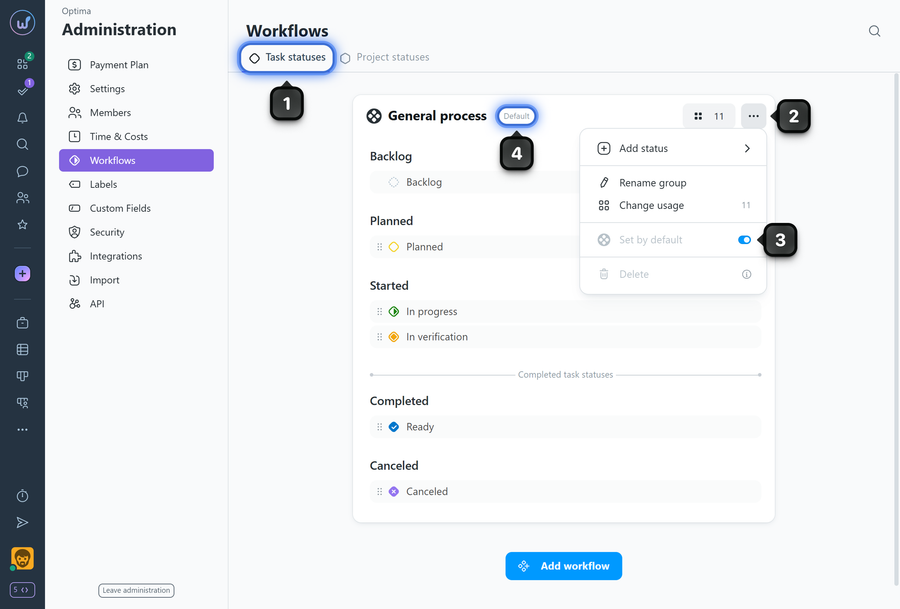
To configure this, go to Administration → Workflows → "Task statuses" tab1. Find the desired workflow in the list (e.g., "General process") and open the "three dots" menu2, then enable the "Set by default" option3.
Make sure a badge4 appears on the workflow block , indicating that this workflow is the default for new projects.
Please note! This setting only affects projects created after the change. Existing projects are not affected.
Leave your review
Did this article help you?
Glad we could help! What was helpful?
Sorry this didn't help. What went wrong?

