Solutions
worksection
beta
help
What additional actions are available in the "Create" button menu?
The "Create" button in the task creation window has an additional section1 that opens a menu with additional actions. It allows you to create tasks using alternative options.
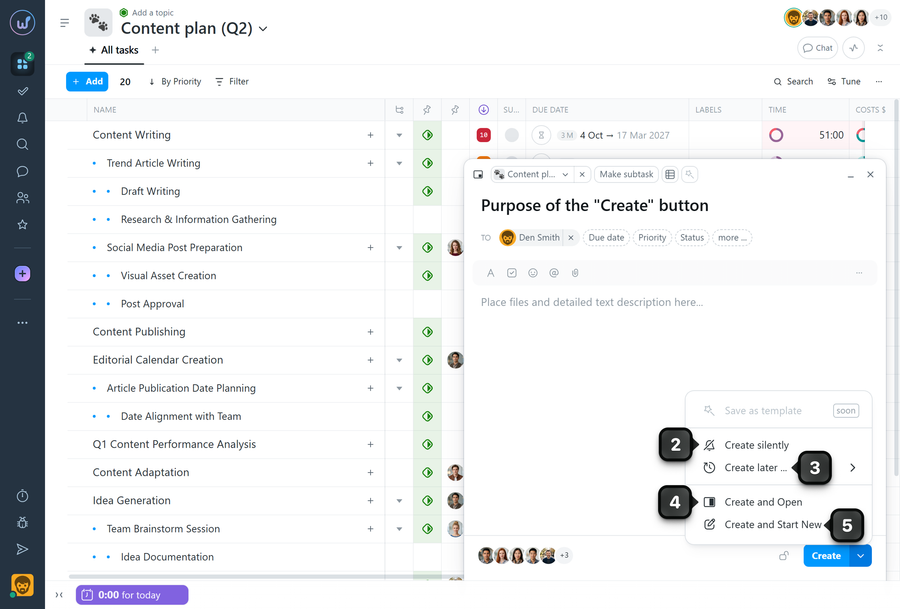
2 Create silently - creates a task without sending notifications to subscribers.
3 Create later - opens a window where you can select the date and time when the task will be published.
4 Create and Open - creates the task and immediately opens it.
5 Create and Start New - creates the task and opens the window for creating a new task.
Note The "Create" button becomes active only after the task name has been entered, as this is the minimum required field.
Leave your review
Did this article help you?
Glad we could help! What was helpful?
Sorry this didn't help. What went wrong?
Previous
Task Parameters

