Solutions
worksection
beta
help
How to create a recurring (repeating) task?
A regular (recurring) task is a task that is automatically created at a set interval. This is convenient for routine processes: weekly reports, monthly payments, regular checks, and so on.
To create a recurring task, in the creation window click "Due date"1, turn on repetition2, and select a repetition rule3, for example "every week".
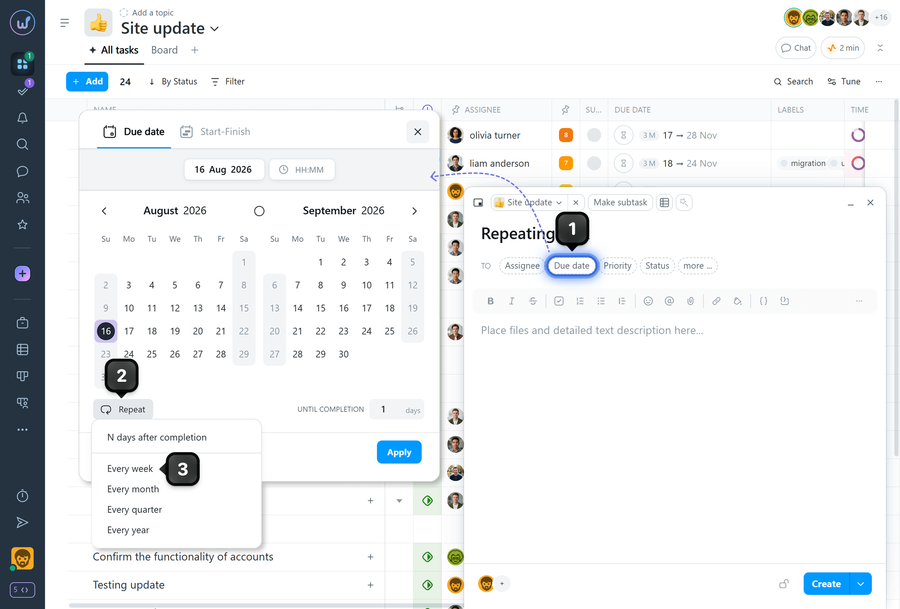
A menu with repetition options will appear in the due date window.
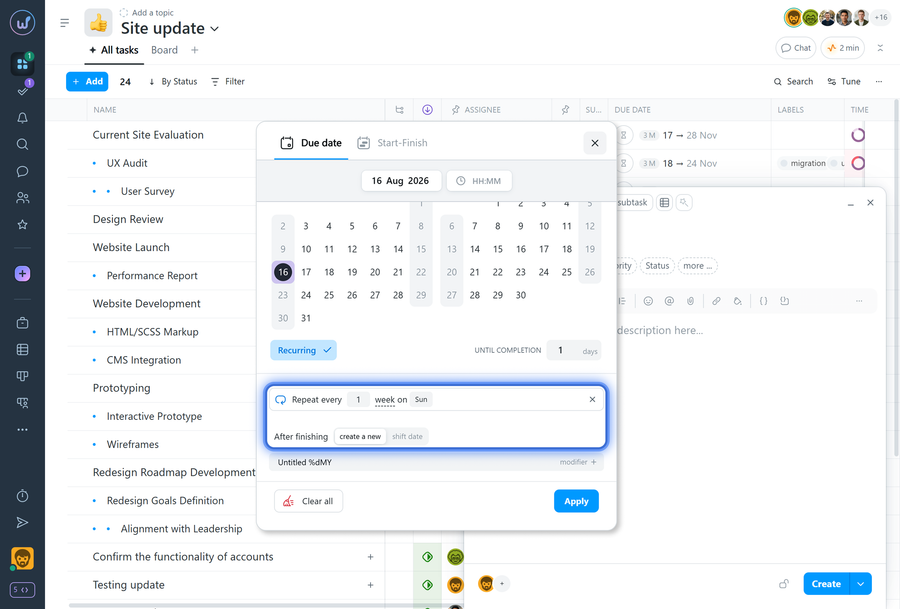
- Create a new task: once the recurring task is closed, a new task is created with a new due date (or date range), according to the repetition schedule. This is the default algorithm.
- Shift date: use this repetition type for periodic tasks that don't require reporting and can be missed. This isn't a copy of the closed task, but always the same open task. Right after it's closed, it reopens with the next repetition date according to the schedule.
Please note! It's not necessary to close a task with the "Shift date" repetition type. Such a task will never become overdue — as soon as the deadline is reached, it automatically shifts its due date to the next day or repetition period. This repetition type is convenient to use as a recurring reminder for events.
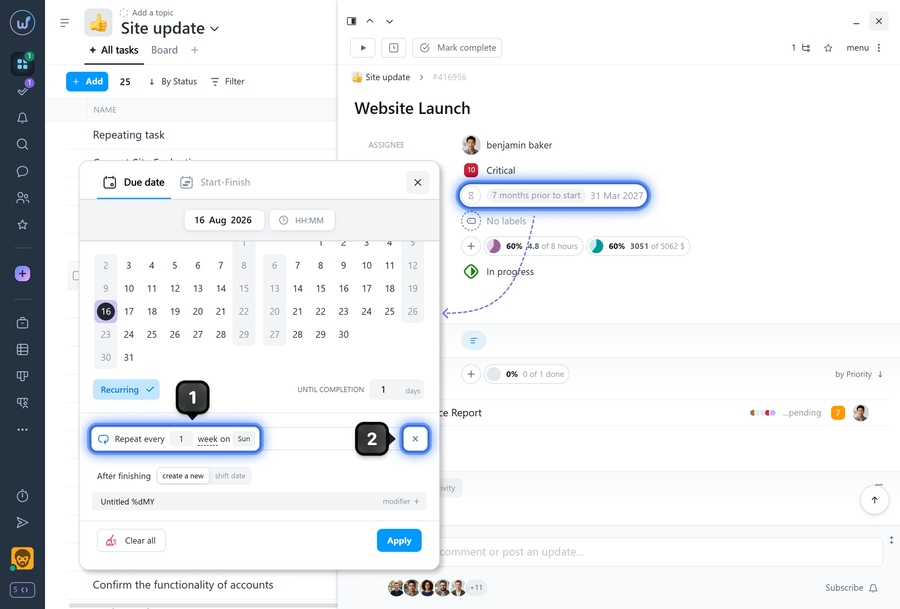
The repetition settings can be changed1 or turned off2 in the due date window of an already created task.
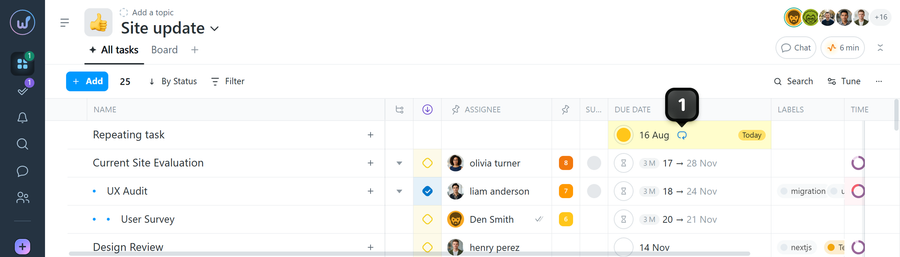
All recurring tasks in the system are marked with a corresponding label1.
Leave your review
Did this article help you?
Glad we could help! What was helpful?
Sorry this didn't help. What went wrong?

