Solutions
worksection
beta
help
How to create a scheduled task?
A scheduled task is a task you create now but publish later, at a chosen date and time. This is convenient when you need to prepare tasks in advance without overloading the team with notifications too early.
To create a scheduled task, fill in the task name in the creation window and add other parameters as needed: assignee, due date, priority, status, tags, description, attachments, followers, etc.
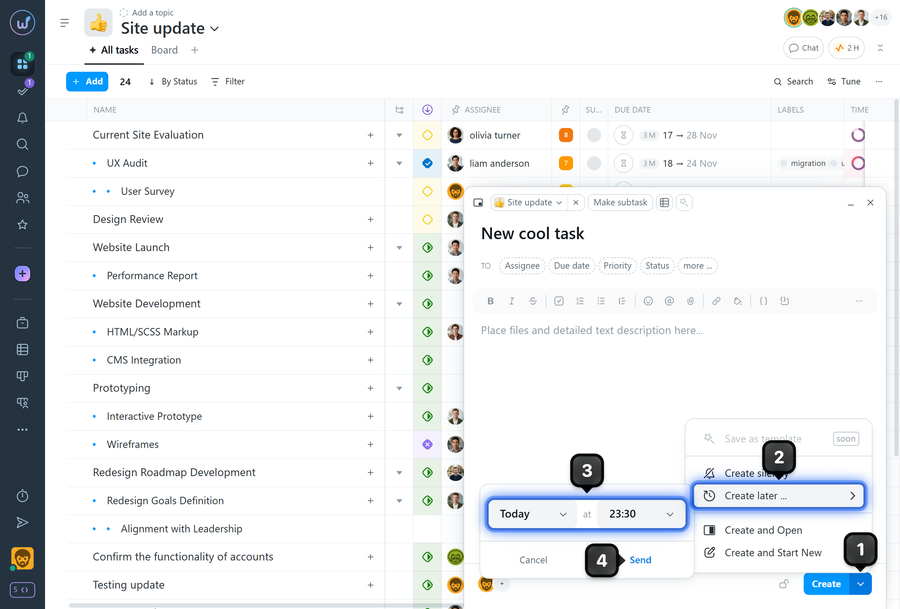
Click the arrow on the right side of the "Create" button1 to open the actions menu. Select "Create later"2. In the window that opens, choose the date and time3 when the task should be published. Confirm the action4
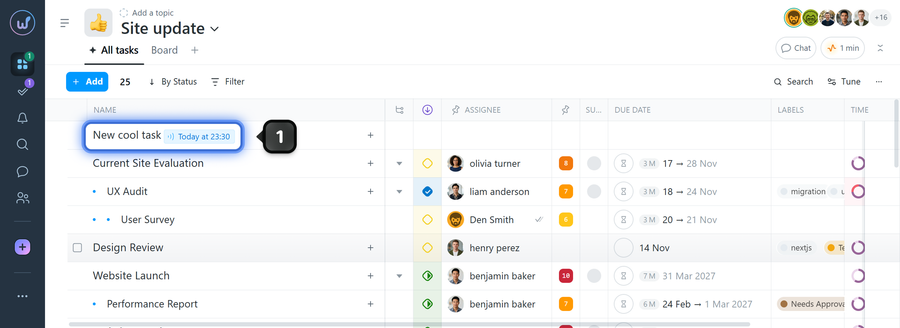
The task will be published at the chosen date and time, and next to its name you'll see a countdown timer1 until publication.
Please note!
- Only its author will see this scheduled task. Other project members will not see the task.
- The maximum possible delay for scheduled publication is 30 days.
Leave your review
Did this article help you?
Glad we could help! What was helpful?
Sorry this didn't help. What went wrong?

