Solutions
worksection
beta
help
How do I create a subtask?
When a task consists of several steps or areas of responsibility, break it down into subtasks. This makes it easier to plan, track progress, and distribute work.
There are several ways to create a subtask:
- In the task window, in the subtasks block
- while creating a new task in full format
- on the "All tasks" list page
Create a subtask in the task window
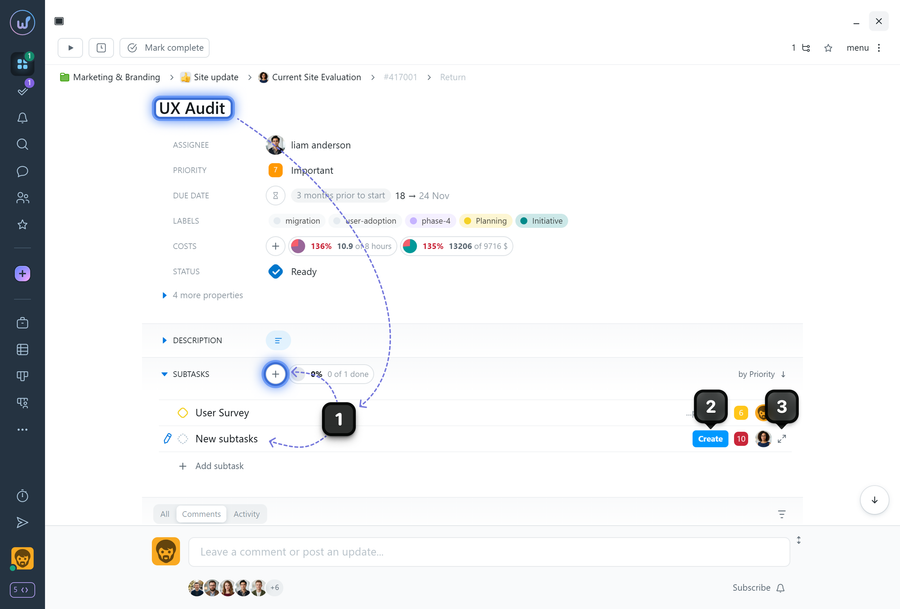
Open the task you want to create a subtask for and scroll to the subtasks block. Click "Add subtask"1. Fill in the name and all required fields, then click "Create"2; if needed, open the full subtask creation window3.
Create a subtask while creating a new task
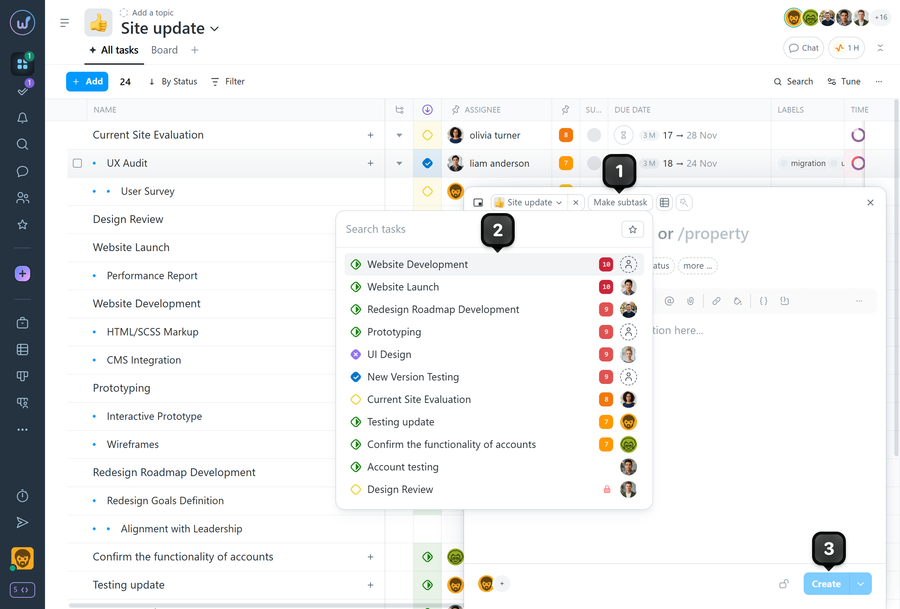
In the task creation window, click "Make a subtask"1 and select the parent task2. The current task will become a subtask. Fill in the name and other parameters, then click "Create"3.
On the "All tasks" list page
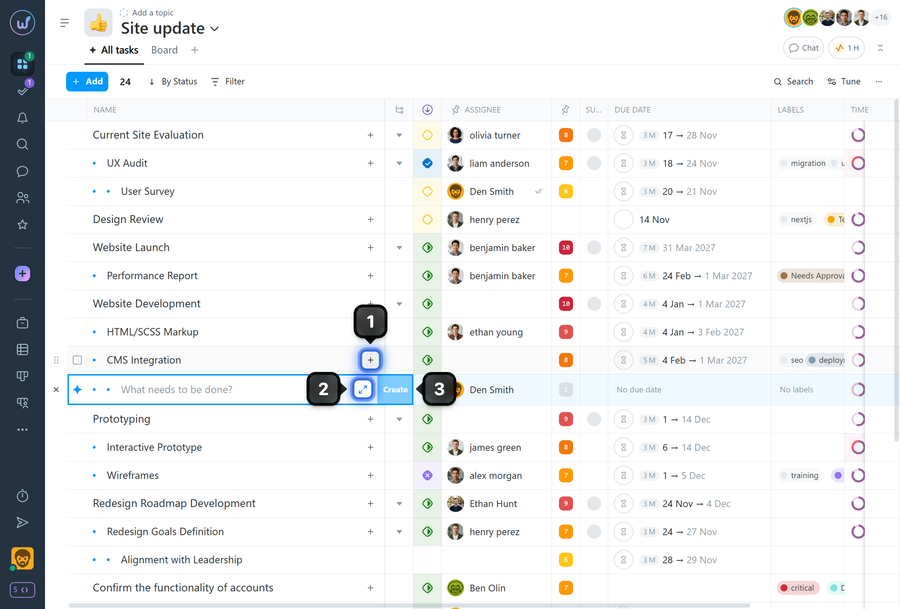
Click the "+"1 next to the name of the task you want to create a subtask for. You can enter a name and click the "Create" button3 for quick task creation. Or click the button2 to open the full task creation window.
Leave your review
Did this article help you?
Glad we could help! What was helpful?
Sorry this didn't help. What went wrong?

