Solutions
worksection
beta
help
Where do I view the full history of all project events?
The full project event history is available to:
- Project Lead
- Account Administrator with the "Allow admin to edit everything" permission
- Owner
- Project author
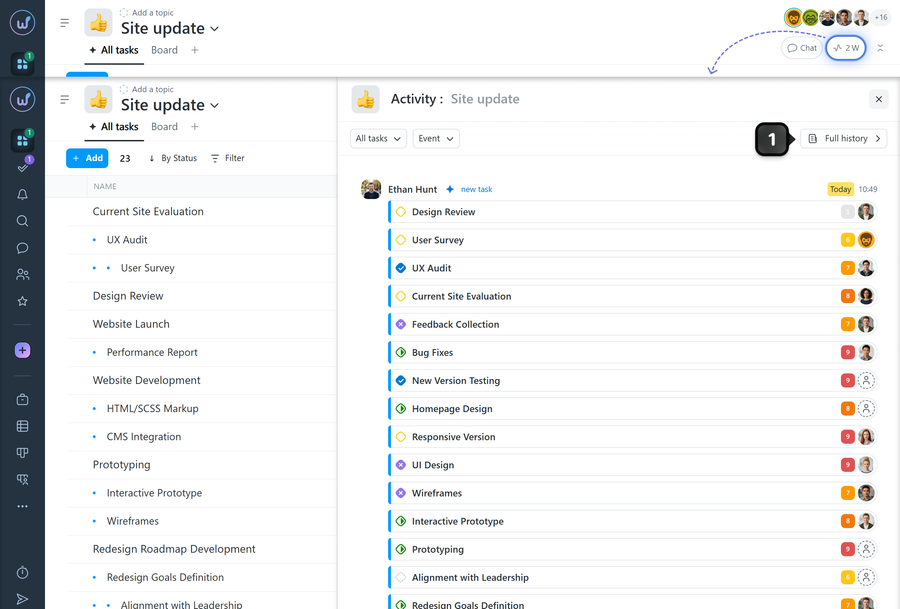
To view the full event history of a project, open the project activity window and click "Full history"1.
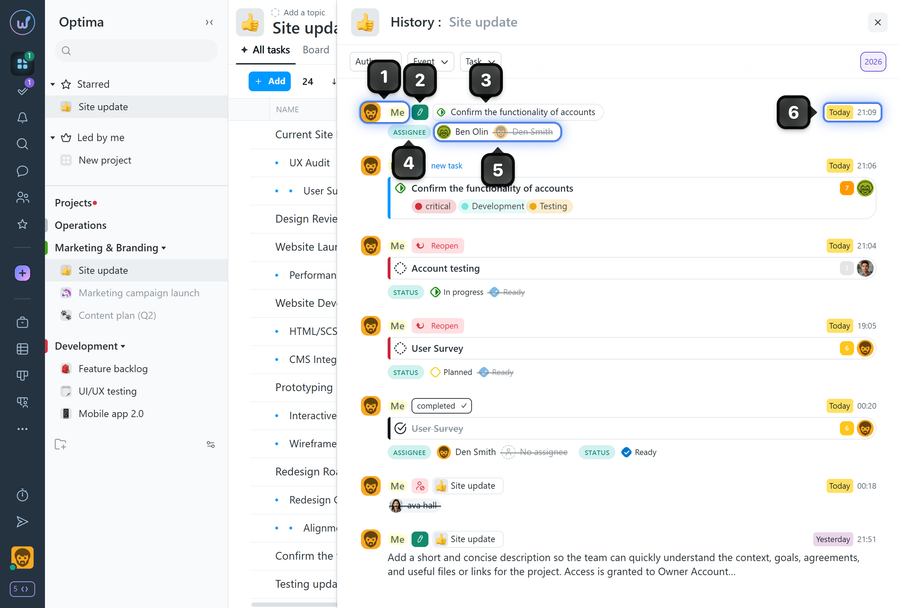
The “Project History” window will open, displaying all project events in chronological order that match the applied filters (“Author”, “Event”, “Task”, and “Time Period”).
Project Event Information
- Who performed the action
- What was done
- Where it was done
- Which parameter was changed
- Details of the action performed
- Date and time of the action
Leave your review
Did this article help you?
Glad we could help! What was helpful?
Sorry this didn't help. What went wrong?

