Solutions
worksection
beta
help
How do I create pages showing tasks from multiple projects?
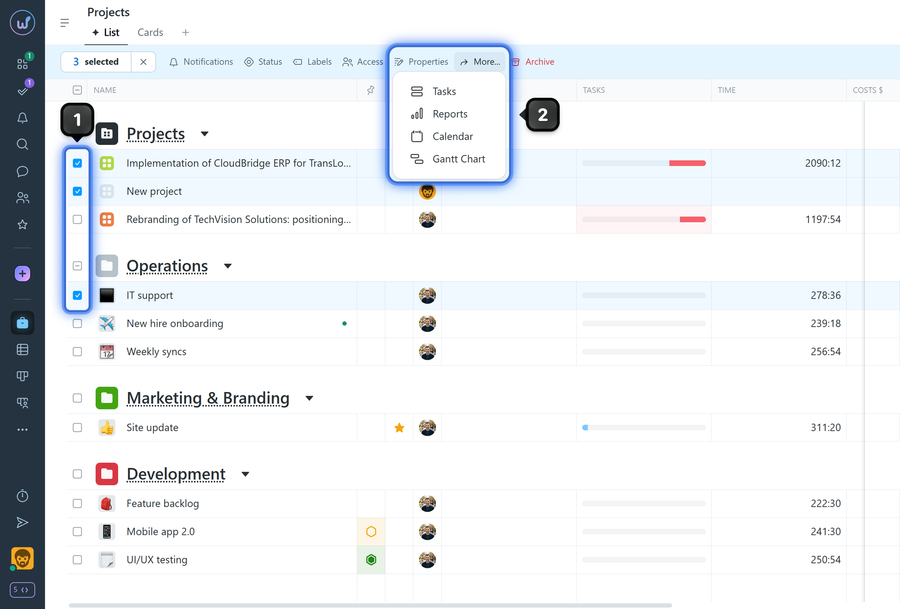
To open a tasks/report page for multiple projects, open the "Projects" page and select1 several projects in the list. In the bulk action panel, click "More"2 and choose the desired page:
- Tasks
- Reports
- Calendar
- Gantt Chart
The corresponding page will open showing information for the selected projects only.
Leave your review
Did this article help you?
Glad we could help! What was helpful?
Sorry this didn't help. What went wrong?

