Solutions
worksection
beta
help
How do I view recent activity in a project?
Method 1
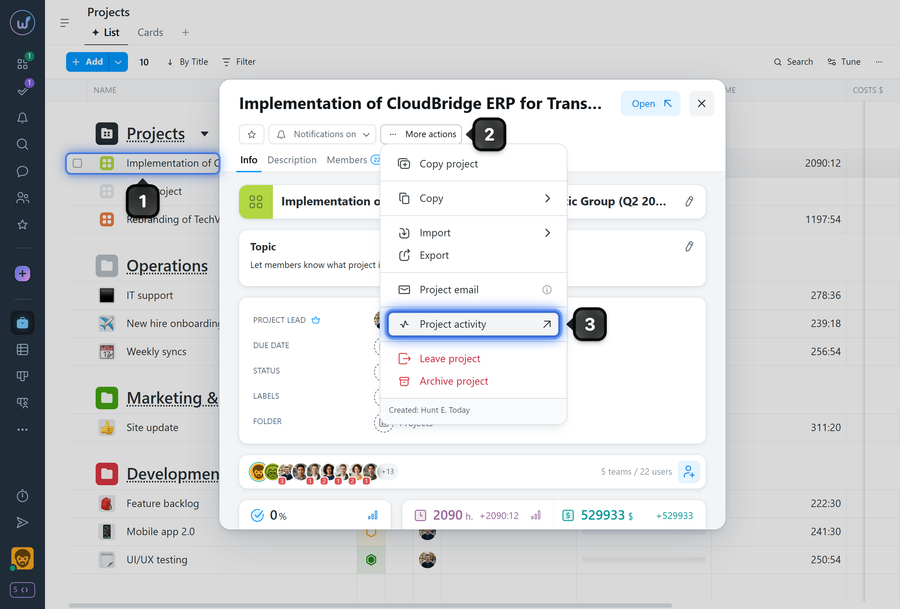
To view recent activity in a project, open the projects page and click the desired project1. In the window that appears, click "More actions"2 and select "Project activity"3.
Method 2
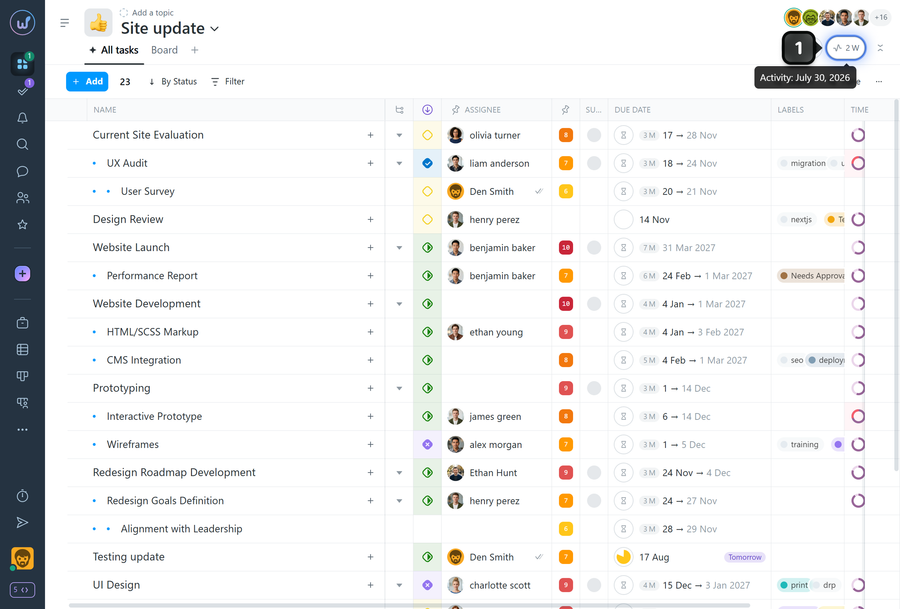
While on any project page, click the "Activity" button1.
The “Project Activity” window will open, displaying the latest project events in chronological order according to the applied “By Tasks”1 and “By Events”2 filters.
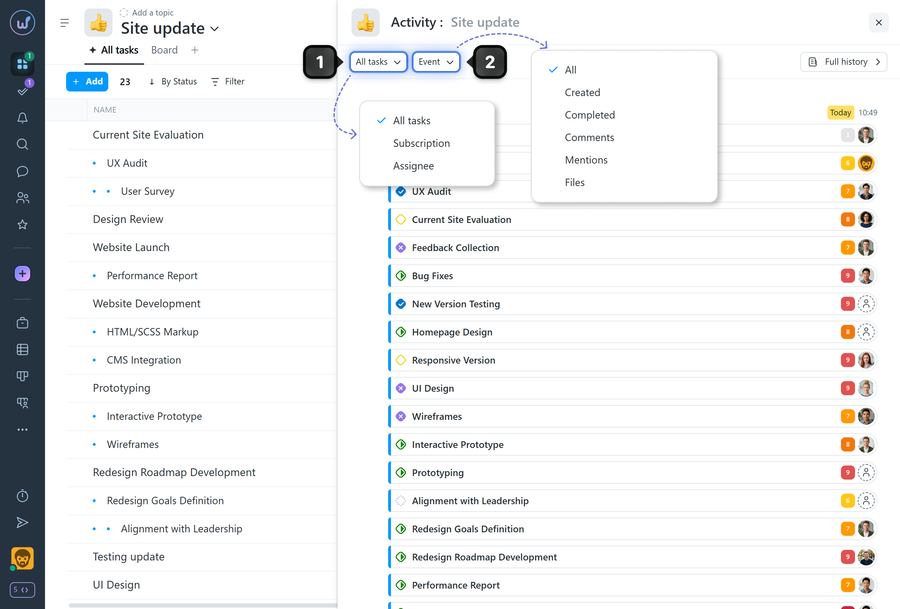
The "By tasks" filter lets you choose which type of tasks to show events for:
- All tasks
- Subscribtion — tasks you are subscribed to
- Assignee — tasks where you are the assignee
The "By events" filter lets you choose which event types to display in the project activity window:
- All
- Created — show only task creation events
- Completed— show task closure events
- Comments
- Mentions — show events where someone mentioned you via @
- Files — show events related to files.
Leave your review
Did this article help you?
Glad we could help! What was helpful?
Sorry this didn't help. What went wrong?

