Solutions
worksection
beta
help
How do I permanently delete a project?
Permissions available to
- Account Owner
- Account Administrator with the "Allow managing projects" permission
Before deleting a project, you must first archive it.
Method 1:
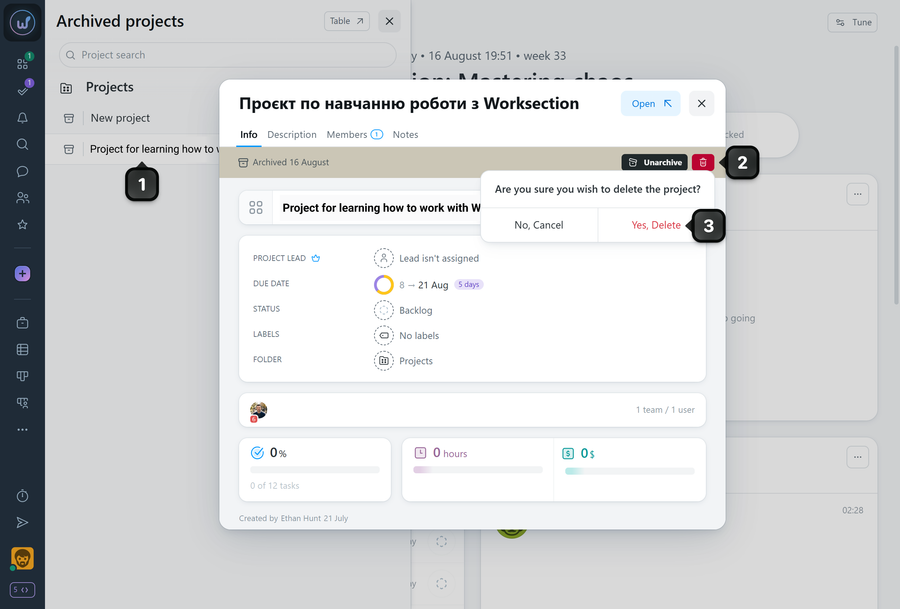
To delete a project, open the project archive page and click the desired project1 — the project window will open. Click the "Trash" button2 and confirm the action3.
Method 2:
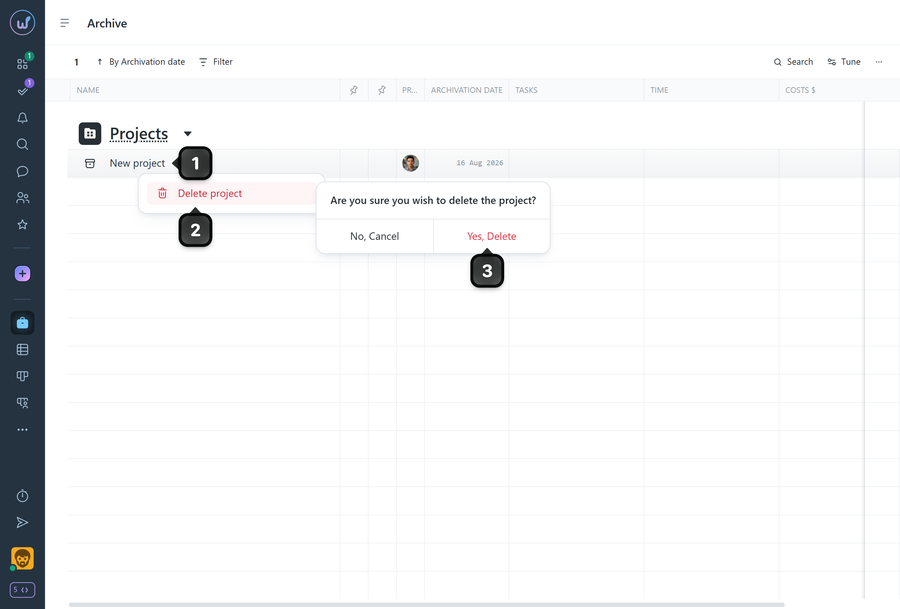
On the archive page, right-click on the desired project1, select "Delete project"2, and confirm the action3.
Please note!
- Deletion is irreversible — a project cannot be recovered after this.
- If you need to keep data for viewing or possible restoration, leave the project in the archive.
Leave your review
Did this article help you?
Glad we could help! What was helpful?
Sorry this didn't help. What went wrong?

