Solutions
worksection
beta
help
How do I sort projects?
On the "Projects" page you can quickly order the list by key criteria and enable reverse order.
To change project sorting, open the "Projects" page and click the "Sort" button1. Choose the desired sort parameter2. To reverse the sort direction, enable the "Flip order" option3.
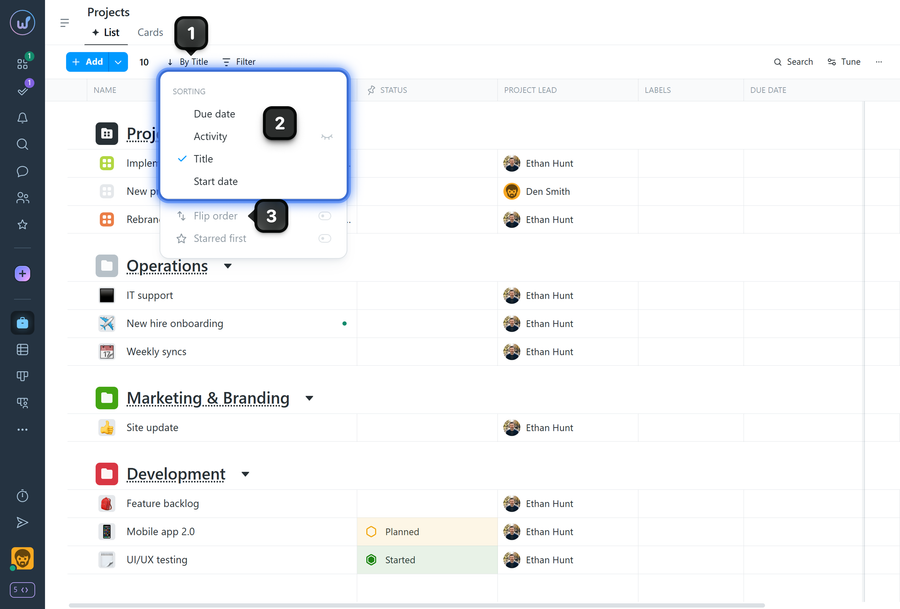
Sort parameters:
- Due date — sort projects by end date
- Activity — sort projects by the last active action in the project
- Title
- Start date
Notes
- If grouping is enabled (e.g., by folder), sorting is applied within each group.
- Sorting can be combined with filters — the order updates to reflect the applied filters.
Leave your review
Did this article help you?
Glad we could help! What was helpful?
Sorry this didn't help. What went wrong?

