The best alternative to Zendesk depends on what kind of service process needs to be built. Some companies require a close omnichannel ticketing system with email, chat, telephony, SLA, a knowledge base, and analytics. For others, a simple shared inbox, support for online stores, tight integration with CRM, or managed execution of internal service tasks after a request is registered is more important.
Zendesk remains a strong platform for customer support: it combines tickets, messaging, a help center, telephony, automation, reports, and AI features. However, teams look for alternatives to Zendesk when they want to change the cost per agent, simplify implementation, choose a different approach to AI, gain industry specialization, or reduce the number of separate modules.
The review compares Worksection, Freshdesk, Intercom, Help Scout, Zoho Desk, HubSpot Service Hub, Gorgias, Front, LiveAgent, and Jira Service Management. Worksection ranks first only in a specific scenario: when a request has already been registered and needs to be converted into a project or internal service task with assignments, deadlines, responsible parties, and reporting.
Which Zendesk alternative to choose quickly
- Worksection — for managing internal and client service tasks after a request is registered, where deadlines, responsibilities, labor costs, and reporting matter.
- Freshdesk — for a classic help desk with tickets, SLA, a portal, a knowledge base, and a clear pricing structure.
- Intercom — for support with an emphasis on messaging, in-app communication, and AI Agent with pay-for-results.
- Help Scout — for small and medium teams that need simple email-first support without heavy administration.
- Zoho Desk — for companies in the Zoho ecosystem and teams that need a free start for up to three agents.
- HubSpot Service Hub — for support closely tied to CRM, working with existing customers, and a unified customer profile.
- Gorgias — for online stores, especially Shopify, where orders, returns, and support from a single inbox are important.
- Front — for customer operations where a shared inbox should be combined with tickets, automation, and collaboration.
- LiveAgent — for teams that need tickets, chat, call center, and social channels in one product.
- Jira Service Management — for ITSM, employee servicing, incident management, and tight integration with Jira and Confluence.
If a company uses telephony, social media messaging, a help center, SLA, CSAT, and AI Agent within Zendesk, switching to a regular task manager will not be an equivalent replacement. Before choosing, it’s important to separate first line support from further execution. The first part requires a specialized support system, while the second can be performed in Worksection or another project management system.
What is Zendesk and who is it for?
Zendesk is a platform for customer support and employee servicing. It helps gather requests from email, messaging, web forms, telephony, and other channels, turning them into tickets, routing them according to queues, monitoring SLA, publishing a help center, and analyzing support quality.
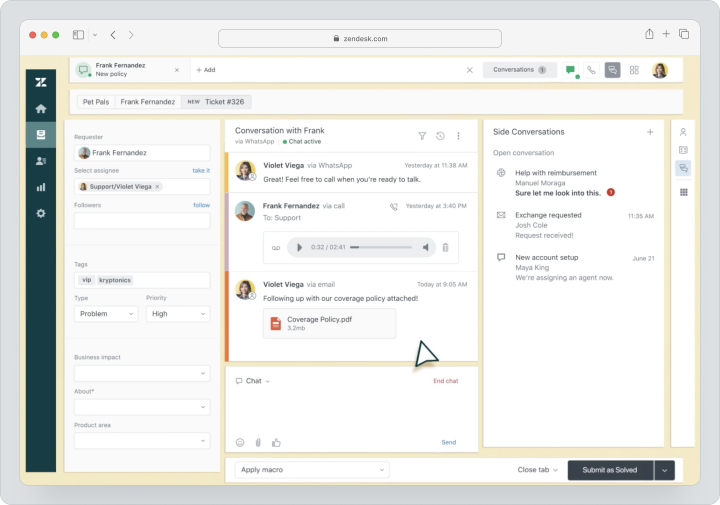
The service is suitable for SMBs, large support centers, online stores, SaaS, and financial and service companies. Its strengths include an advanced ticket model, omnichannel capabilities, automation, roles, analytics, Marketplace, and scalability.
On the public Zendesk Support Team page, the monthly cost is $25 per agent for the monthly option, Suite Team is $69, Suite Professional is $149. Suite Enterprise, billed monthly, costs $219 per agent, while more complex corporate configurations are calculated individually. Add-ons, AI agents, telephony, and features billed based on actual usage can incur additional costs.
Why do teams look for alternatives to Zendesk?
Zendesk is not universally expensive or complicated. However, its model may not align with the volume, channels, and maturity of a specific team.
Cost of Agent and Additional Expenses
The base price of the license does not always reflect the full cost. The budget is influenced by Suite or Support, the number of agents, Copilot, automatically resolved tickets, usage of telephony, numbers, Marketplace applications, implementation, and integrator services.
For a team of five agents, the difference between $19 and $115 per seat is significant. Therefore, before comparing, it is essential to determine which channels and features are genuinely used.
Complexity of Packages
Zendesk can be purchased as Support or Suite, while individual features are associated with Talk, AI, Copilot, and apps. Flexibility is beneficial for a mature support service, but a small team may find it easier to choose a product with one clear plan.
Need for a Simpler Support Tool
A small SaaS or agency can operate through a single mailbox for tickets, chat, and a compact knowledge base. If the team does not require complex SLAs, support for multiple brands, audit logs, or personnel management, Help Scout or Freshdesk could be implemented faster.
Different Approach to AI
Zendesk uses a pay-per-result model for AI agents. Intercom also charges Fin based on outcomes, Help Scout uses AI Answers for resolved tickets, and Gorgias charges for AI Agent for automated interactions. The comparison should focus not on the presence of AI, but rather on the cost of actual volume and conditions for human transfer.
Industry Specialization
Gorgias works deeper with online stores. Jira Service Management focuses on ITSM and incident management. HubSpot connects support with CRM. A universal support system does not always provide the same depth of industry scenarios.
Gap Between Ticket and Fulfillment
A support agent can log an issue, but resolving it requires several departments, contractors, timelines, and stages. In such cases, the ticketing system is responsible for communication with the client, while Worksection handles the execution of internal work.
How Did We Choose and Compare Services?
Services were evaluated not by the length of the feature list, but by the complete path of the inquiry: channel → ticket → routing → SLA → response → escalation → resolution → report.
Channels
Check email, online chat, messaging, WhatsApp, social media, SMS, and telephony. The presence of a channel in the marketing description does not mean it is included in the basic plan: often, integration or payment for actual usage is required.
Tickets, SLAs, and Queues
Important statuses, priorities, submissions, protection against simultaneous responses, cyclical distribution, skill-based routing, working hours, and multiple SLA policies are essential. For ITSM, additional types of requests, approvals, incidents, and changes are required.
Knowledge Base
The help center should support search, categories, multiple languages, private articles, branding, and analytics. For AI, the quality of the knowledge base directly affects responses.
Automation and AI
Compare rules, triggers, macros, process builders, AI drafts, concise summaries, classification, and automatic ticket resolution. Count payment for actual usage and limits separately.
Reports
Basic dashboards show the volume of tickets and response times. A mature team needs FRT, resolution time, SLA breaches, the queue of unresolved tickets, CSAT, agent productivity, and customizable reports.
Security
SSO, SCIM, custom roles, audit logs, test environments, IP restrictions, and compliance requirements are usually available on higher plans. Do not compare corporate capabilities with basic plans.
Migration
Check for the transfer of tickets, users, organizations, tags, custom fields, attachments, comments, help centers, macros, and SLAs. Export through API does not always retain all logic.
Best Alternatives to Zendesk in 2026
Worksection
Worksection is a project and task management system. It is not an omnichannel support system, does not accept requests from all support channels, and does not replace a call center or a specialized ticket system.
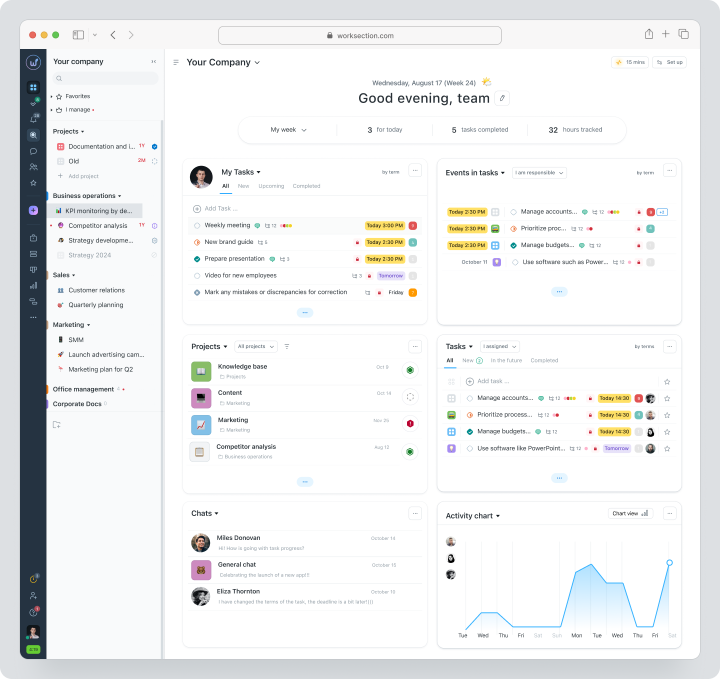
The service is relevant after a request is registered. For example, the support service logs the request in the ticket system, while the technical, production, or operational team performs the work in Worksection. The project or task is assigned a responsible person, deadline, subtasks, dependencies, files, checklists, and time tracking.
Cost: a free plan is available for up to 5 users and 2 projects. Monthly, Basic costs $5 per user, Business — $10, Premium — $15.
Key Features
- tasks and subtasks;
- deadlines, statuses, priorities, and dependencies;
- Gantt chart, Kanban, and calendar;
- files, comments, and checklists;
- time tracking, planned/factual, and reports;
- roles, permissions, and guest access;
- integrations, API, and webhooks.
Main Difference from Zendesk
Zendesk manages requests and communication with customers. Worksection manages the execution of tasks after escalation. These are different classes of products that can work sequentially.
Advantages
- transparent execution of complex service tasks;
- control of deadlines and labor costs;
- convenient coordination of multiple departments and contractors.
Limitations
- there is no built-in omnichannel ticket queue;
- there is no complete SLA help desk, customer portal, and call center;
- for front-line support, a separate channel or ticketing system is required.
Who It’s Suitable For
Service, technical, agency, and operational teams where customer requests are converted into projects or multi-step tasks.
Freshdesk
Freshdesk is a classic support system from Freshworks with tickets, a shared request inbox, a customer portal, a knowledge base, reports, and an AI Agent.
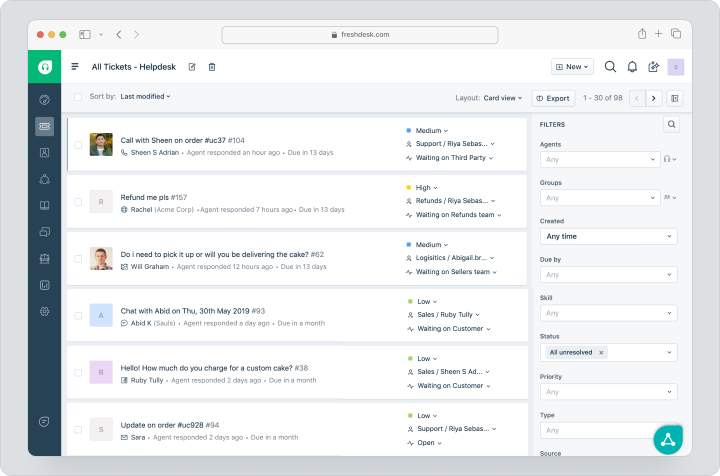
Cost: Freshdesk supports monthly payments. The exact cost depends on the current version of the pricing line and is displayed after selecting Monthly on the official page; annual prices of $19, $55, and $89 are not used as monthly rates. Separate conditions may apply for AI functions and additional sessions.
Key Features
- tickets from email and shared request inbox;
- customer portal and knowledge base;
- SLA, routing, and automation;
- threads and related tasks;
- reports and dashboards;
- Freddy AI Agent and Copilot;
- external collaborators on higher plans.
Main Difference from Zendesk
Freshdesk offers a more compact pricing line and quick implementation. Zendesk is broader in terms of enterprise ecosystem and CX platform depth.
Advantages
- clear pricing;
- a complete help desk already on Growth;
- starter package of AI Agent sessions on Pro and Enterprise.
Limitations
- advanced routing and customizable analytics are available on Pro;
- omnichannel Freshdesk Omni is billed separately;
- some AI and connector usage incurs additional charges.
Who It’s Suitable For
SMBs and growing support teams that need a close functional alternative to Zendesk.
Intercom
Intercom is a customer support platform focusing on AI and Messenger, a shared request inbox, tickets, a help center, outgoing messages, and the Fin AI Agent.
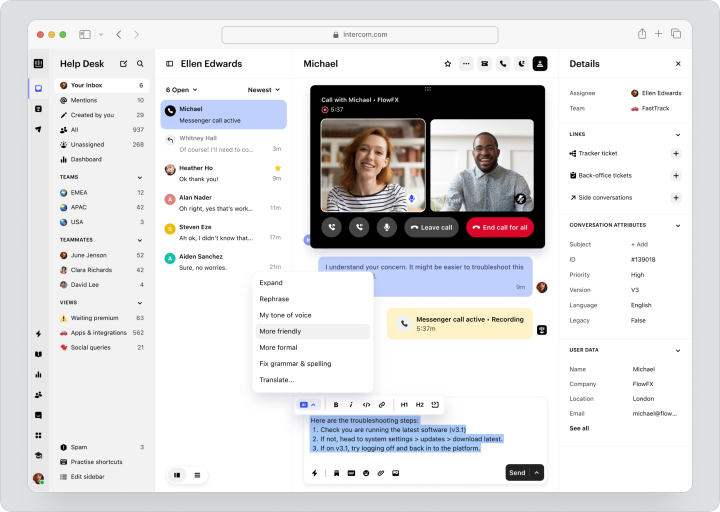
Cost: with monthly payments, Essential costs $29, Advanced — $85, Expert — $132 for a full monthly license. Fin is billed at $0.99 per successfully resolved request. Copilot costs $35 per agent per month for monthly billing.
Key Features
- In-app Messenger and support;
- shared inbox for inquiries and tickets;
- public help center;
- workflows and cyclic distribution on Advanced;
- closed multilingual help center on Advanced;
- SSO, SLA, and multibrand on Expert;
- Fin AI Agent on all plans.
Main Difference from Zendesk
Intercom builds customer support around the messenger and AI Agent. Zendesk is traditionally stronger in classical ticket architecture and has a broader enterprise offering.
Advantages
- strong in-app experience;
- transparent outcome-based pricing for Fin;
- quick AI launch on existing knowledge base.
Limitations
- final price consists of seats and usage;
- advanced workflows and SLA available on higher plans;
- outbound, WhatsApp, SMS, and phone have separate costs.
Who it’s Suitable For
SaaS, digital products, and companies with a high volume of chat and in-app support.
Help Scout
Help Scout is a simple product for customer support with a shared inbox for inquiries, online chat, a Docs knowledge base, and basic automation.
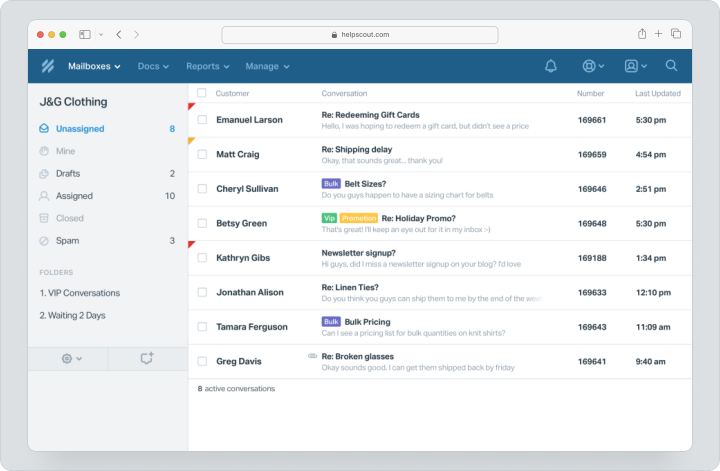
Pricing: Free for up to 5 users, 1 shared inbox, 1 knowledge base site, and 100 contacts per month. Standard is $25 per user per month, Plus is $45, Pro is $75. AI Answers costs $0.75 per successfully resolved inquiry.
Key Features
- shared inbox;
- online chat, Instagram, Messenger, and WhatsApp;
- Docs knowledge base;
- workflows and routing;
- SLA on paid plans;
- AI Assist, Drafts, and Answers;
- CSV and Excel exports;
- API and integrations.
Main Difference from Zendesk
Help Scout is simpler and closer in feel to regular team email. Zendesk provides deeper omnichannel capabilities, administration, and enterprise features.
Advantages
- free start for up to five users;
- short learning curve;
- transparent functionality across plans.
Limitations
- voice and SMS work through integrations;
- advanced SLA and routing are available on Plus and Pro;
- complex enterprise teams may lack governance.
Who it’s Suitable For
Small SaaS, agencies, and service companies with email-first support.
Zoho Desk
Zoho Desk is a help desk within the Zoho ecosystem featuring tickets, portals, automation, omnichannel support, reporting, and AI Zia.
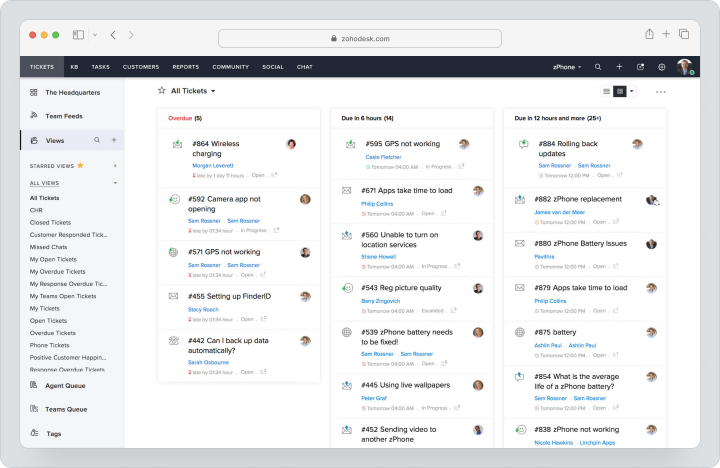
Pricing: Free for three agents. The paid line includes Express, Standard, Professional, and Enterprise, but the official site shows prices in local currency and considers the region. A 15-day trial without a credit card is available; verify the final price on the local checkout page.
Key Features
- tickets from email and client portal;
- knowledge base and community;
- SLA, workflows, and assignment;
- telephony, chat, and social networks depending on the plan;
- time tracking and billable hours;
- Zia AI;
- integrations with Zoho CRM, Books, and Analytics.
Main Difference from Zendesk
Zoho Desk is more deeply integrated into its own business ecosystem and offers an easier entry point. Zendesk is broader in terms of specialized CX integrations and marketplace.
Advantages
- Free for up to three agents;
- free start for three agents;
- strong connection with other Zoho products.
Limitations
- interface and settings need adaptation;
- features are spread across five editions;
- full value is unlocked within the Zoho ecosystem.
Who it’s Suitable For
SMBs and companies already using Zoho CRM, Books, or Analytics.
HubSpot Service Hub
HubSpot Service Hub is a customer support platform within HubSpot CRM. It combines a support system, a customer portal, a knowledge base, feedback, work with current clients, and a unified customer profile.
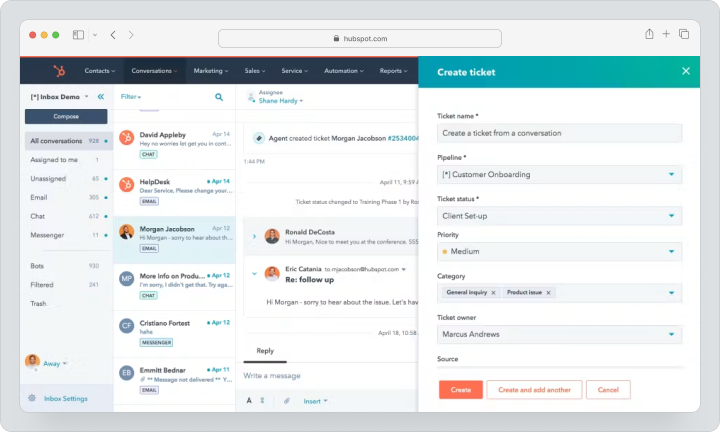
Cost: Free for up to two users. Monthly Starter starts at $20 per seat per month. Professional costs from $100 per seat per month for monthly billing with an annual commitment and requires a one-time implementation fee of $1,500. Enterprise starts at $150 per seat per month and requires implementation costing $3,500. Starter includes 500 HubSpot Credits, Professional includes 3,000, and Enterprise includes 5,000.
Key Features
- help desk and ticketing;
- CRM context and client interaction history;
- knowledge base;
- customer portal;
- surveys and feedback;
- workspace for working with current clients;
- AI Customer Agent and HubSpot Credits;
- workflows and reporting on higher plans.
Main Difference from Zendesk
HubSpot connects support, sales, marketing, and customer success in one CRM. Zendesk specializes more deeply in support operations.
Advantages
- a single customer profile;
- user-friendly for revenue teams;
- strong HubSpot automation.
Limitations
- Professional requires onboarding;
- cost increases rapidly with seats and Hubs;
- for complex call centers, a separate solution may be needed.
Who It’s Suitable For
Companies that are already using HubSpot CRM and want to unify customer-facing teams.
Gorgias
Gorgias is a customer service platform for online stores, especially popular among Shopify brands. It combines email, chat, social media, telephony, SMS, and store data in one support inbox.
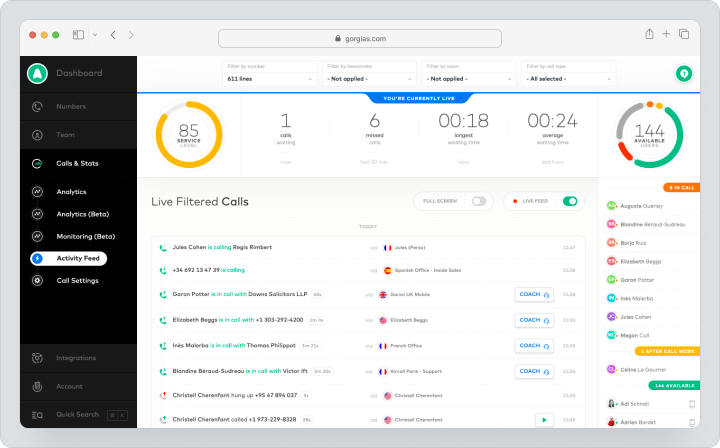
Cost: Gorgias is not charged by the number of agents. Pricing for the support system is based on volume, ranging from 50 to 5,000 tickets per month. AI Agent is available on all plans and is charged only for automated interactions. Telephony and SMS are added as extras, and the exact amount depends on usage.
Key Features
- context from Shopify, BigCommerce, Magento, and WooCommerce;
- order management from the support inbox;
- email, chat, and social media;
- macros and automations;
- AI Agent;
- revenue and conversion analytics;
- Voice and SMS add-ons.
Main Difference from Zendesk
Gorgias specializes in e‑commerce and charges help desk fees based on ticket volume rather than agents. Zendesk is more versatile across various industries.
Advantages
- deep integration with the store;
- unlimited number of agents within the ticket tier;
- support and order actions in one window.
Limitations
- less efficient outside of e‑commerce;
- cost increases with the volume of tickets;
- voice, SMS, and AI add costs based on actual usage.
Who It’s Suitable For
DTC and e‑commerce brands, especially on Shopify.
Front
Front is a customer operations platform that combines a shared support inbox, tickets, email, SMS, social media, WhatsApp, automation, and collaborative workflows.
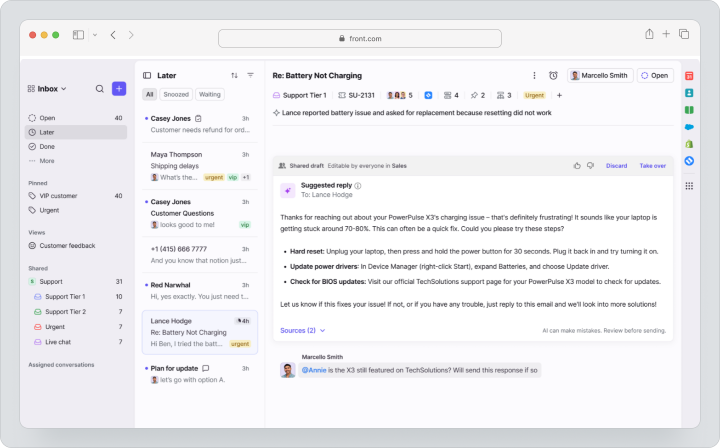
Cost: Front supports both monthly and annual billing. The exact monthly cost for Starter, Professional, and Enterprise is displayed when selecting monthly payment in billing; the prices of $25, $65, and $105 on the public page pertain to the annual period and are not used here as monthly rates. Copilot and Smart QA cost $20 per seat as add-ons, Smart CSAT is $10; they are included in Enterprise plans.
Key Features
- shared support inbox and tickets;
- email, SMS, social, and WhatsApp on Professional;
- macros and automation rules;
- knowledge base;
- analytics;
- SSO and SCIM;
- AI Autopilot, Copilot, QA, and CSAT.
Main Difference from Zendesk
Front maintains the feel of team email and emphasizes collaboration around requests. Zendesk is deeper in classic help desk and large contact center processes.
Advantages
- easy internal collaboration;
- clear customer context;
- strong AI add-ons.
Limitations
- Starter supports only one channel type;
- Professional is significantly more expensive than basic help desks;
- AI and WhatsApp may incur additional costs.
Who it’s suitable for
Customer service teams, logistics, financial operations, and B2B services.
LiveAgent
LiveAgent is an omnichannel support system with tickets, online chat, a knowledge base, social media, and a call center.
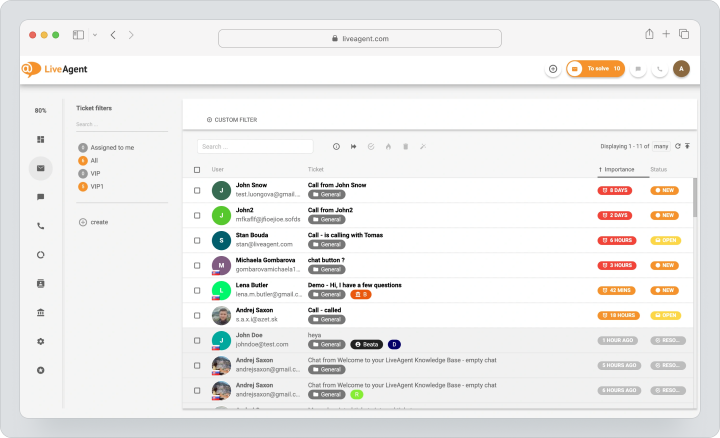
Cost: with monthly payments, Small Business costs $15 per agent per month, Medium — $29, Large — $49, Enterprise — $46. A 30-day trial is available.
Key features
- email ticketing;
- online chat;
- client portal and knowledge base;
- call center and IVR with Medium;
- SLA and reports with Medium;
- social channels on Large;
- SSO, custom roles, and audit log on Large;
- AI Agent.
Main difference from Zendesk
LiveAgent offers a wide range of channels at a lower price. Zendesk is stronger in the enterprise CX ecosystem, analytics, and scalable customization.
Advantages
- call center built into the product;
- 30-day trial;
- transparent pricing plans.
Limitations
- current discount is temporary;
- social channels are not available on basic plans;
- the interface may require additional training.
Who it’s suitable for
SMBs and support centers that need tickets, chat, and telephony in one service.
Jira Service Management
Jira Service Management is Atlassian’s ITSM and enterprise service management platform. In 2026, the product will be part of the Atlassian Service Collection along with Customer Service Management and Rovo Service.
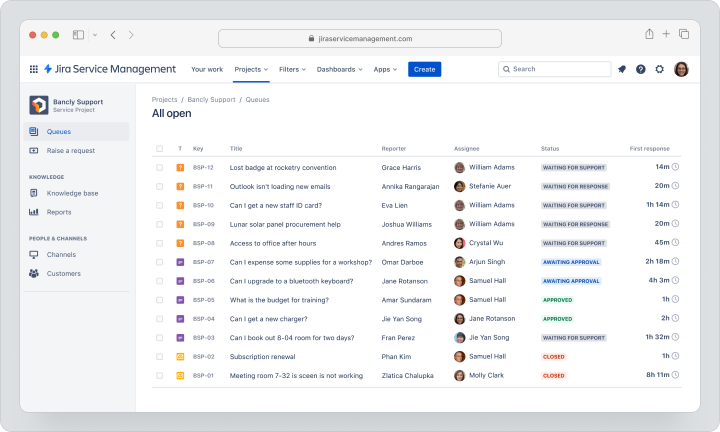
Cost: Atlassian offers Free, Standard, Premium, and Enterprise, but pricing depends on the number of agents and billing period. Prices typically start from $25 per agent. Clients can create requests without an agent license. Premium and Enterprise include 1,000 handled dialogues of a virtual service agent per month for monthly subscriptions or 12,000 per year for annual payments.
Key features
- request portal and email submissions;
- queues, SLA, and approvals;
- incident, problem, change, and asset management;
- knowledge base on Confluence;
- automation;
- virtual service agent and AI responses;
- Slack and Microsoft Teams channels;
- integration with Jira Software and DevOps.
Main difference from Zendesk
Jira Service Management is deeper in ITSM and development integration. Zendesk is more versatile for external customer support and omnichannel CX.
Advantages
- strong ITSM model;
- close connection with development;
- unlimited number of clients without paid agent licenses.
Limitations
- more complex for non-IT support;
- knowledge base depends on Confluence;
- the exact cost needs to be calculated based on the agent license level and AI usage.
Who it’s suitable for
IT, DevOps, employee servicing, and technical support teams.
Comparative Table of Zendesk Alternatives
Pricing data updated on August 12, 2026. For monthly payments, Zendesk Support Team costs $25 per agent, Suite Team — $69, Suite Professional — $149. The total cost depends on the region, payment method, AI usage, telephony, implementation, and add-ons.
| Service | Best Scenario | Tickets / SLA | Channels | Knowledge Base | Automation | Reports | Pricing Model |
|---|---|---|---|---|---|---|---|
| Worksection | Completion of service tasks after escalation | Tasks, not support system SLA | Not omnichannel | No full knowledge base | Project-based | Projects, people, time | $5 / $10 / $15 for monthly payments |
| Freshdesk | Classic support system | Yes | Email; Omni separately | Yes | Yes | Yes | Monthly price displayed after selecting Monthly |
| Intercom | Support focused on messenger and AI | Yes, SLA on Expert | Chat, email, in-app; additional channels | Yes | Workflows | Yes | Licenses + $0.99 per Fin result |
| Help Scout | Simple support focused on email | SLA on paid plans | Email, chat, social media; telephony via integration | Knowledge base | Workflows | Yes | Free; $25 / $45 / $75 per user |
| Zoho Desk | Support system in Zoho | Yes | Omnichannel depending on plan | Yes | Yes | Yes | Free for 3 agents; regional pricing for paid plans |
| HubSpot Service Hub | CRM + support + customer engagement | Yes | Support system and integrations | Yes | HubSpot workflows | Yes | Free for 2 users; Starter $20 for monthly payments; Professional $100 + implementation |
| Gorgias | Support for online stores | Yes | Email, chat, social media; telephony/SMS as add-ons | Limited | Strong e‑commerce | Revenue and support | By ticket volume, not by agents |
| Front | Customer operations | Yes | Omnichannel with Professional | Yes | Rules and macros | Advanced | Monthly price displayed in billing |
| LiveAgent | Tickets + chat + call center | Yes | Email, chat, telephony, social media depending on plan | Yes | Yes | With Medium | $15 / $29 / $49 / $69 for monthly payments |
| Jira Service Management | ITSM and employee servicing | Yes | Portal, email, Slack, Teams | Via Confluence | Yes | ITSM reports | By agent license level; clients free of charge |
Which service to choose for different scenarios?
For a close replacement of Zendesk
Freshdesk and Zoho Desk provide a classic ticket model with SLA, portals, and automation. Freshdesk is simpler in its lineup, while Zoho is more advantageous for companies in its own ecosystem.
For AI-first support
Intercom is suitable for SaaS and product support with a focus on messenger. Zendesk retains a broader CX platform. The comparison should consider the predicted number of automatically resolved inquiries, licenses, and paid channels.
For simple email support
Help Scout is better suited for small teams without complex contact center architecture. Front is rational if email support is tied to customer operations and internal collaboration.
For e‑commerce
Gorgias provides ready actions with orders and Shopify context. This is a specialized alternative, not a universal help desk for any industry.
For ITSM
Jira Service Management is suitable for technical support, internal IT processes, and development-related processes. For external customer support, it should only be chosen after a pilot.
For complex tasks after inquiries
Worksection is needed not as a replacement for Zendesk, but after it or another intake channel. It is suitable when the solution requires a project, subtasks, multiple performers, deadlines, time, and managerial control.
How to transition from Zendesk without data loss?
- Create a list of channels, brands, groups, roles, organizations, custom fields, SLAs, and integrations.
- Clean up spam, deleted, and outdated tickets.
- Document the mapping of statuses, priorities, and request types.
- Export users, organizations, tickets, comments, and attachments.
- Check the transfer of the help center, redirects, and multilingual articles.
- Create a pilot queue in the new system.
- Migrate one typical period and compare ticket counts.
- Set up email forwarding, routing, SLAs, and working hours.
- Test chat, forms, voice, and social channels.
- Check CSAT, dashboards, and agent permissions.
- Train agents on actual inquiries.
- Run a parallel period and leave Zendesk in read-only mode.
The main risk is not losing the tickets themselves, but the hidden business logic: triggers, macros, routing, applications, and SLAs. This must be documented separately.
How to organize service tasks in Worksection?
- Register inquiries in help desk, CRM, form, or email.
- Create a project or task in Worksection for the work that needs to be done.
- Add the original inquiry, client, files, and context.
- Break down the solution into subtasks and checklists.
- Assign responsible parties, deadlines, and dependencies.
- Document the planned time and budget.
- If necessary, connect the client or contractor through guest access.
- Monitor timelines on the Gantt chart and actual time in reports.
- Return the summary and status to the help desk.
This way, communication with the client remains within a specialized system, while the execution of work is in a space designed for work management.
FAQ
What is the best alternative to Zendesk in 2026?
There is no universal winner. Freshdesk is closest to a classic support system, Intercom is suitable for support with a focus on AI and messaging, Gorgias is for e‑commerce, and Jira Service Management is for ITSM. Worksection is relevant only for executing complex service tasks after registering inquiries.
Are there free alternatives to Zendesk?
Yes. Free plans are available with Help Scout, Zoho Desk, Jira Service Management, and Worksection. Freshdesk offers a $0 program for 1 – 2 agents for the first six months to new small teams, but this is not a permanent free plan. Limitations need to be checked according to agents, contacts, channels, SLAs, and reports.
Which Zendesk alternative is suitable for small businesses?
Help Scout is good for simple email support, Zoho Desk is a budget support system, and Freshdesk is a more classic ticketing system. For online stores, Gorgias is worth checking out. Worksection is suitable if support is handling project work while a first-line support inbox has already been organized.
How does Worksection differ from Zendesk?
Zendesk manages inquiries, handles tickets, channels, SLAs, and customer communication. Worksection manages projects, tasks, deadlines, dependencies, time, and reports. It is not a direct replacement for Zendesk and should be used for internal execution or client service projects.
Can data be transferred from Zendesk?
Yes. Zendesk supports API and export, and many competitors offer migration tools or data transfer services. However, it is necessary to separately verify comments, attachments, the help center, users, organizations, custom fields, macros, triggers, and SLAs.
How to compare help desk prices?
Count licenses, simplified agent licenses, clients, channels, AI solutions, phone use, WhatsApp, implementation, applications, and storage. A low agent price does not guarantee low costs if important features are only available as add-ons.
How to choose between help desk and task manager?
A support system is needed for incoming channels, queues, SLAs, and communication. A task manager is required for multi-stage execution. If an inquiry can be resolved with one response, a support system is sufficient. If it turns into a project, a combination of the two systems is useful.
What features to check before migration?
Check email, chat, telephony, social media, ticket fields, queues, SLAs, automation, knowledge base, CSAT, reports, roles, SSO, API, import, and export. Additionally, test one complete inquiry path from creation to closure.
Which system is better for enterprise?
Zendesk, Front Enterprise, Jira Service Management Premium or Enterprise, and Freshdesk Enterprise cater to different corporate scenarios. The choice depends on customer support, ITSM, channels, security, and integrations. Decisions need to be made after an architectural pilot.
Conclusion
Zendesk remains a powerful CX platform, but not every team needs all its depth. Freshdesk and Zoho Desk are suitable as classic support systems. Intercom is for SaaS support with a focus on AI. Help Scout is for a simple shared inbox for inquiries. Gorgias is for online stores. Front is for customer operations. LiveAgent is for chat and call center. Jira Service Management is for ITSM.
Worksection occupies a unique place: it is not an omnichannel help desk, but a system for task execution following a request. When a support request turns into a project with multiple executors, deadlines, and labor costs, you can explore the overview of Worksection and compare pricing.